







Question: Create the following program using C++, Problem 2: Modify program 10-18, pages 682-684 (40 points) Please make the following modification to program 10-18 (pr10-18.cppclick to
Create the following program using C++,
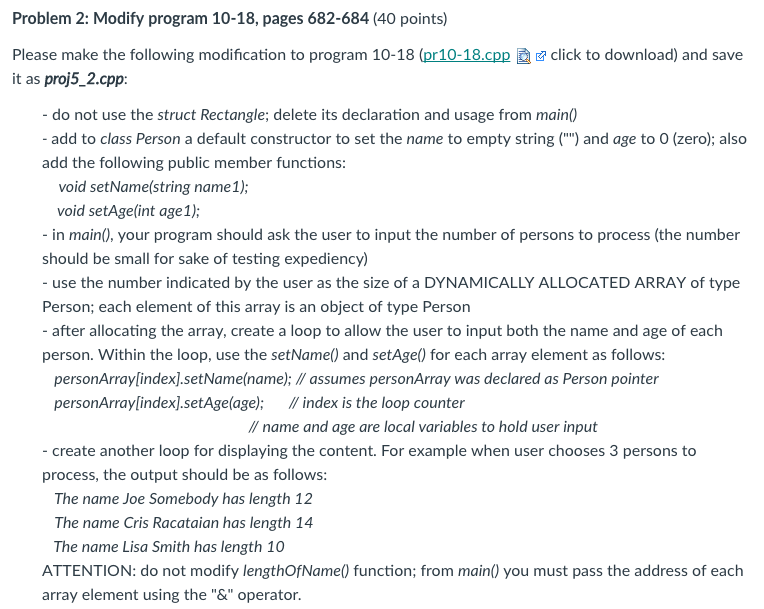
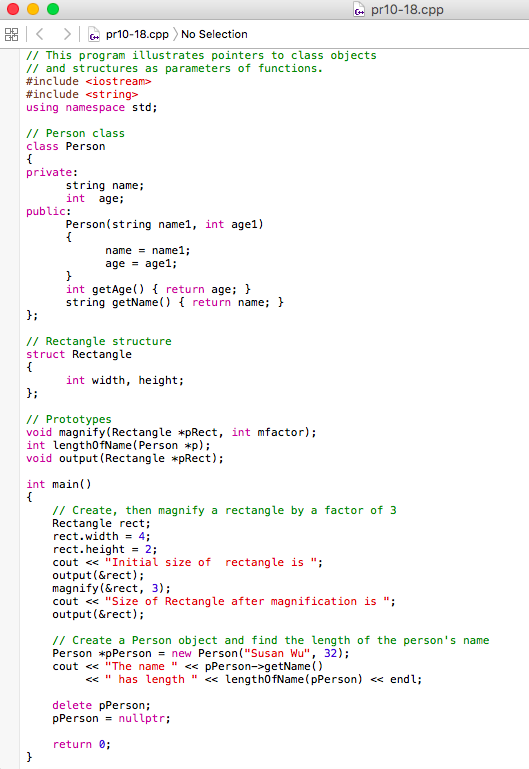
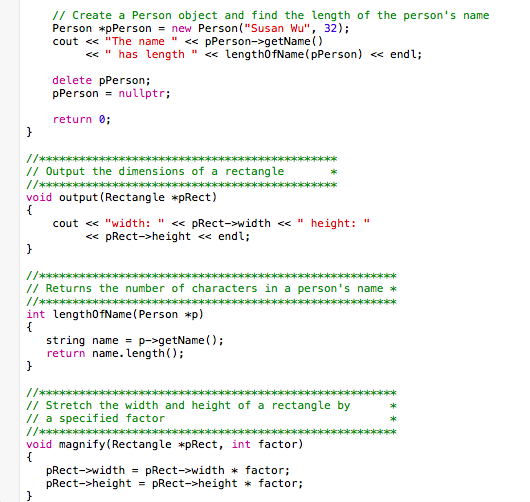
Problem 2: Modify program 10-18, pages 682-684 (40 points) Please make the following modification to program 10-18 (pr10-18.cppclick to download) and save it as proj5_2.cpp: - do not use the struct Rectangle; delete its declaration and usage from main) add to class Person a default constructor to set the name to empty string (") and age to O (zero); also add the following public member functions void setName(string name1); void setAge(int age 1); in main), your program should ask the user to input the number of persons to process (the number should be small for sake of testing expediency) - use the number indicated by the user as the size of a DYNAMICALLY ALLOCATED ARRAY of type Person; each element of this array is an object of type Person - after allocating the array, create a loop to allow the user to input both the name and age of each person. Within the loop, use the setName) and setAge) for each array element as follows personArraylindex].setName(name); /assumes personArray was declared as Person pointer personArray[index].setAge(age); I/ index is the loop counter /ame and age are local variables to hold user input - create another loop for displaying the content. For example when user chooses 3 persons to process, the output should be as follows The name Joe Somebody has length 12 The name Cris Racataian has length 14 The name Lisa Smith has length 10 ATTENTION: do not modify lengthOfName) function; from main) you must pass the address of each array element using the "&" operator
Step by Step Solution
There are 3 Steps involved in it

Get step-by-step solutions from verified subject matter experts
 Study Help