







Question: Create the instructions to do website Now do the following in the VM. You may use any resource. 1. Create a web page name lesson5.html
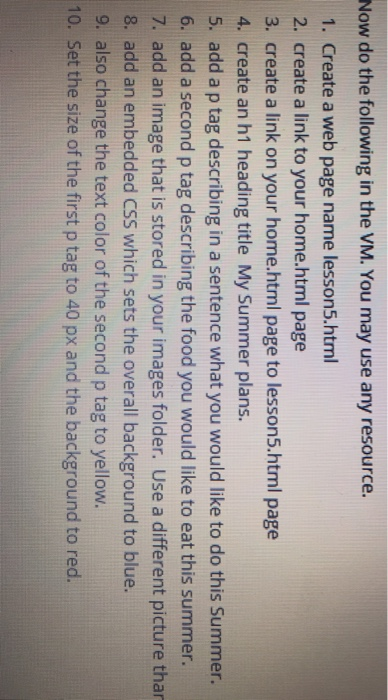
Now do the following in the VM. You may use any resource. 1. Create a web page name lesson5.html 2. create a link to your home.html page 3. create a link on your home.html page to lesson5.html page 4. create an h1 heading title My Summer plans. 5. add a p tag describing in a sentence what you would like to do this Summer. 6. add a second p tag describing the food you would like to eat this summer. 7. add an image that is stored in your images folder. Use a different picture thar 8. add an embedded CSS which sets the overall background to blue. 9. also change the text color of the second p tag to yellow. 10. Set the size of the first p tag to 40 px and the background to red
Step by Step Solution
There are 3 Steps involved in it

Get step-by-step solutions from verified subject matter experts
 Study Help