







Question: Create two files, HTML 5 file which will include javaScript file, and a picture file that will display the same output as the attached photo.
Create two files, HTML 5 file which will include javaScript file, and a picture file that will display
the same output as the attached photo.
Save photo as pic.png
Use Canvas and JavaScript to display the same output as you see in the attached output photo. There
are three buttons.
a. When the user click on the first button Draw and move the mouse over the picture; the user can draw a shape as in the attached photo.
b. When the user click on the second button Circle and move the mouse over the picture; the user can draw a circle.
c. When the user clink on the third button Signature; the user can write his name in the input text box. Missing that reduces your grade by 5-points.

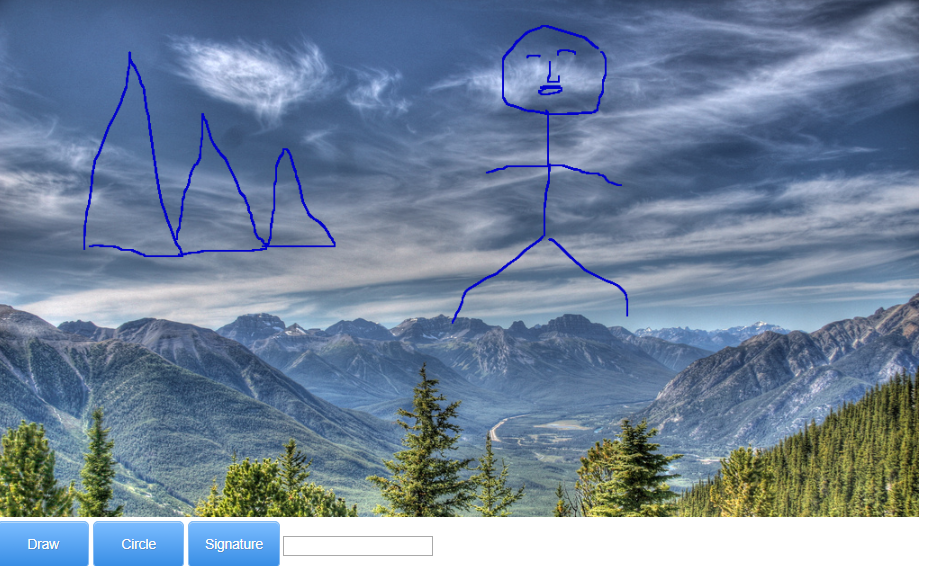
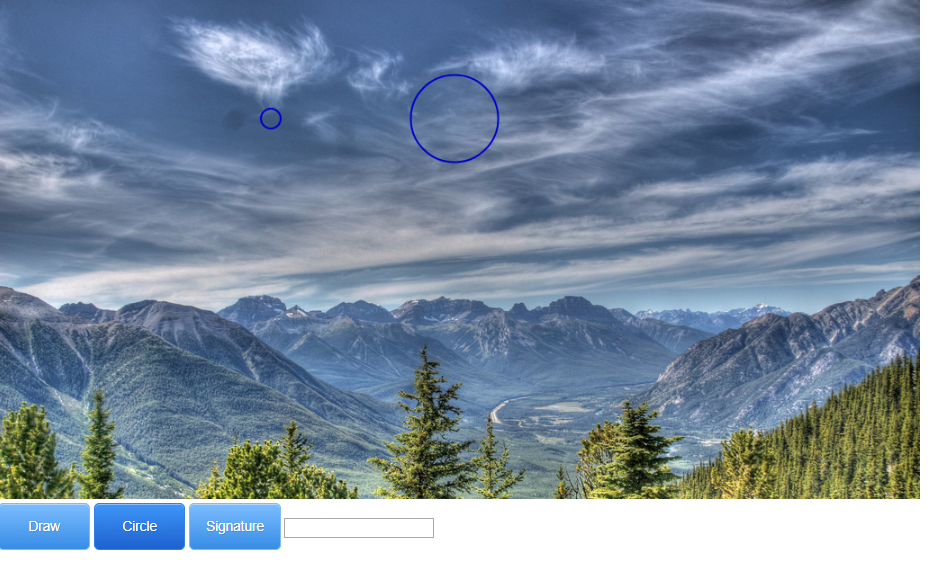

Draw Circle Signature
Step by Step Solution
There are 3 Steps involved in it

Get step-by-step solutions from verified subject matter experts
 Study Help