







Question: Creating a Normalized Databaseand Enforcing Referential Integrity using Microsoft ACCESS. ? 1. Click Create 3. Select Table Design or Click on View then Design view
Creating a Normalized Databaseand Enforcing Referential Integrity using Microsoft ACCESS.
?
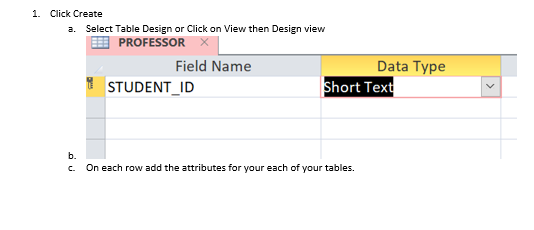
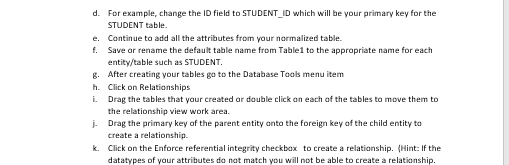
1. Click Create 3. Select Table Design or Click on View then Design view PROFESSOR X Field Name Data Type STUDENT ID Short Text b. c. On each row add the attributes for your each of your tables.d. For example, change the ID field to STUDENT_ID which will be your primary key for the STUDENT table. e. Continue to add all the attributes from your normalized table. f. Save or rename the default table name from Table1 to the appropriate name for each entity/table such as STUDENT. g. After creating your tables go to the Database Took menu item h. Click on Relationships i. Drag the tables that your created or double click on each of the tables to move them to the relationship view work area. j. Drag the primary key of the parent entity onto the foreign key of the child entity to create a relationship. k. Click on the Enforce referential integrity checkbox to create a relationship. (Hint: If the datatypes of your attributes do not match you will not be able to create a relationship
Step by Step Solution
There are 3 Steps involved in it

Get step-by-step solutions from verified subject matter experts
 Study Help