







Question: CS 100 Lab Seven - Spring 2017 Create a directory called lab7 using mkdir lab7. Move into that directory and write the following problems ame
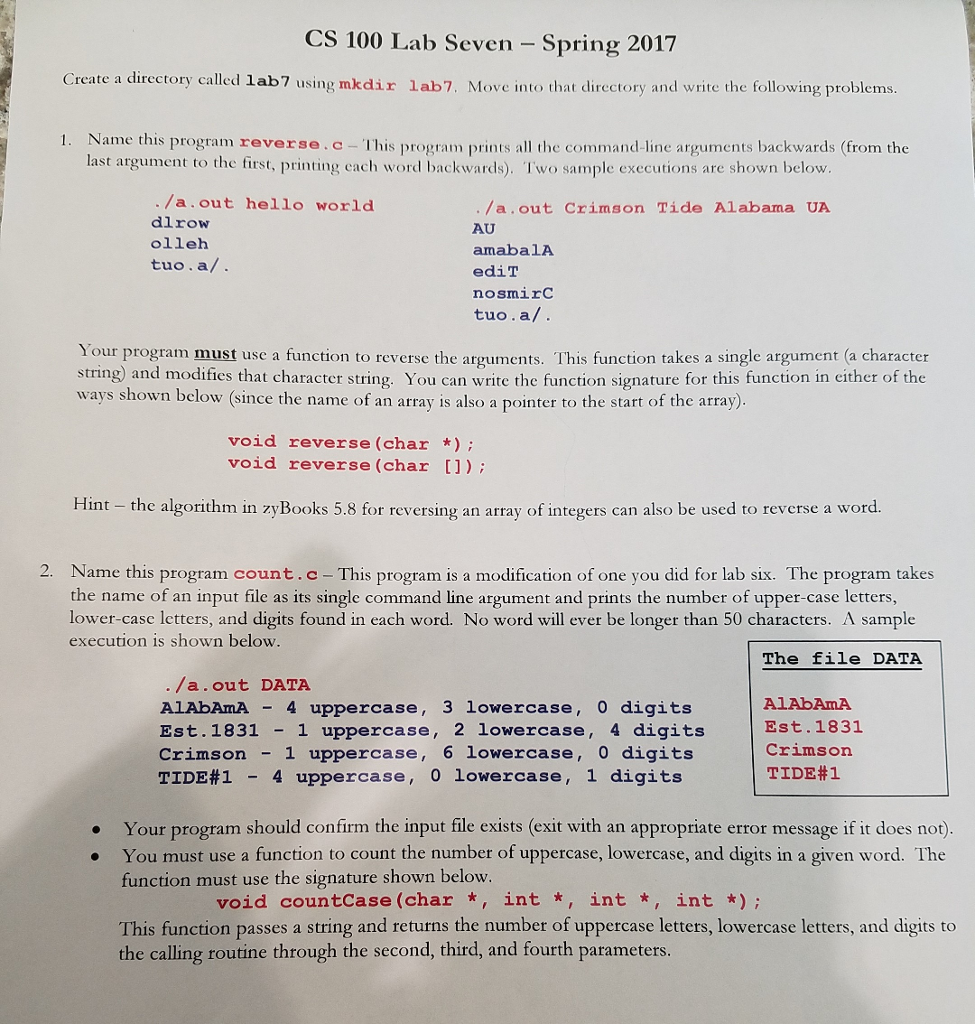
CS 100 Lab Seven - Spring 2017 Create a directory called lab7 using mkdir lab7. Move into that directory and write the following problems ame this program reverse.c-This program prints all the command-line arguments backwards (from the last argument to the first, printing cach word backwards). I'wo sample executions are shown below /a.out hello world dlrow olleh tuo.a/ . /a.out Crimson Tide Alabama UA AU amaba1A ediT nosmirC tuo.a/. Your program must use a function to reverse the arguments. This function takes a single argument (a character string) and modifies that character string. You can write the function signature for this function in either of the ways shown below (since the name of an array is also a pointer to the start of the array) void reverse (char*) void reverse (char []) Hint - the algorithm in zyBooks 5.8 for reversing an array of integers can also be used to reverse a word 2. Name this program count.c the name of an input file as its single command line argument and prints the number of upper-case letters, lower-case letters, and digits found in each word. No word will ever be longer than 50 characters. A sample execution is shown below This program is a modification of one you did for lab six. The program takes The file DATA /a.out DATA AlAbAmA4 uppercase, 3 lowercase, 0 digit:s Est. 1831 1 uppercase, 2 lowercase, 4 digits Crimson - 1 uppercase, 6 lowercase, 0 digits TIDE#1-4 uppercase, o lowercase, 1 digits AlAbAmA Est.1831 Crimson TIDE#1 Your program should confirm the input file exists (exit with an appropriate error message if it does not) You must use a function to count the number of uppercase, lowercase, and digits in a given word. The function must use the signature shown below . void countCase (char *, int *, int , int) This function passes a string and returns the number of uppercase letters, lowercase letters, and digits to the calling routine through the second, third, and fourth parameters
Step by Step Solution
There are 3 Steps involved in it

Get step-by-step solutions from verified subject matter experts
 Study Help