







Question: CS1 Programming in Pakua M. SPRING 2021 - SEC Instructions: Create a C++ Console application with an output similar to a store receipt with five
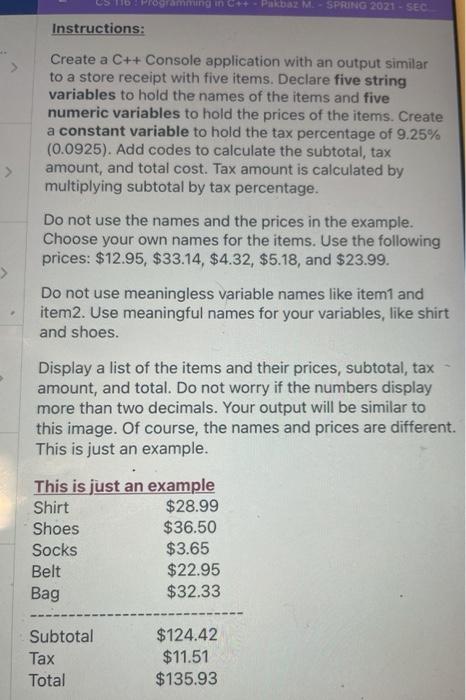
CS1 Programming in Pakua M. SPRING 2021 - SEC Instructions: Create a C++ Console application with an output similar to a store receipt with five items. Declare five string variables to hold the names of the items and five numeric variables to hold the prices of the items. Create a constant variable to hold the tax percentage of 9.25% (0.0925). Add codes to calculate the subtotal, tax amount, and total cost. Tax amount is calculated by multiplying subtotal by tax percentage. Do not use the names and the prices in the example. Choose your own names for the items. Use the following prices: $12.95, $33.14, $4.32, $5.18, and $23.99. > Do not use meaningless variable names like item1 and item2. Use meaningful names for your variables, like shirt and shoes. Display a list of the items and their prices, subtotal, tax amount, and total. Do not worry if the numbers display more than two decimals. Your output will be similar to this image. Of course, the names and prices are different. This is just an example. This is just an example Shirt $28.99 Shoes $36.50 Socks $3.65 Belt $22.95 Bag $32.33 Subtotal Tax Total $124.42 $11.51 $135.93
Step by Step Solution
There are 3 Steps involved in it

Get step-by-step solutions from verified subject matter experts
 Study Help