







Question: CS240 Intro Engineering Programming Programming Assignment #7 Due Wednesday, November 8, 2017 Topics: Plotting Data The U.S. Army has contracted with UWM to develop a
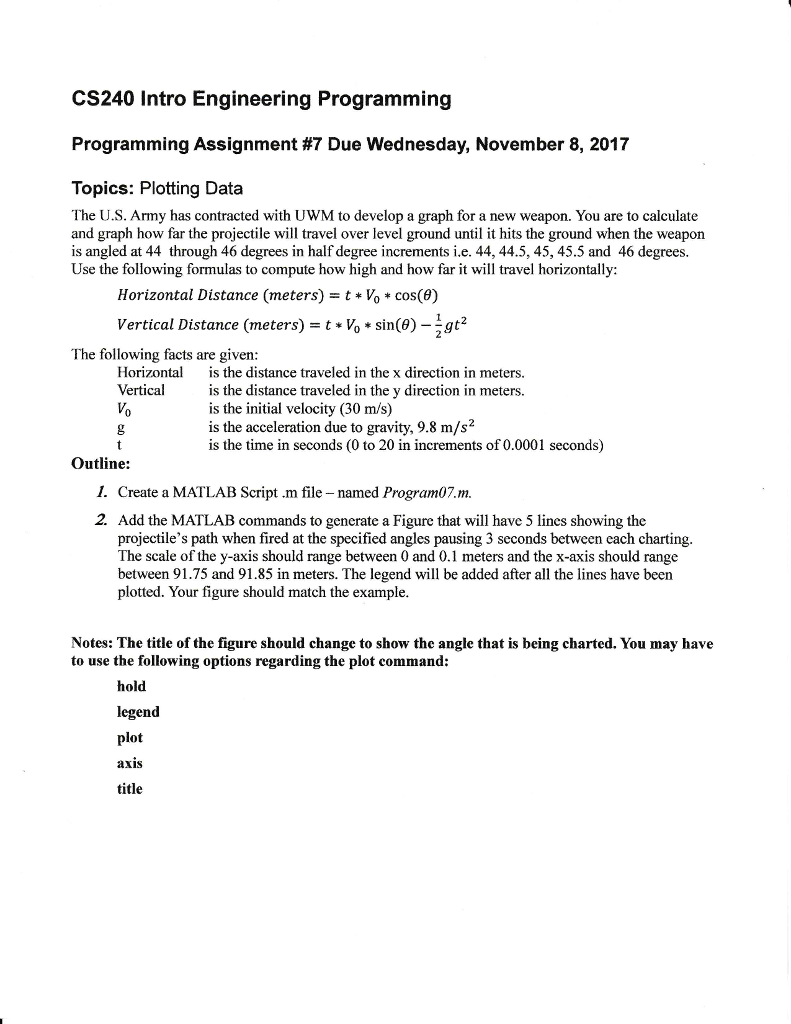
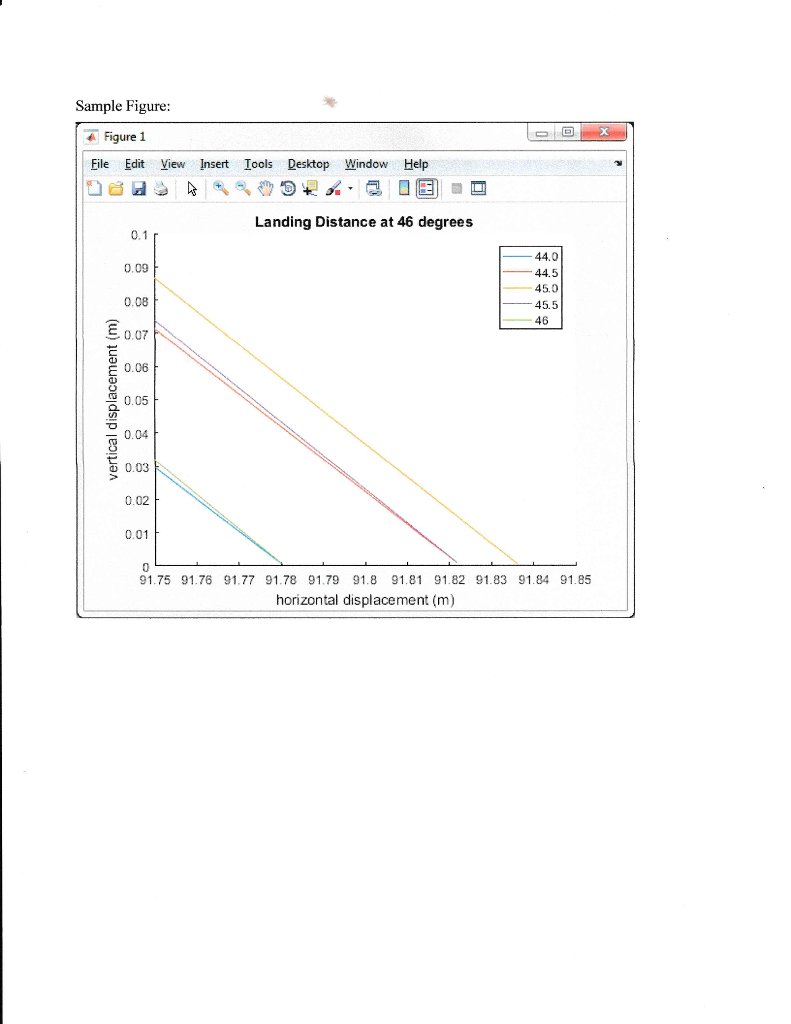
CS240 Intro Engineering Programming Programming Assignment #7 Due Wednesday, November 8, 2017 Topics: Plotting Data The U.S. Army has contracted with UWM to develop a graph for a new weapon. You are to calculate and graph how far the projectile will travel over level ground until it hits the ground when the weapon is angled at 44 through 46 degrees in half degree increments i.e. 44,44.5, 45,45.5 and 46 degrees. Use the following formulas to compute how high and how far it will travel horizontally: Horizontal Distance (rneters) = t * Vo * cos(8) Vertical Distance (m|eters) = t * V0 * sin(9)--gt2 The following facts are given: Horizonta Vertical the distance traveled in the x direction in meters. is the distance traveled in the y direction in meters. is the initial velocity (30 m/s) is the acceleration due to gravity, 9.8 m/s2 is the time in seconds (0 to 20 in increments of 0.0001 seconds) Outline: I. Create a MATLAB Script .m file -named Program07.m 2. Add the MATLAB commands to generate a Figure that will have 5 lines showing the projectile's path when fired at the specified angles pausing 3 seconds between each charting The scale of the y-axis should range between 0 and 0.1 meters and the x-axis should range between 91.75 and 91.85 in meters. The legend will be added after all the lines have been plotted. Your figure should match the example Notes: The title of the figure should change to show the angle that is being charted. You may have to use the following options regarding the plot command: hold legend plot axis title
Step by Step Solution
There are 3 Steps involved in it

Get step-by-step solutions from verified subject matter experts
 Study Help