







Question: Page 1 of 2 ZOOM + CS240 Intro Engineering Programming: Spring 2021 Lab 7 Due In Lab, the week of March 7, 2021 Main topics:
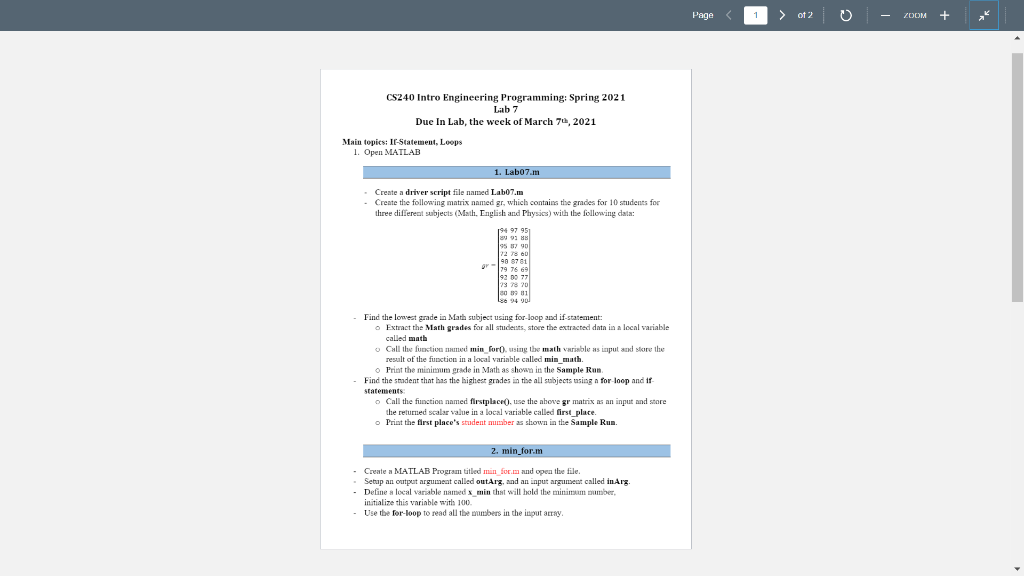
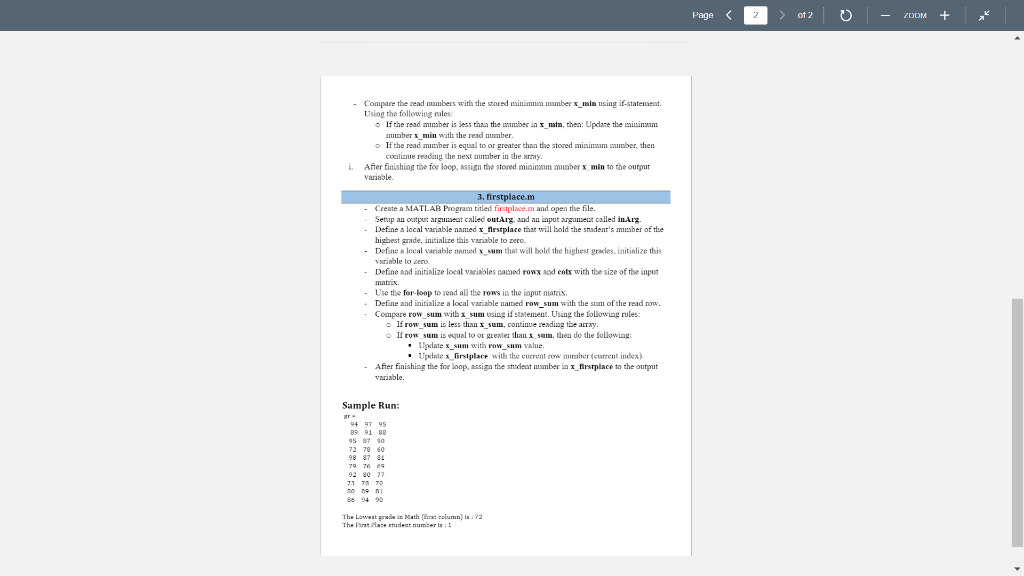
Page 1 of 2 ZOOM + CS240 Intro Engineering Programming: Spring 2021 Lab 7 Due In Lab, the week of March 7, 2021 Main topics: Ir-Statement, Loops 1. Open MATLAB 1. Labo7.m Create a driver script file named Lab07.m - Create the following matrix named gr, which contains the grades for 10 students for three different subjects (Math, English and Physics) with the following data: SUB 9 90 90 8781 79 76 6 1929 737820 80 9 11 L 94 vol Find the lowest grade in Math subject using for-loop and if-statement: o Extract the Math grades for all students, store the extracted data in a local variable called math Call the function med min for using the math variable as input and skire the result of the function in a local variable called min_muth. Print the minimum grade in Math as shown in the Sample Run Find the student that has the highest grades in the all subjects using a for-loop and if statements: Call the function named flrstplace(), use the above gr matrix as an input and store the returned scalar value in a local variable called first place. o Print the flrst place's student number as shown in the Sample Run. 2. min form - Create a MATLAB Program titled min_form and open the file. Setup an output argument called outArg, and an input argument called in Arg. Define a local variable named x_min that will hold the minimum number, initialize this variable with 100. - Use tbe for-loop to read all the wombers in the input atay. Page
Step by Step Solution
There are 3 Steps involved in it

Get step-by-step solutions from verified subject matter experts
 Study Help