







Question: CSC 156 - Operating Systems Basic and Security Apple Orange Pineapple Kiwi Banana Blue berry Strawberry Golden berry e. Press Ctri+d. f. Type at the
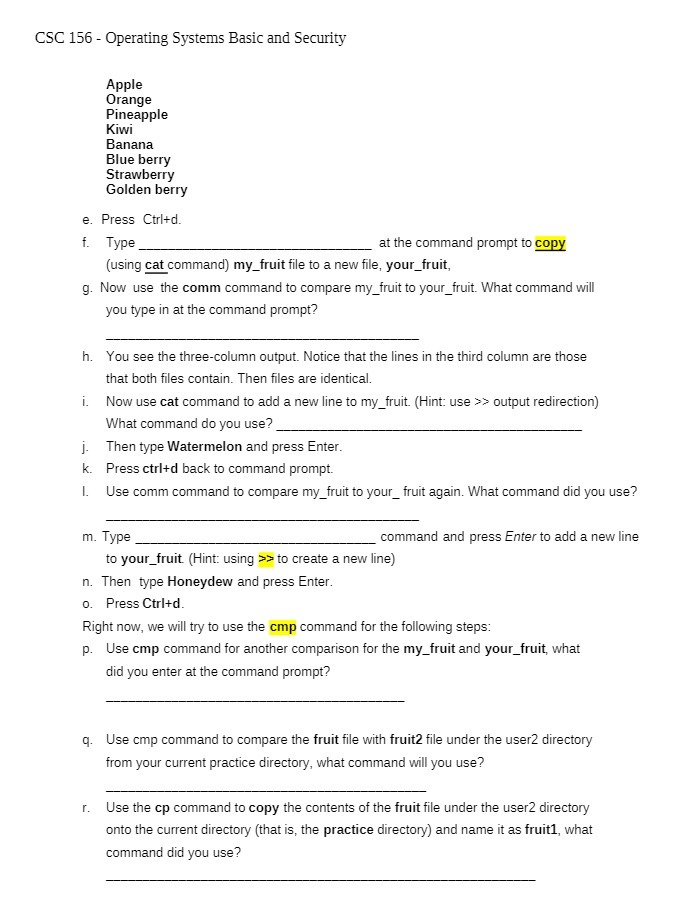
CSC 156 - Operating Systems Basic and Security Apple Orange Pineapple Kiwi Banana Blue berry Strawberry Golden berry e. Press Ctri+d. f. Type at the command prompt to copy (using cat command) my_fruit file to a new file, your_fruit, g. Now use the comm command to compare my_fruit to your_fruit. What command will you type in at the command prompt? h. You see the three-column output. Notice that the lines in the third column are those that both files contain. Then files are identical. i. Now use cat command to add a new line to my_fruit. (Hint: use > > output redirection) What command do you use?_ j. Then type Watermelon and press Enter. k. Press ctri+d back to command prompt. I. Use comm command to compare my_fruit to your_ fruit again. What command did you use? m. Type command and press Enter to add a new line to your_fruit (Hint: using >> to create a new line) n. Then type Honeydew and press Enter. o. Press Ctri+d Right now, we will try to use the cmp command for the following steps: p. Use cmp command for another comparison for the my_fruit and your_fruit, what did you enter at the command prompt? q. Use cmp command to compare the fruit file with fruit2 file under the user2 directory from your current practice directory, what command will you use? r. Use the cp command to copy the contents of the fruit file under the user2 directory onto the current directory (that is, the practice directory) and name it as fruitl, what command did you use
Step by Step Solution
There are 3 Steps involved in it

Get step-by-step solutions from verified subject matter experts
 Study Help