







Question: CSC 222 Project TechShell A simple shell supports shell commands with 1/0 redirection. Write a C program that repeatedly allows a user to enter input
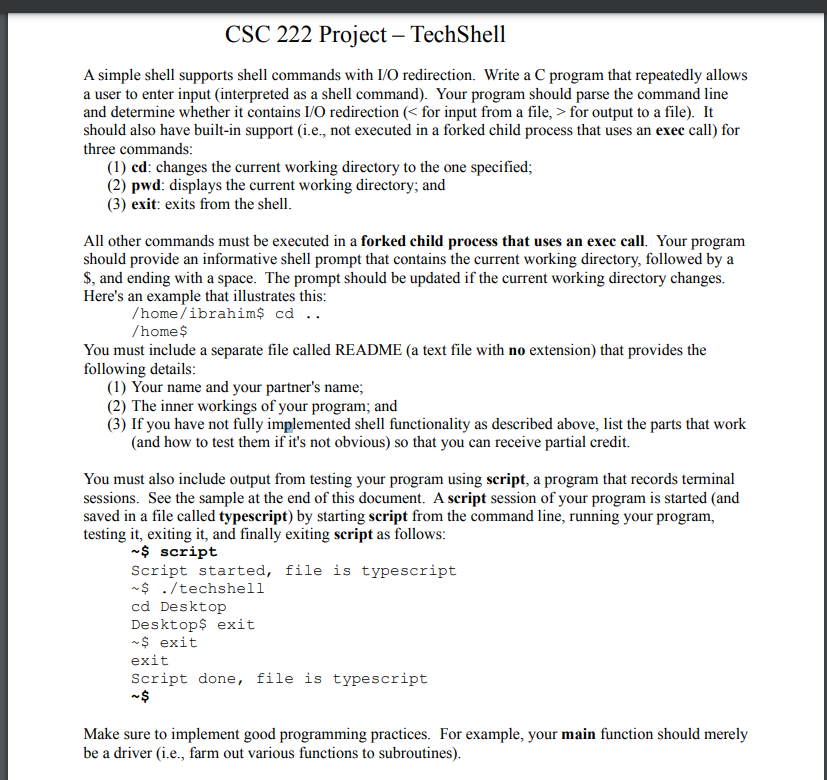
CSC 222 Project TechShell A simple shell supports shell commands with 1/0 redirection. Write a C program that repeatedly allows a user to enter input (interpreted as a shell command). Your program should parse the command line and determine whether it contains I/O redirection ( for output to a file). It should also have built-in support (i.e., not executed in a forked child process that uses an exec call) for three commands: (1) cd: changes the current working directory to the one specified; (2) pwd: displays the current working directory; and (3) exit: exits from the shell. All other commands must be executed in a forked child process that uses an exec call. Your program should provide an informative shell prompt that contains the current working directory, followed by a $, and ending with a space. The prompt should be updated if the current working directory changes. Here's an example that illustrates this: /home/ibrahim$ cd .. /home $ You must include a separate file called README (a text file with no extension) that provides the following details: (1) Your name and your partner's name; (2) The inner workings of your program; and (3) If you have not fully implemented shell functionality as described above, list the parts that work (and how to test them if it's not obvious) so that you can receive partial credit. You must also include output from testing your program using script, a program that records terminal sessions. See the sample at the end of this document. A script session of your program is started (and saved in a file called typescript) by starting script from the command line, running your program, testing it, exiting it, and finally exiting script as follows: ~$ script Script started, file is typescript $ ./techshell cd Desktop Desktops exit $ exit exit Script done, file is typescript ~$ Make sure to implement good programming practices. For example, your main function should merely be a driver (i.e., farm out various functions to subroutines). CSC 222 Project TechShell A simple shell supports shell commands with 1/0 redirection. Write a C program that repeatedly allows a user to enter input (interpreted as a shell command). Your program should parse the command line and determine whether it contains I/O redirection ( for output to a file). It should also have built-in support (i.e., not executed in a forked child process that uses an exec call) for three commands: (1) cd: changes the current working directory to the one specified; (2) pwd: displays the current working directory; and (3) exit: exits from the shell. All other commands must be executed in a forked child process that uses an exec call. Your program should provide an informative shell prompt that contains the current working directory, followed by a $, and ending with a space. The prompt should be updated if the current working directory changes. Here's an example that illustrates this: /home/ibrahim$ cd .. /home $ You must include a separate file called README (a text file with no extension) that provides the following details: (1) Your name and your partner's name; (2) The inner workings of your program; and (3) If you have not fully implemented shell functionality as described above, list the parts that work (and how to test them if it's not obvious) so that you can receive partial credit. You must also include output from testing your program using script, a program that records terminal sessions. See the sample at the end of this document. A script session of your program is started (and saved in a file called typescript) by starting script from the command line, running your program, testing it, exiting it, and finally exiting script as follows: ~$ script Script started, file is typescript $ ./techshell cd Desktop Desktops exit $ exit exit Script done, file is typescript ~$ Make sure to implement good programming practices. For example, your main function should merely be a driver (i.e., farm out various functions to subroutines)
Step by Step Solution
There are 3 Steps involved in it

Get step-by-step solutions from verified subject matter experts
 Study Help