







Question: CSC156-Operating Systems Basics and Security Lab 4-manipulating Files Worksheet Objectives Display the contents of text files with the cat and more commands Display the contents
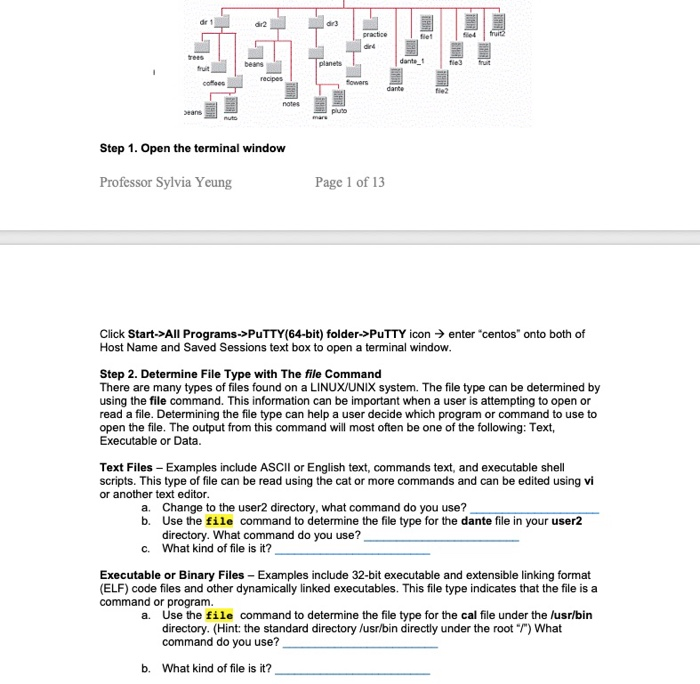
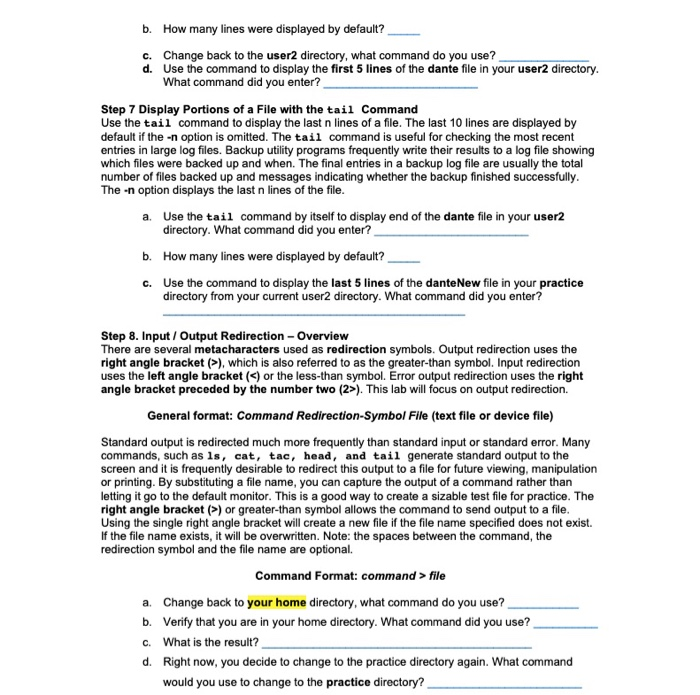
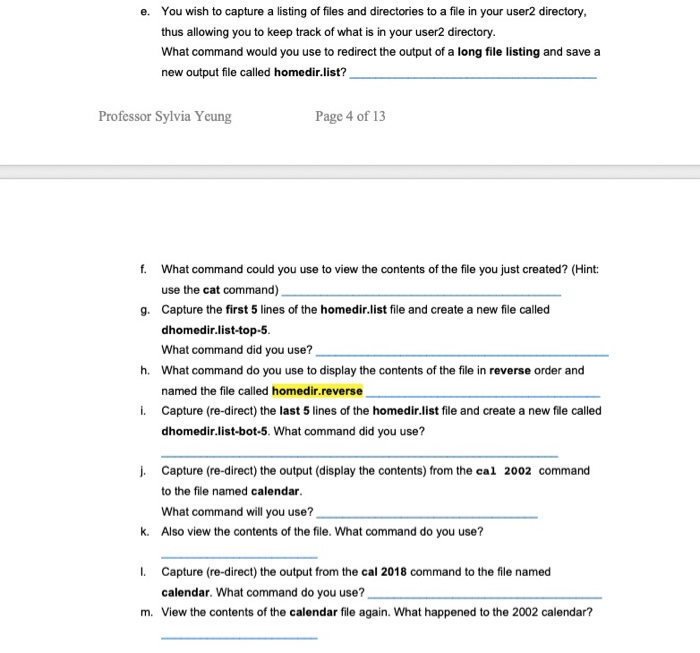
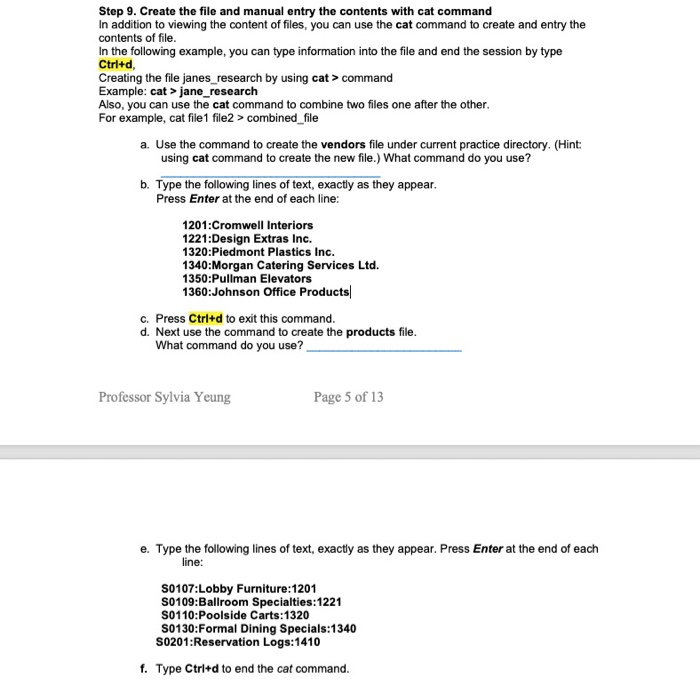
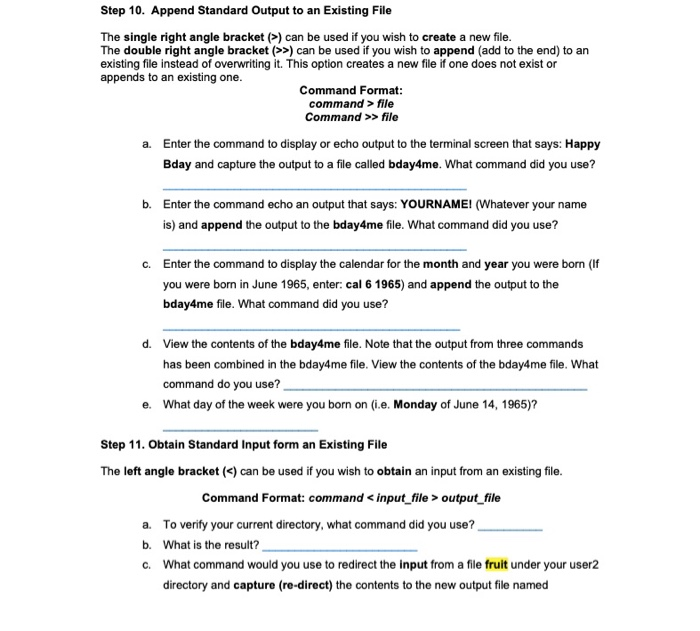
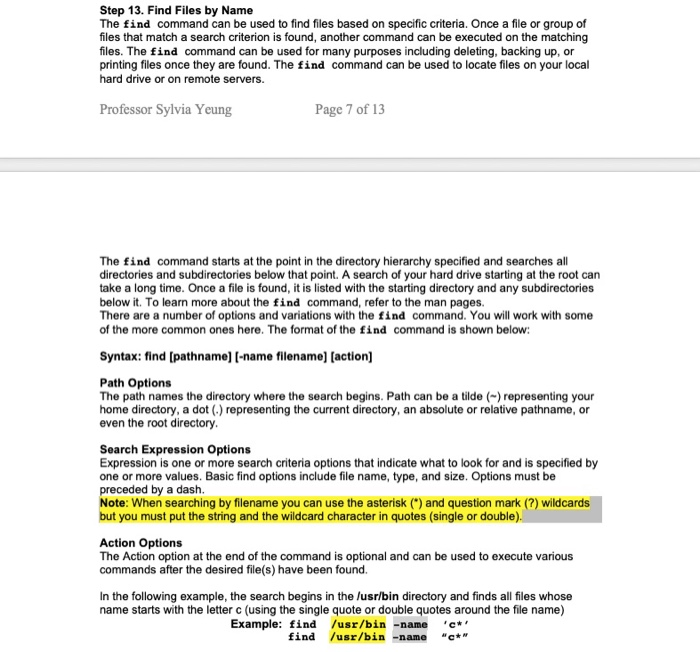
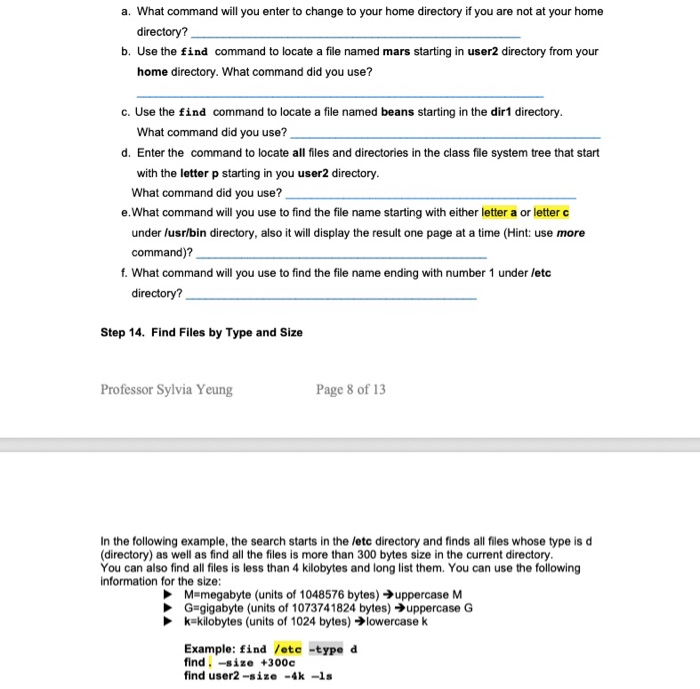
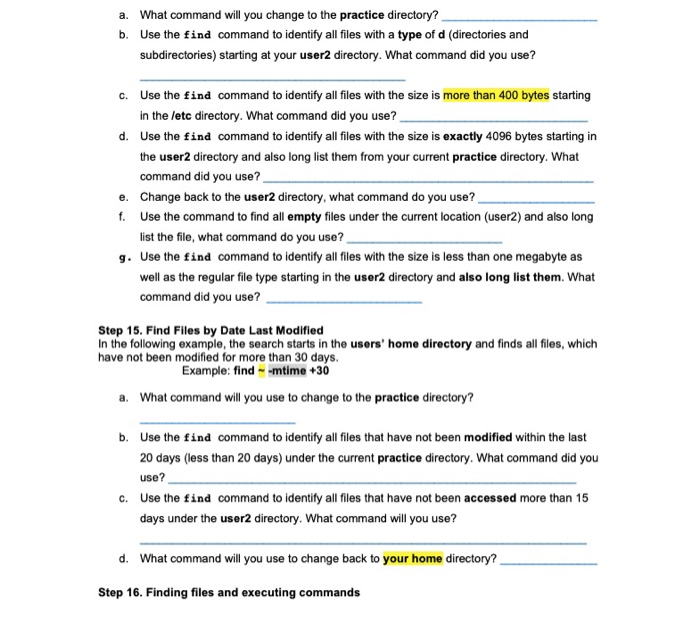
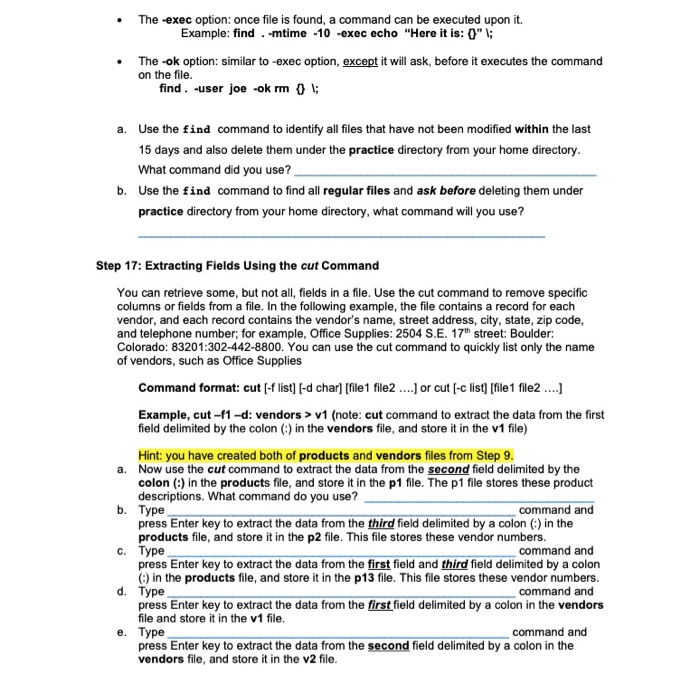
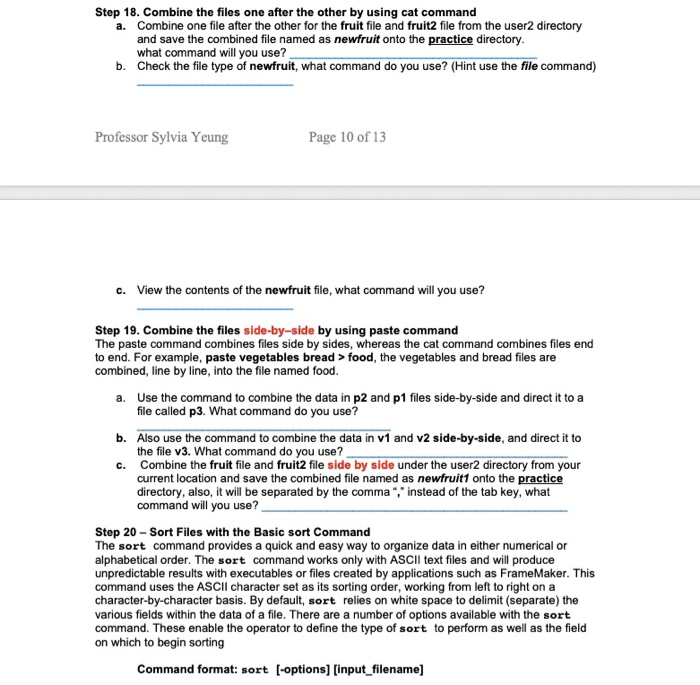
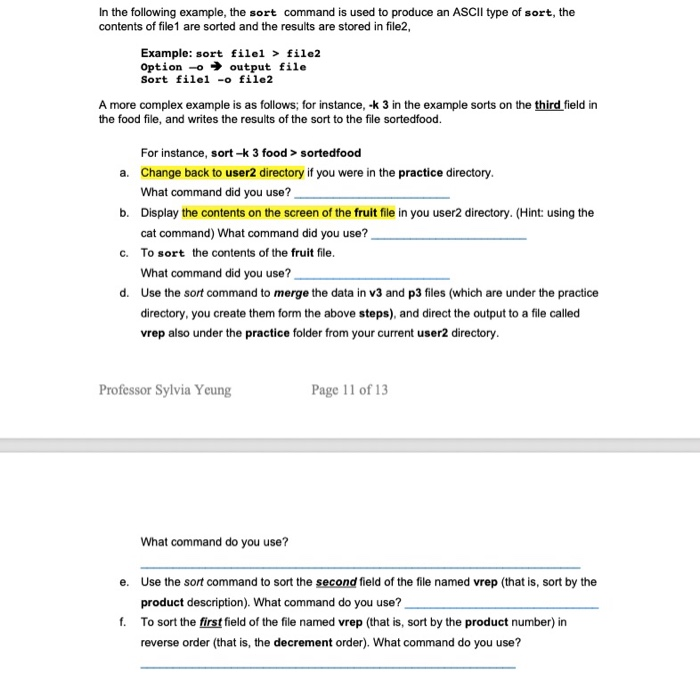
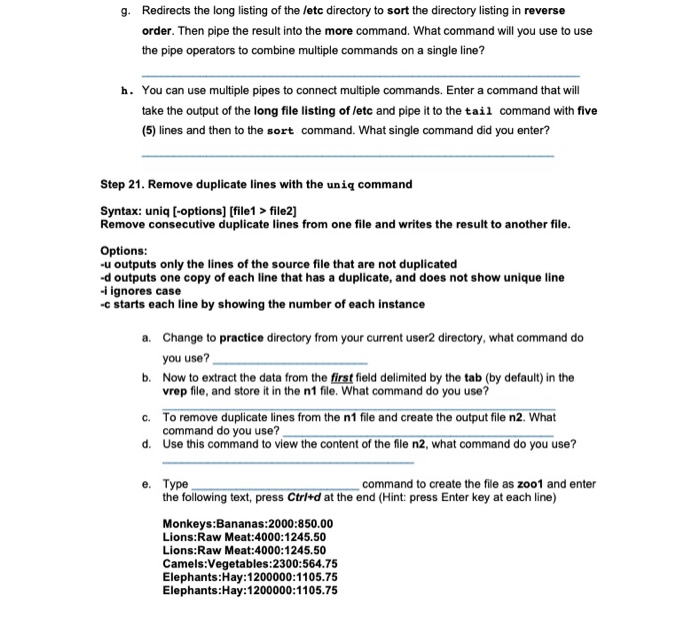
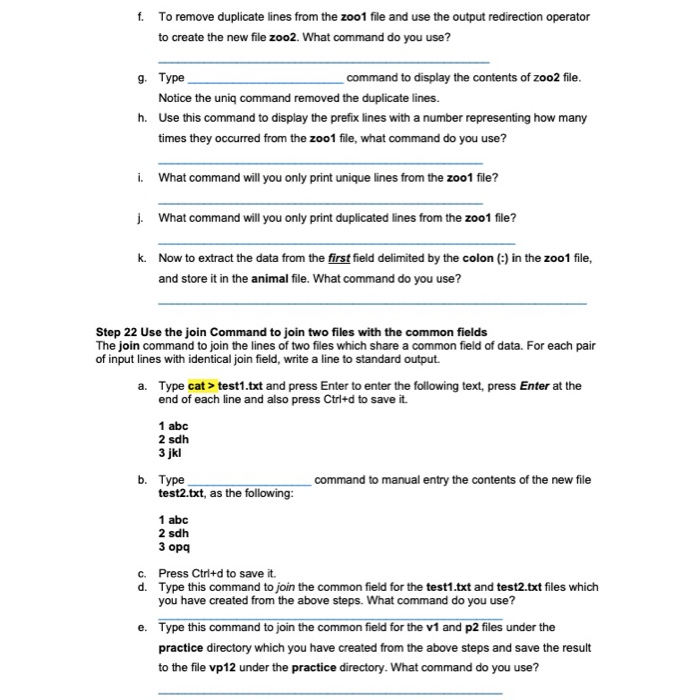
CSC156-Operating Systems Basics and Security Lab 4-manipulating Files Worksheet Objectives Display the contents of text files with the cat and more commands Display the contents of text files with the tac and less commands Display portions of text files with the head and tail commands Display the readable characters of an executable file with the strings command Display the file in octal format with the od command .Become familiar with input loutput (/O) redirection and pipe Find files by name, size, date last modified or type using the find command .Combine files with a redirection operator using cat command Combine file with the paste command Extract fields using the cut command .Become familiar the sort file processing commands . Sort files with the basic sort command .Remove duplicate lines with the uniq command .Use the join Command to join two files with the common fields Background In this lab, you will work with various informational commands and use advanced Linux commands to accomplish redirection. These are important because they allow you to investigate and discover information about files. Every Linux command has a source for standard input and a destination for standard output. The input to a command is normally from the keyboard although it can come from a file. The output from a command normally goes to the monitor or screen. The Linux computing environment enables command O to be controlled using redirection. This is useful when attempting to save the output of a command to a file for later The find command can be used to find files anywhere in the directory structure. You wil practice using the sort command to sort the contents of file. You will learn how to use the cut command to remove specific columns or fields form a file Use the diagram of the sample Class File System directory tree to assist with this lab Class File Tree Structure user2 CSC156-Operating Systems Basics and Security Lab 4-manipulating Files Worksheet Objectives Display the contents of text files with the cat and more commands Display the contents of text files with the tac and less commands Display portions of text files with the head and tail commands Display the readable characters of an executable file with the strings command Display the file in octal format with the od command .Become familiar with input loutput (/O) redirection and pipe Find files by name, size, date last modified or type using the find command .Combine files with a redirection operator using cat command Combine file with the paste command Extract fields using the cut command .Become familiar the sort file processing commands . Sort files with the basic sort command .Remove duplicate lines with the uniq command .Use the join Command to join two files with the common fields Background In this lab, you will work with various informational commands and use advanced Linux commands to accomplish redirection. These are important because they allow you to investigate and discover information about files. Every Linux command has a source for standard input and a destination for standard output. The input to a command is normally from the keyboard although it can come from a file. The output from a command normally goes to the monitor or screen. The Linux computing environment enables command O to be controlled using redirection. This is useful when attempting to save the output of a command to a file for later The find command can be used to find files anywhere in the directory structure. You wil practice using the sort command to sort the contents of file. You will learn how to use the cut command to remove specific columns or fields form a file Use the diagram of the sample Class File System directory tree to assist with this lab Class File Tree Structure user2
Step by Step Solution
There are 3 Steps involved in it

Get step-by-step solutions from verified subject matter experts
 Study Help