







Question: CSCI 101 Lab 1 Create an HTML File CSC1101 In this lab you will create your first HTML document. Please follow the instruction and submit
CSCI 101
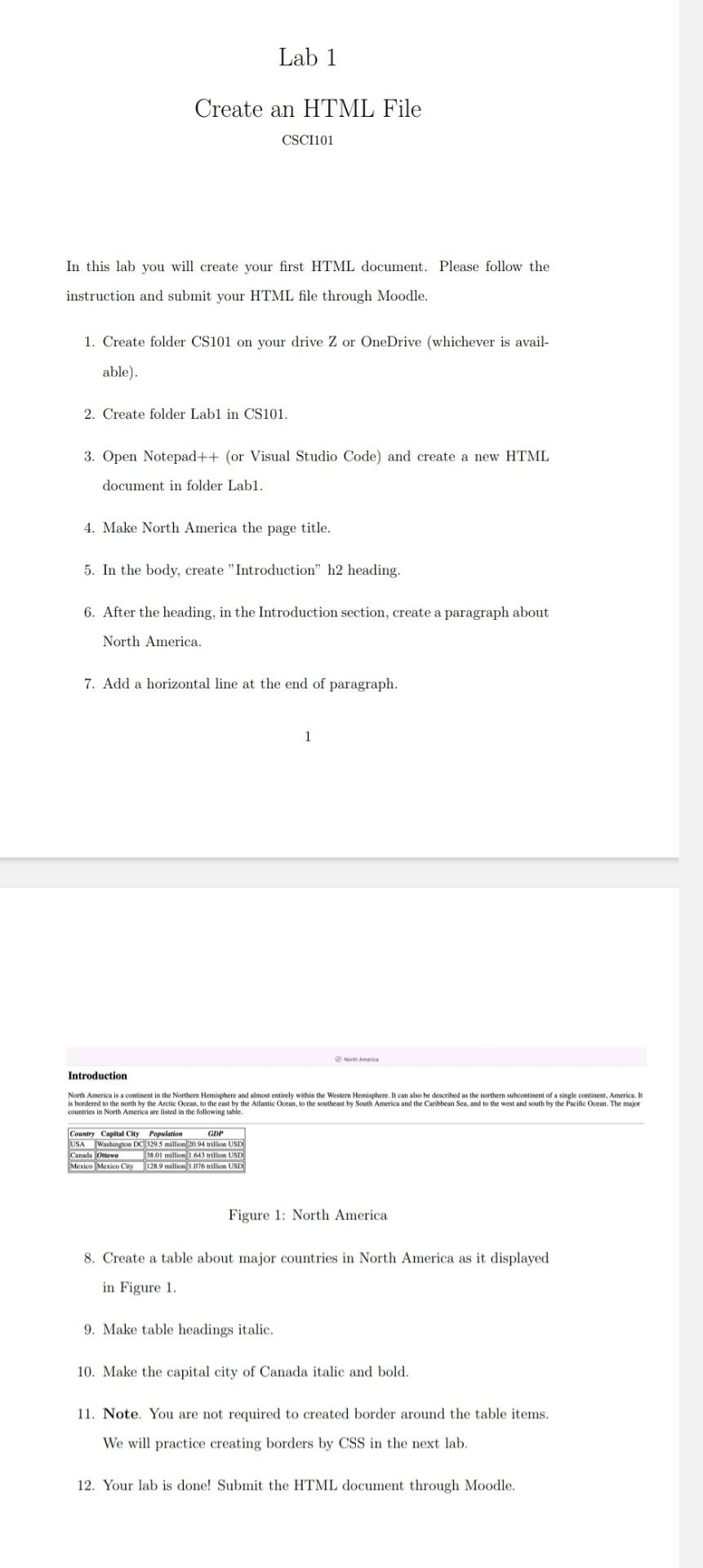
Lab 1 Create an HTML File CSC1101 In this lab you will create your first HTML document. Please follow the instruction and submit your HTML file through Moodle. 1. Create folder CS101 on your drive Z or OneDrive (whichever is avail- able) 2. Create folder Lab1 in CS101. 3. Open Notepad++ (or Visual Studio Code) and create a new HTML document in folder Labi. 4. Make North America the page title. 5. In the body, create "Introduction" h2 heading. 6. After the heading, in the Introduction section, create a paragraph about North America. 7. Add a horizontal line at the end of paragraph. Am Introduction North America is a continent in the Northern Hemisphere and almost entirely within the Western Hemisphere. It can also be described as the norther subcontinent of a single continent, America, It is bordered to the north by the Arctic Ocean, to the east by the Atlantic Ocean, to the southeast by South America and the Caribbean Sea, and to the west and south by the Pacific Ocean. The major countries in North America are listed in the following table Country Capital City Population GDP USA Washington DC3295 million 20.94 trillion USD Canada 30 million 1.643 trillion USD Mexico Mexico City 128.9 million 1,076 trillion USD Figure 1: North America 8. Create a table about major countries in North America as it displayed in Figure 1. 9. Make table headings italic. 10. Make the capital city of Canada italic and bold. 11. Note. You are not required to created border around the table items. We will practice creating borders by CSS in the next lab. 12. Your lab is done! Submit the HTML document through Moodle
Step by Step Solution
There are 3 Steps involved in it

Get step-by-step solutions from verified subject matter experts
 Study Help