



Question: CSCI 4 7 6 0 / 5 7 6 0 Assignment 1 Submission: Take screen shots ( using Windows Snipping Tools to cut and paste
CSCI Assignment
Submission: Take screen shots using Windows Snipping Tools to cut and paste into a Word
document to show the commands and results clearly. DO NOT print the whole screen.
Name the document as YourLastNameAssign If not specified, each question is pts
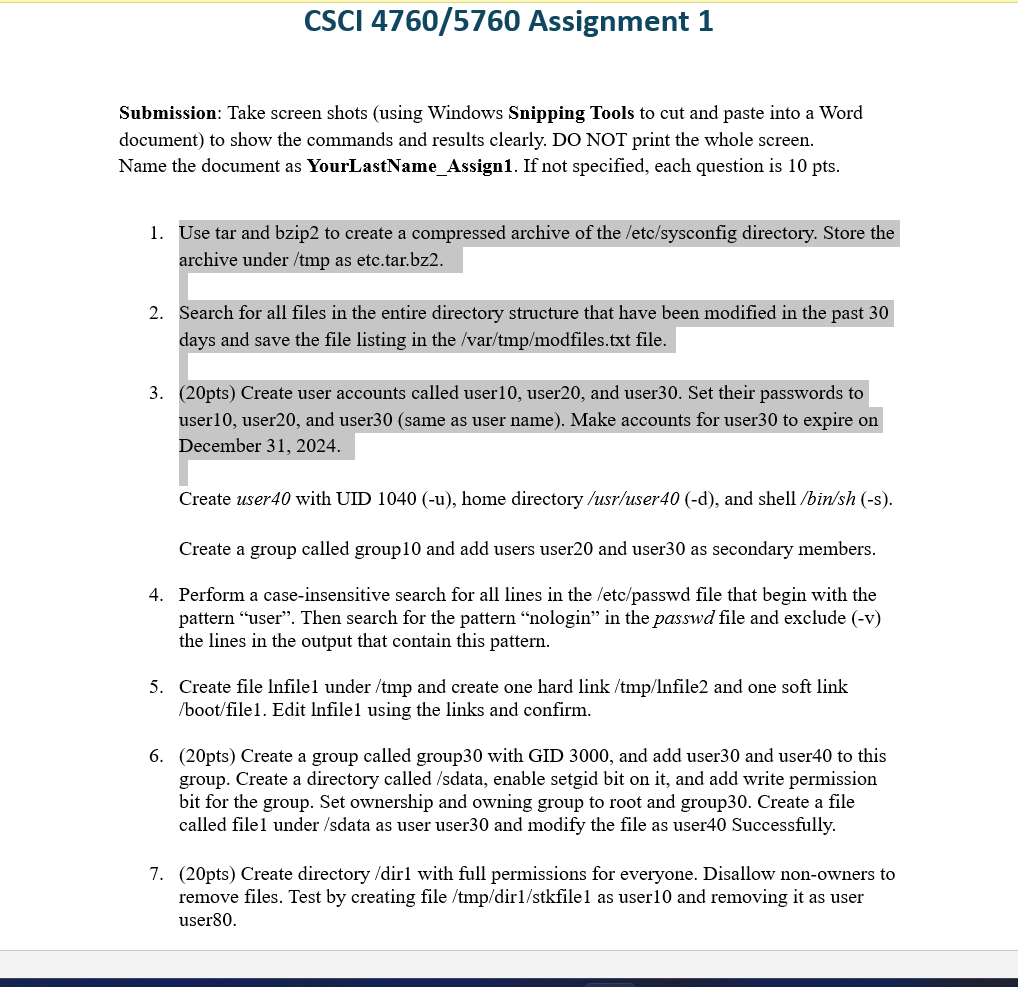
Use tar and bzip to create a compressed archive of the etcsysconfig directory. Store the
archive under tmp as etc.tar.bz
Search for all files in the entire directory structure that have been modified in the past
days and save the file listing in the modfiles.txt file.
pts Create user accounts called user user and user Set their passwords to
user user and usersame as user name Make accounts for user to expire on
December
Create user with UID home directory usruser and shell
Create a group called group and add users user and user as secondary members.
Perform a caseinsensitive search for all lines in the etcpasswd file that begin with the
pattern "user". Then search for the pattern "nologin" in the passwd file and exclude v
the lines in the output that contain this pattern.
Create file lnfile under and create one hard link and one soft link
bootfile Edit lnfile using the links and confirm.
pts Create a group called group with GID and add user and user to this
group. Create a directory called sdata enable setgid bit on it and add write permission
bit for the group. Set ownership and owning group to root and group Create a file
called file under sdata as user user and modify the file as user Successfully.
pts Create directory dir with full permissions for everyone. Disallow nonowners to
remove files. Test by creating file tkfile as user and removing it as user
user
Step by Step Solution
There are 3 Steps involved in it
1 Expert Approved Answer
Step: 1 Unlock

Question Has Been Solved by an Expert!
Get step-by-step solutions from verified subject matter experts
Step: 2 Unlock
Step: 3 Unlock