







Question: CSI 124 programming III. How to display and constract the following given question depending given data using wpf window.Thank you. Coffee-italiano-$1.50-Points100-Venti-DarkTea-Matcha-$2.50-Points200.Short-Green Breakiast - Hash Browns
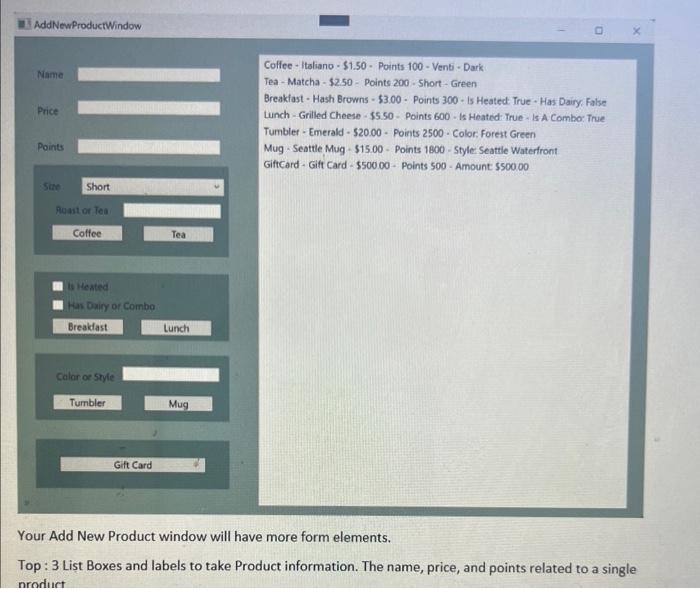
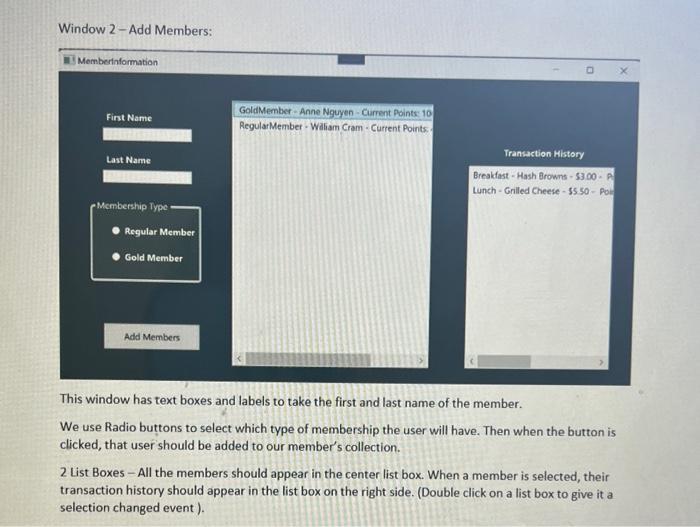
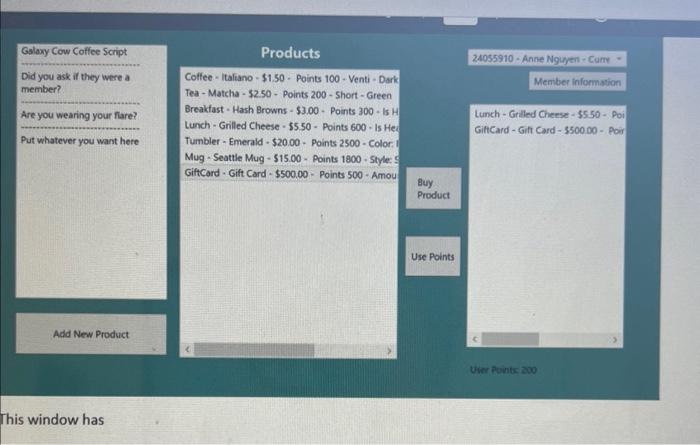
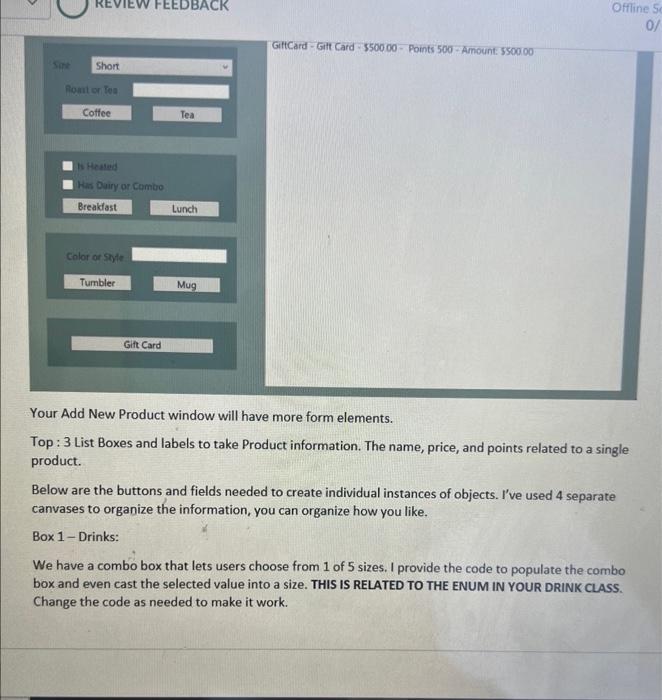
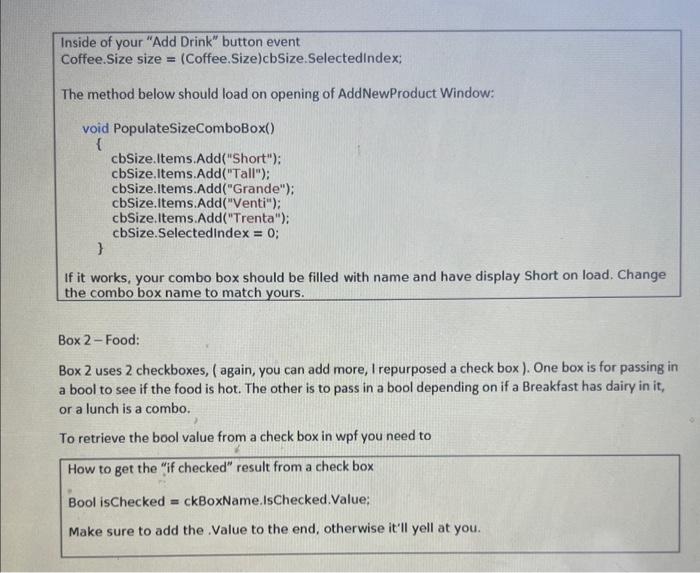
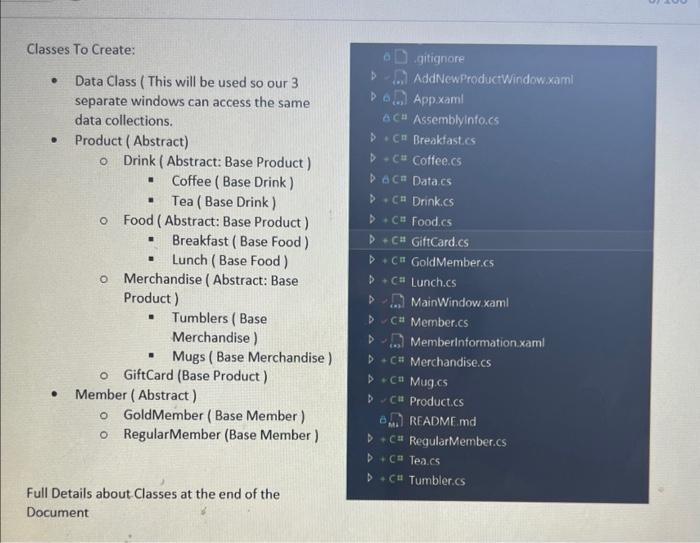
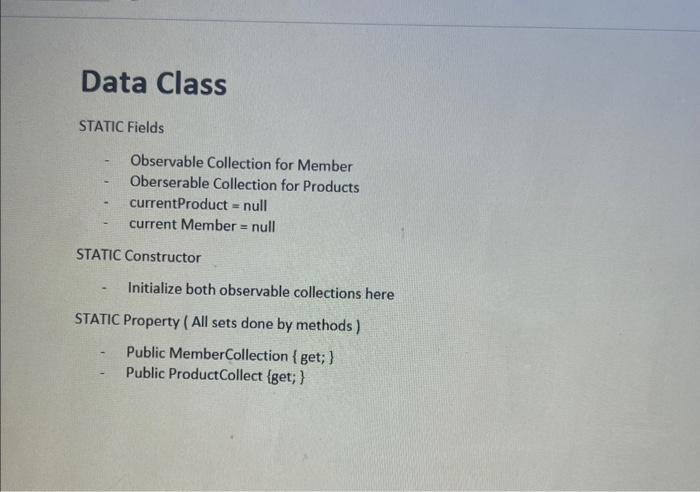
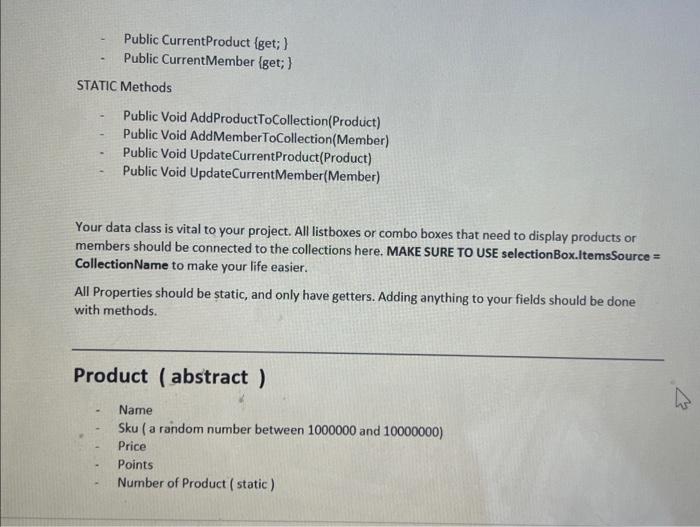
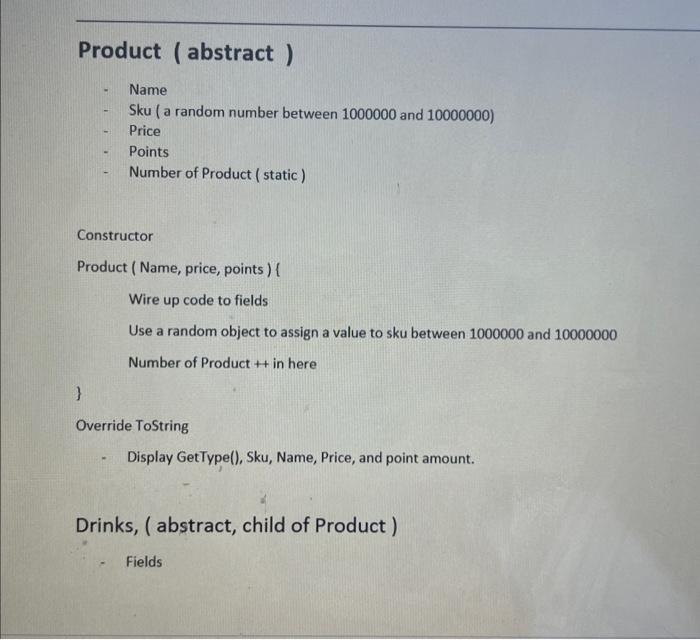
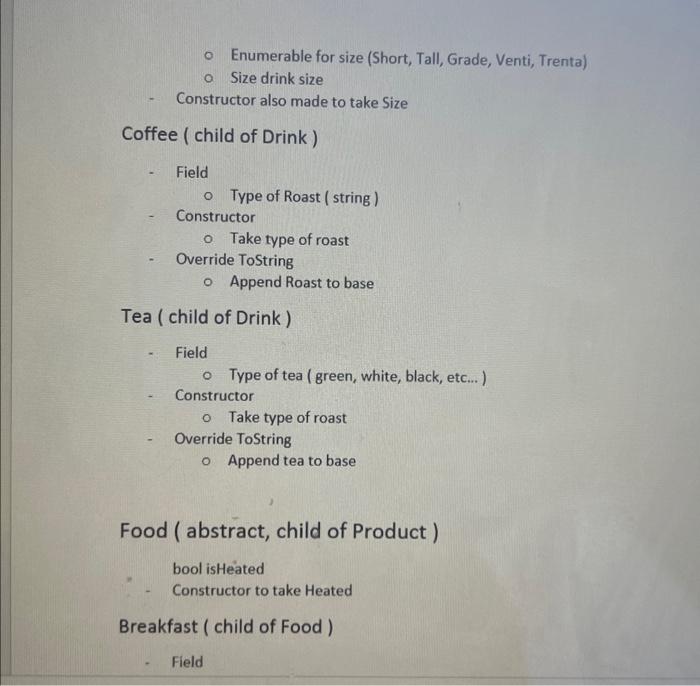
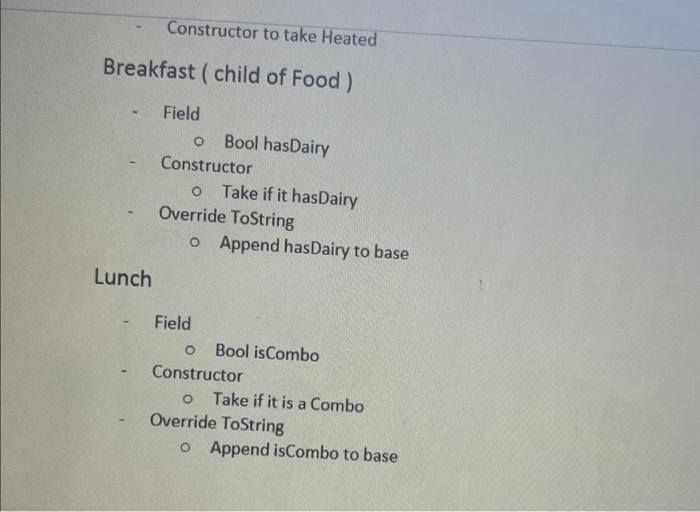
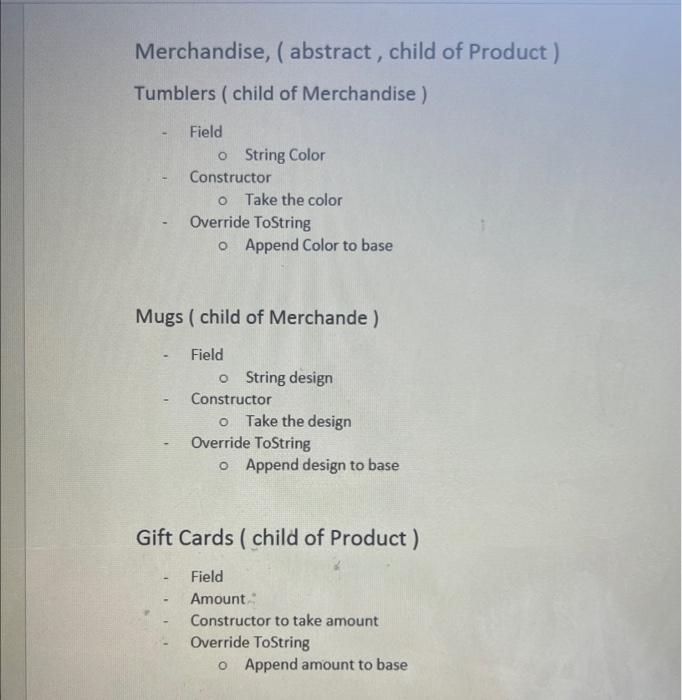
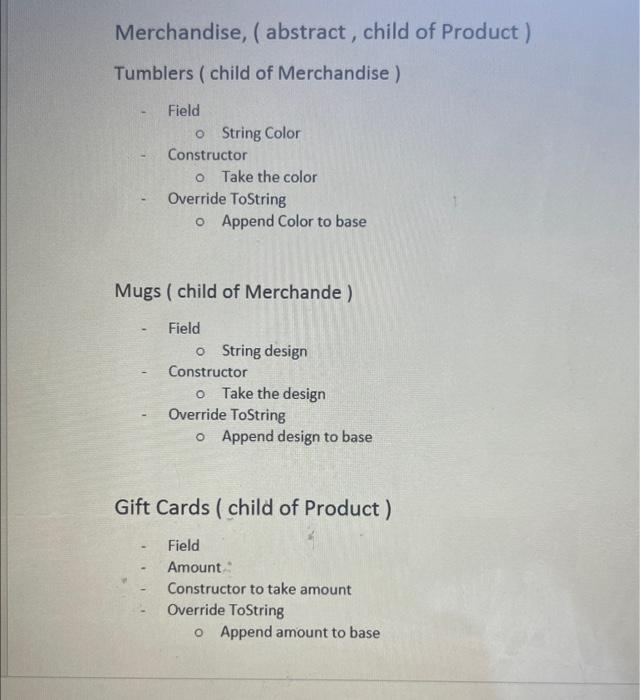
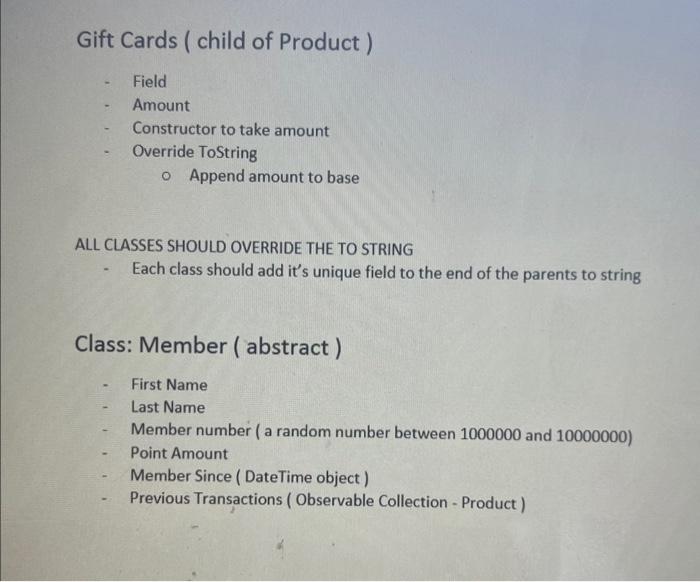
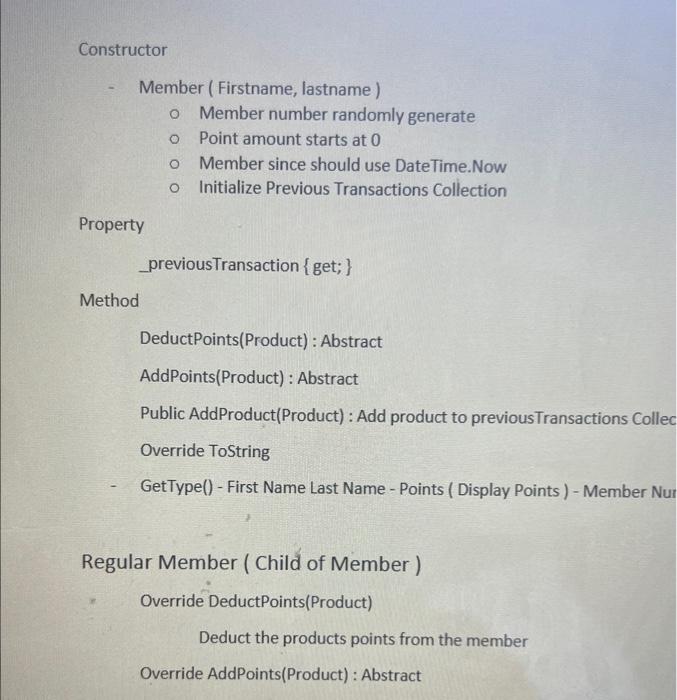
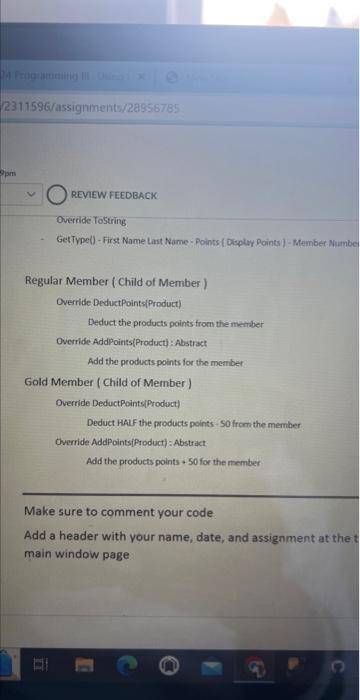
Coffee-italiano-$1.50-Points100-Venti-DarkTea-Matcha-$2.50-Points200.Short-Green Breakiast - Hash Browns - $3.00 - Points 300 - is Heated True - Has Dairy, False Lunch - Grilled Cheese - 55.50 - Points 600 - Is Heated True - Is A Combo: True Tumbler - Emerald - 520.00 - Points 2500 - Color, Forest Green Mug - Seattle Mug - $15.00 - Points 1800 - Style Seattle Waterfront GiftCard - Gift Card - $50000 - Points 500 - Amount $50000 Your Add New Product window will have more form elements. Top: 3 List Boxes and labels to take Product information. The name, price, and points related to a single This window has text boxes and labels to take the first and last name of the member. We use Radio buttons to select which type of membership the user will have. Then when the button is clicked, that user should be added to our member's collection. 2 List Boxes - All the members should appear in the center list box. When a member is selected, their transaction history should appear in the list box on the right side. (Double click on a list box to give it a selection changed event). Gslaxy Cow Coffee Script Did you ask if they were a member? Are you wearing your flare? Put whatever you want here This window has Your Add New Product window will have more form elements. Top: 3 List Boxes and labels to take Product information. The name, price, and points related to a single product. Below are the buttons and fields needed to create individual instances of objects. I've used 4 separate canvases to organize the information, you can organize how you like. Box 1 - Drinks: We have a combo box that lets users choose from 1 of 5 sizes. I provide the code to populate the combo box and even cast the selected value into a size. THIS IS RELATED TO THE ENUM IN YOUR DRINK CLASS. Change the code as needed to make it work. Inside of your "Add Drink" button event Coffee.Size size =( Coffee.Size ) cbSize.Selectedindex; The method below should load on opening of AddNewProduct Window: void PopulateSizeComboBox() \{ cbSize.Items.Add("Short"); cbSize.Items.Add("Tall"); cbSize.Items.Add("Grande"); cbSize.Items.Add("Venti"); cbSize.Items.Add("Trenta"); cbSize.Selectedindex = 0; If it works, your combo box should be filled with name and have display Short on load. Change the combo box name to match yours. Box 2-Food: Box 2 uses 2 checkboxes, ( again, you can add more, 1 repurposed a check box ). One box is for passing in a bool to see if the food is hot. The other is to pass in a bool depending on if a Breakfast has dairy in it, or a lunch is a combo. To retrieve the bool value from a check box in wpf you need to How to get the "if checked" result from a check box Bool isChecked = ckBoxName.IsChecked.Value: Make sure to add the .Value to the end, otherwise it'll yell at you. Classes To Create: - Data Class ( This will be used so our 3 separate windows can access the same data collections. - Product ( Abstract) Drink (Abstract: Base Product) - Coffee (Base Drink) - Tea (Base Drink) Food (Abstract: Base Product) - Breakfast (Base Food) - Lunch (Base Food) Merchandise ( Abstract: Base Product) - Tumblers(Base Merchandise) - Mugs (Base Merchandise) GiftCard (Base Product) - Member (Abstract) - GoldMember (Base Member) RegularMember (Base Member) Data Class STATIC Fields - Observable Collection for Member - Oberserable Collection for Products - currentProduct = null - current Member = null STATIC Constructor - Initialize both observable collections here STATIC Property ( All sets done by methods) - Public MemberCollection \{get; \} - Public ProductCollect \{get; \} - Public CurrentProduct \{get; \} - Public CurrentMember \{get; } STATIC Methods - Public Void AddProductToCollection(Product) - Public Void AddMemberToCollection(Member) - Public Void UpdateCurrentProduct(Product) - Public Void UpdateCurrentMember(Member) Your data class is vital to your project. All listboxes or combo boxes that need to display products or members should be connected to the collections here. MAKE SURE TO USE selectionBox.ItemsSource = CollectionName to make your life easier. All Properties should be static, and only have getters. Adding anything to your fields should be done with methods. Product (abstract) - Name - Sku (a random number between 1000000 and 10000000 ) - Price - Points - Number of Product ( static) Product ( abstract ) - Name - Sku ( a random number between 1000000 and 10000000 ) - Price - Points - Number of Product ( static ) Constructor Product (Name, price, points) \{ Wire up code to fields Use a random object to assign a value to sku between 1000000 and 10000000 Number of Product + in here \} Override ToString - Display GetType(), Sku, Name, Price, and point amount. Drinks, (abstract, child of Product) - Fields Enumerable for size (Short, Tall, Grade, Venti, Trenta) Size drink size - Constructor also made to take Size Coffee (child of Drink) - Field - Type of Roast ( string ) - Constructor - Take type of roast - Override ToString Append Roast to base Tea (child of Drink) - Field - Type of tea ( green, white, black, etc... ) - Constructor - Take type of roast - Override ToString Append tea to base Food ( abstract, child of Product) bool isHeated Constructor to take Heated Breakfast ( child of Food) Constructor to take Heated Breakfast (child of Food) - Field Bool hasDairy - Constructor - Take if it hasDairy - Override ToString - Append hasDairy to base Lunch - Field - Bool isCombo - Constructor - Take if it is a Combo - Override ToString Append isCombo to base Merchandise, ( abstract, child of Product) Tumblers ( child of Merchandise ) Field - String Color - Constructor - Take the color - Override ToString Append Color to base Mugs ( child of Merchande) - Field - String design - Constructor - Take the design - Override Tostring Append design to base Gift Cards (child of Product ) - Field - Amount Merchandise, ( abstract, child of Product) Tumblers (child of Merchandise ) - Field String Color - Constructor Take the color - Override ToString Append Color to base Mugs ( child of Merchande ) - Field o String design - Constructor - Take the design - Override ToString Append design to base Gift Cards (child of Product) - Field - Amount - - Constructor to take amount - Override ToString Append amount to base Gift Cards ( child of Product ) - Field - Amount - Constructor to take amount - Override ToString Append amount to base ALL CLASSES SHOULD OVERRIDE THE TO STRING - Each class should add it's unique field to the end of the parents to string Class: Member (abstract ) - First Name - Last Name - Member number ( a random number between 1000000 and 10000000 ) - Point Amount - Member Since (DateTime object) - Previous Transactions (Observable Collection - Product) Constructor - Member (Firstname, lastname) Member number randomly generate Point amount starts at 0 Member since should use DateTime.Now Initialize Previous Transactions Collection Property _previousTransaction { get; } Method DeductPoints(Product) : Abstract AddPoints(Product) : Abstract Public AddProduct(Product) : Add product to previousTransactions Collec Override ToString - GetType() - First Name Last Name - Points ( Display Points ) - Member Nur Regular Member (Child of Member) Override DeductPoints(Product) Deduct the products points from the member Override AddPoints(Product) : Abstract Make sure to comment your code Add a header with your name, date, and assignment at the main window page Coffee-italiano-$1.50-Points100-Venti-DarkTea-Matcha-$2.50-Points200.Short-Green Breakiast - Hash Browns - $3.00 - Points 300 - is Heated True - Has Dairy, False Lunch - Grilled Cheese - 55.50 - Points 600 - Is Heated True - Is A Combo: True Tumbler - Emerald - 520.00 - Points 2500 - Color, Forest Green Mug - Seattle Mug - $15.00 - Points 1800 - Style Seattle Waterfront GiftCard - Gift Card - $50000 - Points 500 - Amount $50000 Your Add New Product window will have more form elements. Top: 3 List Boxes and labels to take Product information. The name, price, and points related to a single This window has text boxes and labels to take the first and last name of the member. We use Radio buttons to select which type of membership the user will have. Then when the button is clicked, that user should be added to our member's collection. 2 List Boxes - All the members should appear in the center list box. When a member is selected, their transaction history should appear in the list box on the right side. (Double click on a list box to give it a selection changed event). Gslaxy Cow Coffee Script Did you ask if they were a member? Are you wearing your flare? Put whatever you want here This window has Your Add New Product window will have more form elements. Top: 3 List Boxes and labels to take Product information. The name, price, and points related to a single product. Below are the buttons and fields needed to create individual instances of objects. I've used 4 separate canvases to organize the information, you can organize how you like. Box 1 - Drinks: We have a combo box that lets users choose from 1 of 5 sizes. I provide the code to populate the combo box and even cast the selected value into a size. THIS IS RELATED TO THE ENUM IN YOUR DRINK CLASS. Change the code as needed to make it work. Inside of your "Add Drink" button event Coffee.Size size =( Coffee.Size ) cbSize.Selectedindex; The method below should load on opening of AddNewProduct Window: void PopulateSizeComboBox() \{ cbSize.Items.Add("Short"); cbSize.Items.Add("Tall"); cbSize.Items.Add("Grande"); cbSize.Items.Add("Venti"); cbSize.Items.Add("Trenta"); cbSize.Selectedindex = 0; If it works, your combo box should be filled with name and have display Short on load. Change the combo box name to match yours. Box 2-Food: Box 2 uses 2 checkboxes, ( again, you can add more, 1 repurposed a check box ). One box is for passing in a bool to see if the food is hot. The other is to pass in a bool depending on if a Breakfast has dairy in it, or a lunch is a combo. To retrieve the bool value from a check box in wpf you need to How to get the "if checked" result from a check box Bool isChecked = ckBoxName.IsChecked.Value: Make sure to add the .Value to the end, otherwise it'll yell at you. Classes To Create: - Data Class ( This will be used so our 3 separate windows can access the same data collections. - Product ( Abstract) Drink (Abstract: Base Product) - Coffee (Base Drink) - Tea (Base Drink) Food (Abstract: Base Product) - Breakfast (Base Food) - Lunch (Base Food) Merchandise ( Abstract: Base Product) - Tumblers(Base Merchandise) - Mugs (Base Merchandise) GiftCard (Base Product) - Member (Abstract) - GoldMember (Base Member) RegularMember (Base Member) Data Class STATIC Fields - Observable Collection for Member - Oberserable Collection for Products - currentProduct = null - current Member = null STATIC Constructor - Initialize both observable collections here STATIC Property ( All sets done by methods) - Public MemberCollection \{get; \} - Public ProductCollect \{get; \} - Public CurrentProduct \{get; \} - Public CurrentMember \{get; } STATIC Methods - Public Void AddProductToCollection(Product) - Public Void AddMemberToCollection(Member) - Public Void UpdateCurrentProduct(Product) - Public Void UpdateCurrentMember(Member) Your data class is vital to your project. All listboxes or combo boxes that need to display products or members should be connected to the collections here. MAKE SURE TO USE selectionBox.ItemsSource = CollectionName to make your life easier. All Properties should be static, and only have getters. Adding anything to your fields should be done with methods. Product (abstract) - Name - Sku (a random number between 1000000 and 10000000 ) - Price - Points - Number of Product ( static) Product ( abstract ) - Name - Sku ( a random number between 1000000 and 10000000 ) - Price - Points - Number of Product ( static ) Constructor Product (Name, price, points) \{ Wire up code to fields Use a random object to assign a value to sku between 1000000 and 10000000 Number of Product + in here \} Override ToString - Display GetType(), Sku, Name, Price, and point amount. Drinks, (abstract, child of Product) - Fields Enumerable for size (Short, Tall, Grade, Venti, Trenta) Size drink size - Constructor also made to take Size Coffee (child of Drink) - Field - Type of Roast ( string ) - Constructor - Take type of roast - Override ToString Append Roast to base Tea (child of Drink) - Field - Type of tea ( green, white, black, etc... ) - Constructor - Take type of roast - Override ToString Append tea to base Food ( abstract, child of Product) bool isHeated Constructor to take Heated Breakfast ( child of Food) Constructor to take Heated Breakfast (child of Food) - Field Bool hasDairy - Constructor - Take if it hasDairy - Override ToString - Append hasDairy to base Lunch - Field - Bool isCombo - Constructor - Take if it is a Combo - Override ToString Append isCombo to base Merchandise, ( abstract, child of Product) Tumblers ( child of Merchandise ) Field - String Color - Constructor - Take the color - Override ToString Append Color to base Mugs ( child of Merchande) - Field - String design - Constructor - Take the design - Override Tostring Append design to base Gift Cards (child of Product ) - Field - Amount Merchandise, ( abstract, child of Product) Tumblers (child of Merchandise ) - Field String Color - Constructor Take the color - Override ToString Append Color to base Mugs ( child of Merchande ) - Field o String design - Constructor - Take the design - Override ToString Append design to base Gift Cards (child of Product) - Field - Amount - - Constructor to take amount - Override ToString Append amount to base Gift Cards ( child of Product ) - Field - Amount - Constructor to take amount - Override ToString Append amount to base ALL CLASSES SHOULD OVERRIDE THE TO STRING - Each class should add it's unique field to the end of the parents to string Class: Member (abstract ) - First Name - Last Name - Member number ( a random number between 1000000 and 10000000 ) - Point Amount - Member Since (DateTime object) - Previous Transactions (Observable Collection - Product) Constructor - Member (Firstname, lastname) Member number randomly generate Point amount starts at 0 Member since should use DateTime.Now Initialize Previous Transactions Collection Property _previousTransaction { get; } Method DeductPoints(Product) : Abstract AddPoints(Product) : Abstract Public AddProduct(Product) : Add product to previousTransactions Collec Override ToString - GetType() - First Name Last Name - Points ( Display Points ) - Member Nur Regular Member (Child of Member) Override DeductPoints(Product) Deduct the products points from the member Override AddPoints(Product) : Abstract Make sure to comment your code Add a header with your name, date, and assignment at the main window page
Step by Step Solution
There are 3 Steps involved in it

Get step-by-step solutions from verified subject matter experts
 Study Help