







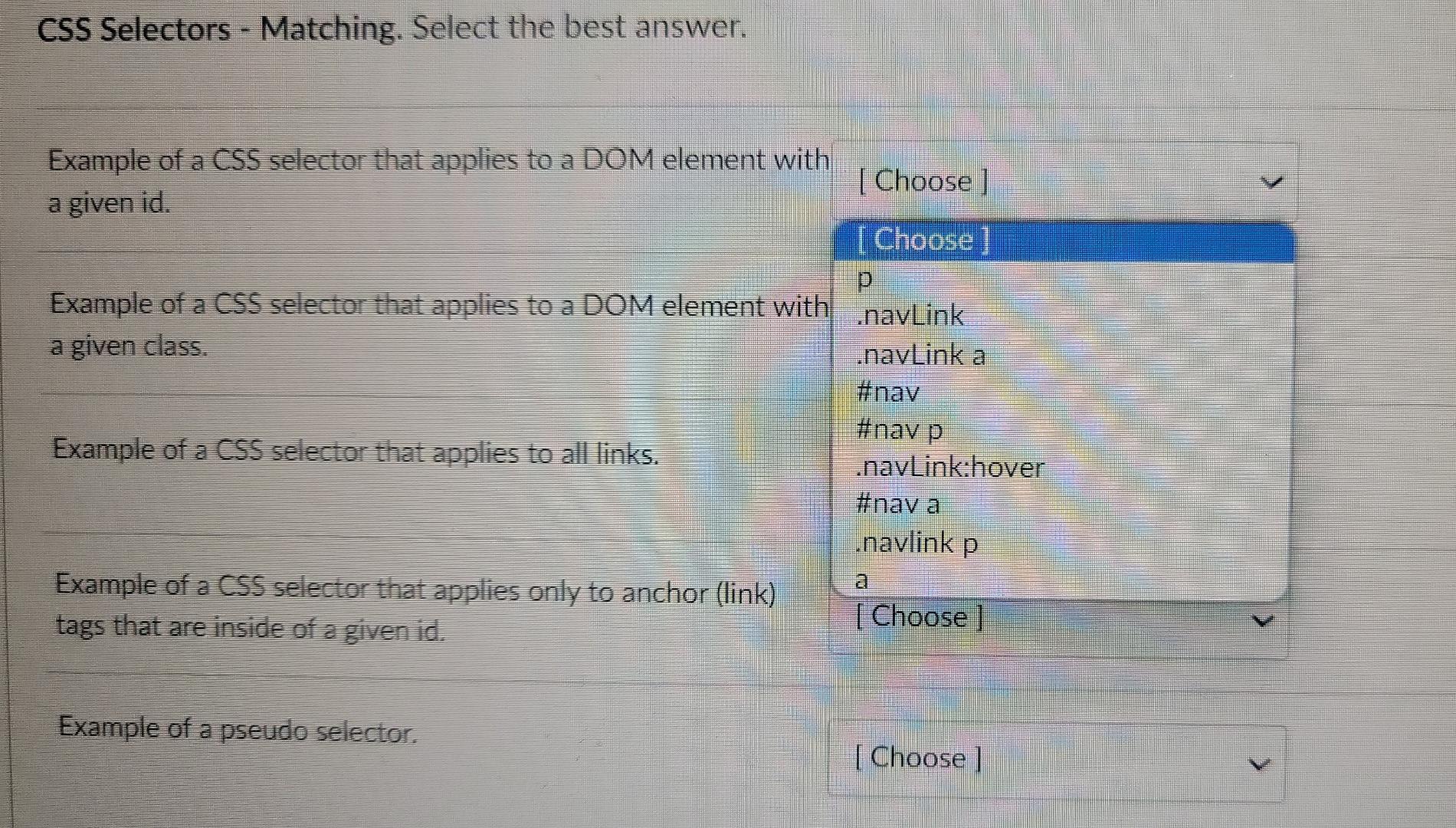
Question: CSS Selectors - Matching. Select the best answer. Example of a CSS selector that applies to a DOM element with [Choose ] a given id.
![CSS selector that applies to a DOM element with [Choose ] a](https://dsd5zvtm8ll6.cloudfront.net/si.experts.images/questions/2024/09/66f391093e357_40866f3910892d3b.jpg)
CSS Selectors - Matching. Select the best answer. Example of a CSS selector that applies to a DOM element with [Choose ] a given id. I Choose p Example of a CSS selector that applies to a DOM element with navLink a given class. .navLink a #nav #nav p Example of a CSS selector that applies to all links. .navLink:hover #nay a .navlink p Example of a CSS selector that applies only to anchor (link) [ Choose ] tags that are inside of a given id. Example of a pseudo selector. [ Choose ] CSS - Matching. Select the best answer. This CSS technique can have two divs side by side without position static removing the divs from the normal flow of the page. | Choose box-sizing border-box Using this CSS property, you can position an element with float respect to the browser edges, but you must also specify which white-space nowrap element should be on top since element overlap is likely. z-index position static flex-box If you add one of these to a style sheet, you can specify different CSS rule sets depending on the width of the position fixed viewport. media query This CSS property specifies which element goes on top in cases where DOM elements overlap. z-index v Use this CSS property and value if you want to prevent text from being allocated to the next line. white-space nowrap Use this CSS property and value if you want the width of an element to include its padding and border. box-sizing border-box If you want words to surround an image, apply this CSS property to the image. float V
Step by Step Solution
There are 3 Steps involved in it

Get step-by-step solutions from verified subject matter experts
 Study Help