







Question: D Microsoft Word-Project5.docx Chegg Study l Guided Solutio Alejandra CSecure https://courses.cs.westga.edu/pluginfile.php/79648/mod assign/intro/Project5.pdf 0 D New Tab University of West G 1mported From Safari Part 1:
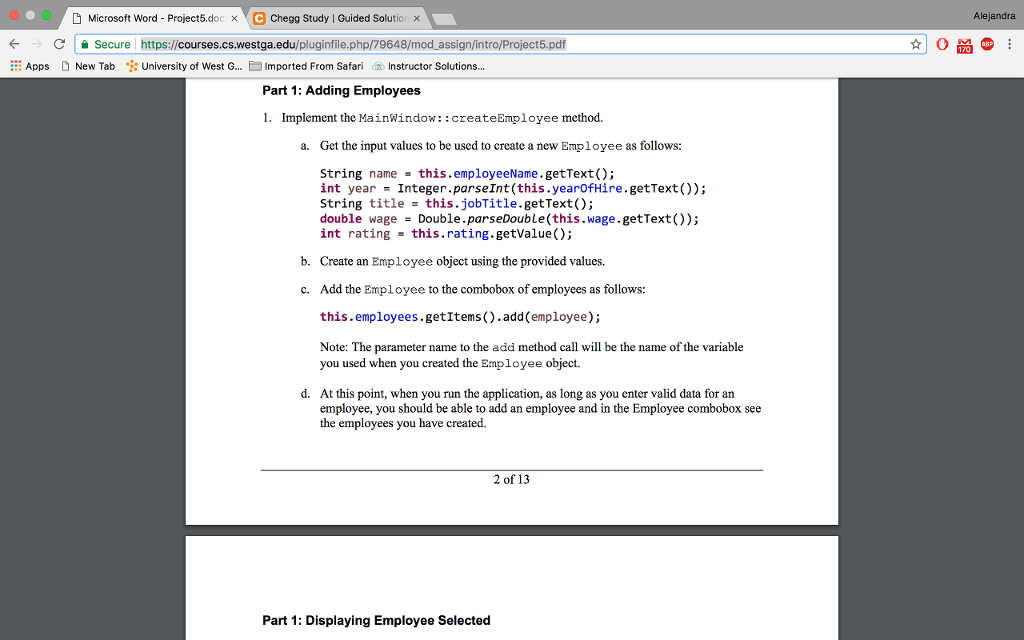
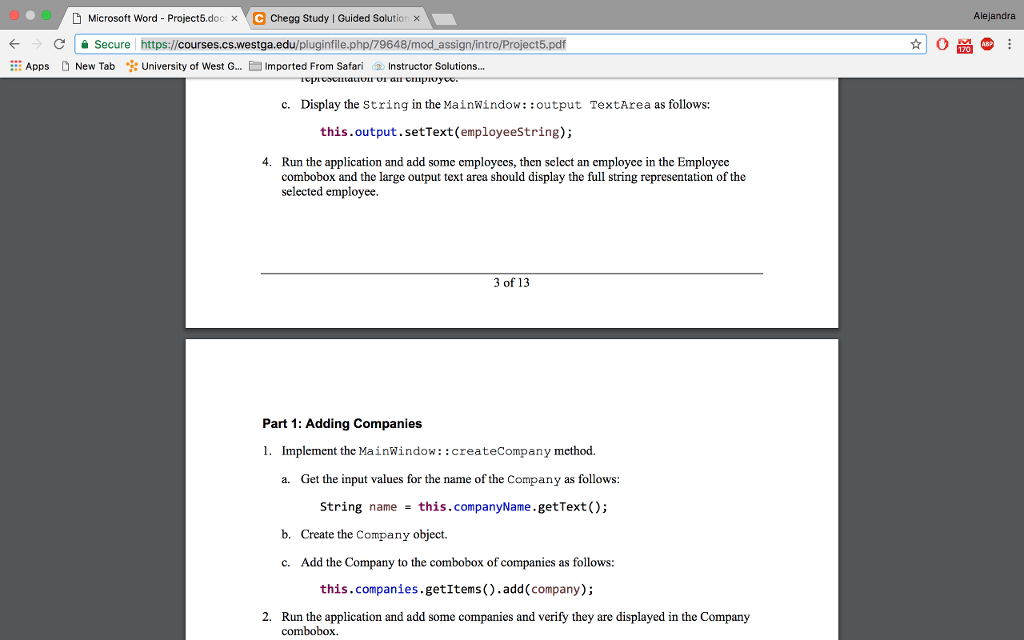
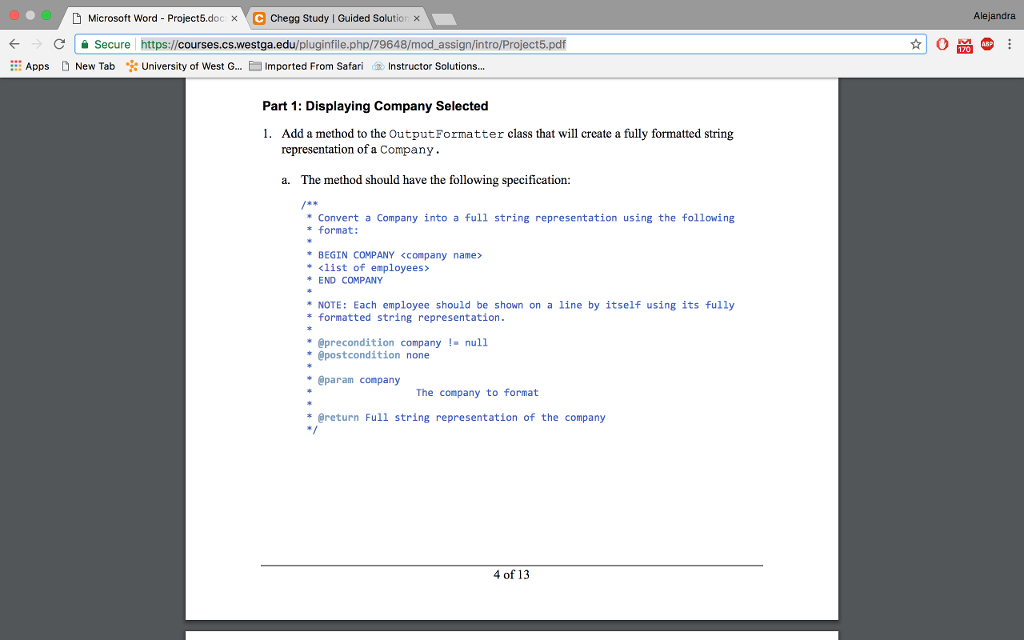
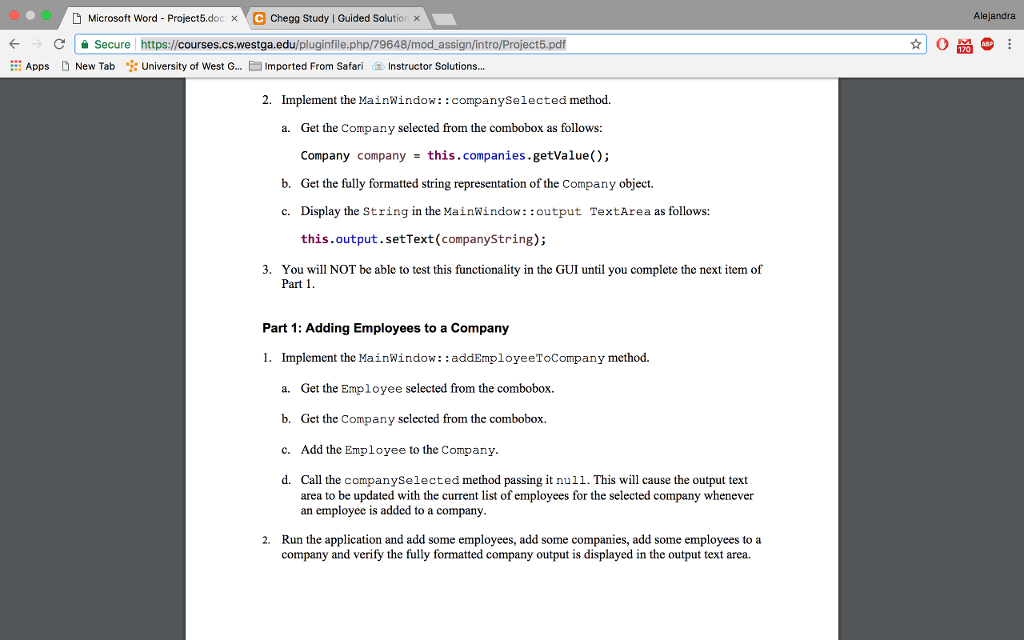
D Microsoft Word-Project5.docx Chegg Study l Guided Solutio Alejandra CSecure https://courses.cs.westga.edu/pluginfile.php/79648/mod assign/intro/Project5.pdf 0 D New Tab University of West G 1mported From Safari Part 1: Adding Employees 1. ::: Apps Instructor Solutions Implement the MainWindow::createEmployee method. a. Get the input values to be used to create a new Employee as follows: string name = this. employeeName . getText(); int year Integer.parseInt (this.yearOfHire.getText)); String title this.jobTitle.getText(); double wage Double.parseDouble(this.wage.getText()); int rating this. rating . getValue(); b. Create an Employee object using the provided values. Add the Employee to the combobox of employees as follows: this.employees.getItems).add (employee) c. Note: The parameter name to the add method call will be the name of the variable you used when you created the Employee object. d. At this point, when you run the application, as long as you enter valid data for arn employee, you should be able to add an employee and in the Employee combobox see the employees you have created. 2 of 13 Part 1: Displaying Employee Selected D Microsoft Word-Project5.docx Chegg Study l Guided Solutio Alejandra CSecure https://courses.cs.westga.edu/pluginfile.php/79648/mod assign/intro/Project5.pdf 0 D New Tab University of West G 1mported From Safari Part 1: Adding Employees 1. ::: Apps Instructor Solutions Implement the MainWindow::createEmployee method. a. Get the input values to be used to create a new Employee as follows: string name = this. employeeName . getText(); int year Integer.parseInt (this.yearOfHire.getText)); String title this.jobTitle.getText(); double wage Double.parseDouble(this.wage.getText()); int rating this. rating . getValue(); b. Create an Employee object using the provided values. Add the Employee to the combobox of employees as follows: this.employees.getItems).add (employee) c. Note: The parameter name to the add method call will be the name of the variable you used when you created the Employee object. d. At this point, when you run the application, as long as you enter valid data for arn employee, you should be able to add an employee and in the Employee combobox see the employees you have created. 2 of 13 Part 1: Displaying Employee Selected
Step by Step Solution
There are 3 Steps involved in it

Get step-by-step solutions from verified subject matter experts
 Study Help