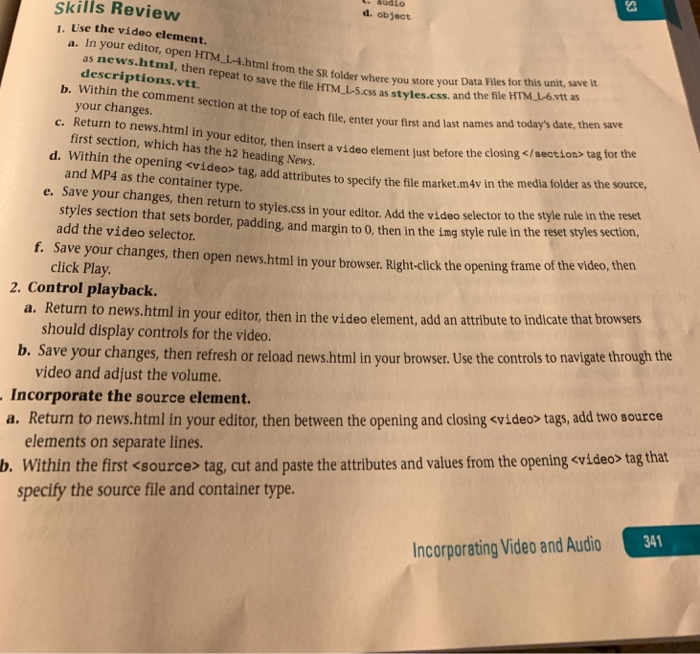
Question: d. object skills Review 1. Use the video element. ews.html, then repeat to save the html from the SR folder where you store your Data
d. object skills Review 1. Use the video element. ews.html, then repeat to save the html from the SR folder where you store your Data nl, then repeat to save the file HTM I-5.css as styles.css. Files for this unit, save it descriptions.vtt. and the file HTM L-6.vtt as your changes c. Return to news.html in your editor, then insert a video element just before the closing ar the top of each file, enter your first and last names and today's date, then save first section, which has the h2 heading News. d. Within the opening
Step by Step Solution
There are 3 Steps involved in it
1 Expert Approved Answer
Step: 1 Unlock
Question Has Been Solved by an Expert!
Get step-by-step solutions from verified subject matter experts
Step: 2 Unlock
Step: 3 Unlock
Students Have Also Explored These Related Databases Questions!