







Question: data is just year increasing by one year Assums that yoa've recently graduated and you've becn working at a ncw job for a number of
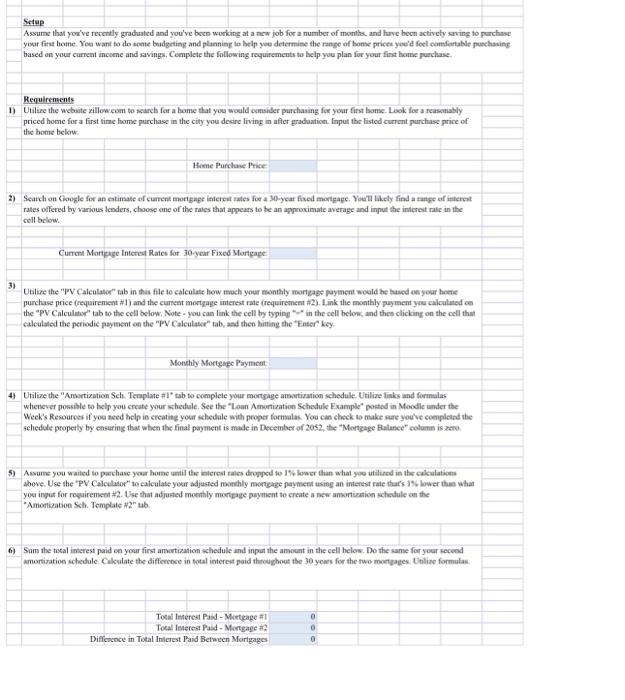
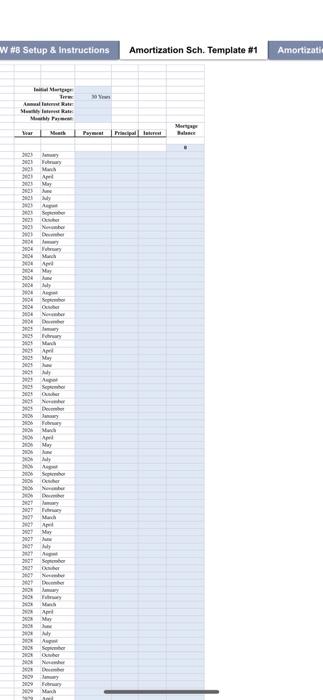
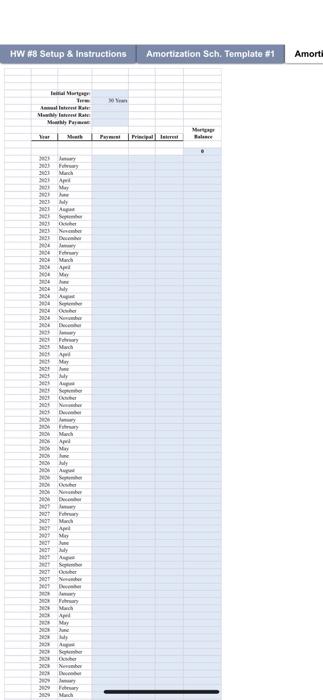
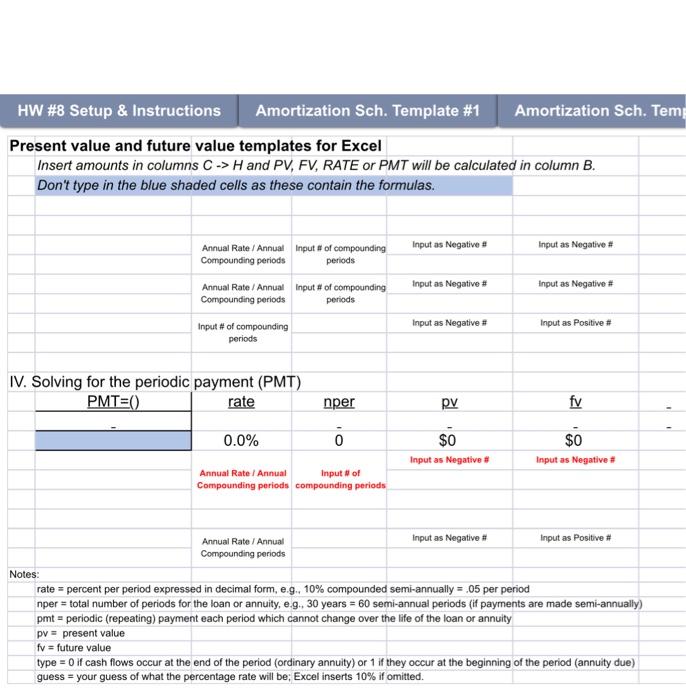
Assums that yoa've recently graduated and you've becn working at a ncw job for a number of monthes, and have becn actively sming to parchase yoar frat hotne. Yoe want to do some bradgeting and planning to belp yeu determime the range af home prices you'd feel camfertable puschasing based an your curreat income and savings, Complete the following requircments to help you plan foc your fint botme purchase. Requirements 1) Utiliee the wcbiste zillow com to seareh for a bome that you would comsiler purchasing fer your first bome. Look foe a reasonably priced home for a first time home purchase in the city you desire living in after gradaation. Input the listed current purchase price of the bome below: 2) Search on Google for an eatimate of current morigape inierent zates foe a 30-ycar fixed mortpage. You't hakly find a range ef interest rates offered by various lenders, choose ane of the rates that appears to be an approximate average and input the interest rate in the cell bchew. Curres Marteige Interct Rates for 30-year Fixed Morteage. 3) Utalies the "IFV Calculator" tab in this fle to calculate how much your monthly mongage payment woald he hased on your home purchase price (requirement \#1) and the curreat mortqage interest rate (requirement H2). Link the monthly puy ment you calculated on the "PV Calculater" tab to the cell below, Note - you can link the cell by typing "e" in the cell below, and then clicking on the cell that calculated the periodic payment on the "PV' Calculasce" tab, asd then himing the "Enser" key. 4) Utilize the "Ansertization Sch. Teraplate I" tab to compleie your mortgage amartization schedule. Utilize links and formalas whenever possible to help you create your schedule, \$ee the "Laan Amortization Schedule Example" postod in Moodle under the Weck's Resoareas if you need help in creatitg your sclacdale with proger formulas. You can chock to make nare you've eonipletad rhe sehedule properfy by ensuring that when the final payment is made in December of 20s2, the "Morteage Balusce" oolumn is rene. 5) Assume you wated to puechase your home andil the anterest rates dropped wo 17 lower than what yoe utilured in the calkulations above. Use the "PV Calculator" 10 calculate your adjusted modihly morgeage payment using an interest rate that's 1% lower than what you ingut for requirement =2. Lse that adjusted moethly mortgage pryment to create a now ansurtigation schedule on the "Amorikation Sch. Template H2" uh. 6) Sum the tocal incerest paid ea your first amctization schedule and inpet the amount in the cell beles. Do the same for your kecend wrintiration schectule. Culculate the differose in total interest paid throughout the 30 yours for the fwo mortgages. Uniline formulas W H8 Setup 8 instructions Amortization Sch. Template \#1 Amortizati HW \#8 Setup \& Instructions Amortization Sch. Template \#1 Amortization Sch. Temp Present value and future value templates for Excel Insert amounts in columns CH and PV,FV,RATE or PMT will be calculated in column B. Don't type in the blue shaded cells as these contain the formulas. IV. Solving for the periodic payment (PMT) Assums that yoa've recently graduated and you've becn working at a ncw job for a number of monthes, and have becn actively sming to parchase yoar frat hotne. Yoe want to do some bradgeting and planning to belp yeu determime the range af home prices you'd feel camfertable puschasing based an your curreat income and savings, Complete the following requircments to help you plan foc your fint botme purchase. Requirements 1) Utiliee the wcbiste zillow com to seareh for a bome that you would comsiler purchasing fer your first bome. Look foe a reasonably priced home for a first time home purchase in the city you desire living in after gradaation. Input the listed current purchase price of the bome below: 2) Search on Google for an eatimate of current morigape inierent zates foe a 30-ycar fixed mortpage. You't hakly find a range ef interest rates offered by various lenders, choose ane of the rates that appears to be an approximate average and input the interest rate in the cell bchew. Curres Marteige Interct Rates for 30-year Fixed Morteage. 3) Utalies the "IFV Calculator" tab in this fle to calculate how much your monthly mongage payment woald he hased on your home purchase price (requirement \#1) and the curreat mortqage interest rate (requirement H2). Link the monthly puy ment you calculated on the "PV Calculater" tab to the cell below, Note - you can link the cell by typing "e" in the cell below, and then clicking on the cell that calculated the periodic payment on the "PV' Calculasce" tab, asd then himing the "Enser" key. 4) Utilize the "Ansertization Sch. Teraplate I" tab to compleie your mortgage amartization schedule. Utilize links and formalas whenever possible to help you create your schedule, \$ee the "Laan Amortization Schedule Example" postod in Moodle under the Weck's Resoareas if you need help in creatitg your sclacdale with proger formulas. You can chock to make nare you've eonipletad rhe sehedule properfy by ensuring that when the final payment is made in December of 20s2, the "Morteage Balusce" oolumn is rene. 5) Assume you wated to puechase your home andil the anterest rates dropped wo 17 lower than what yoe utilured in the calkulations above. Use the "PV Calculator" 10 calculate your adjusted modihly morgeage payment using an interest rate that's 1% lower than what you ingut for requirement =2. Lse that adjusted moethly mortgage pryment to create a now ansurtigation schedule on the "Amorikation Sch. Template H2" uh. 6) Sum the tocal incerest paid ea your first amctization schedule and inpet the amount in the cell beles. Do the same for your kecend wrintiration schectule. Culculate the differose in total interest paid throughout the 30 yours for the fwo mortgages. Uniline formulas W H8 Setup 8 instructions Amortization Sch. Template \#1 Amortizati HW \#8 Setup \& Instructions Amortization Sch. Template \#1 Amortization Sch. Temp Present value and future value templates for Excel Insert amounts in columns CH and PV,FV,RATE or PMT will be calculated in column B. Don't type in the blue shaded cells as these contain the formulas. IV. Solving for the periodic payment (PMT)
Step by Step Solution
There are 3 Steps involved in it

Get step-by-step solutions from verified subject matter experts
 Study Help