







Question: Debug my Python code. I'm really close to the right answer, but the white space is wrong. itemName = input(Enter food item name: ) itemPrice
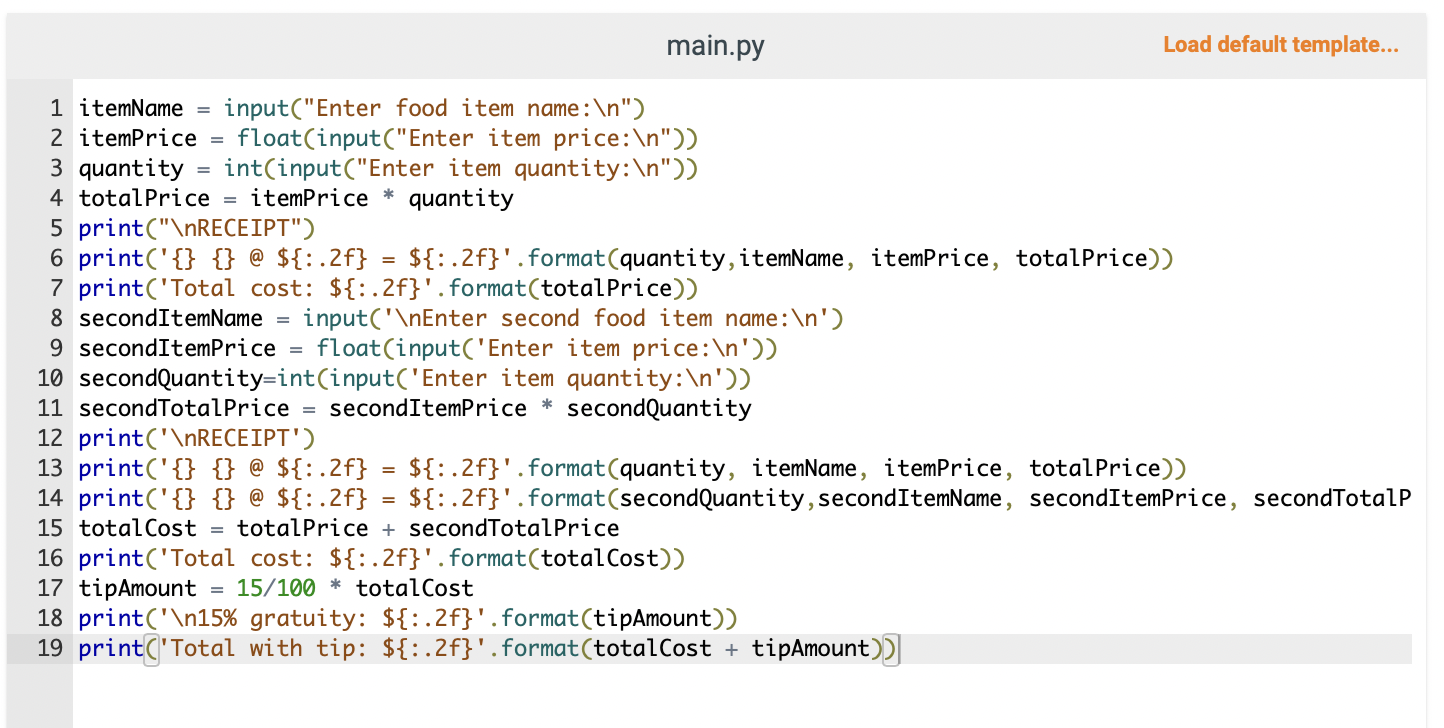
Debug my Python code. I'm really close to the right answer, but the white space is wrong.
itemName = input("Enter food item name: ")
itemPrice = float(input("Enter item price: "))
quantity = int(input("Enter item quantity: "))
totalPrice = itemPrice * quantity
print(" RECEIPT")
print('{} {} @ ${:.2f} = ${:.2f}'.format(quantity,itemName, itemPrice, totalPrice))
print('Total cost: ${:.2f}'.format(totalPrice))
secondItemName = input(' Enter second food item name: ')
secondItemPrice = float(input('Enter item price: '))
secondQuantity=int(input('Enter item quantity: '))
secondTotalPrice = secondItemPrice * secondQuantity
print(' RECEIPT')
print('{} {} @ ${:.2f} = ${:.2f}'.format(quantity, itemName, itemPrice, totalPrice))
print('{} {} @ ${:.2f} = ${:.2f}'.format(secondQuantity,secondItemName, secondItemPrice, secondTotalPrice))
totalCost = totalPrice + secondTotalPrice
print('Total cost: ${:.2f}'.format(totalCost))
tipAmount = 15/100 * totalCost
print(' 15% gratuity: ${:.2f}'.format(tipAmount))
print('Total with tip: ${:.2f}'.format(totalCost + tipAmount))
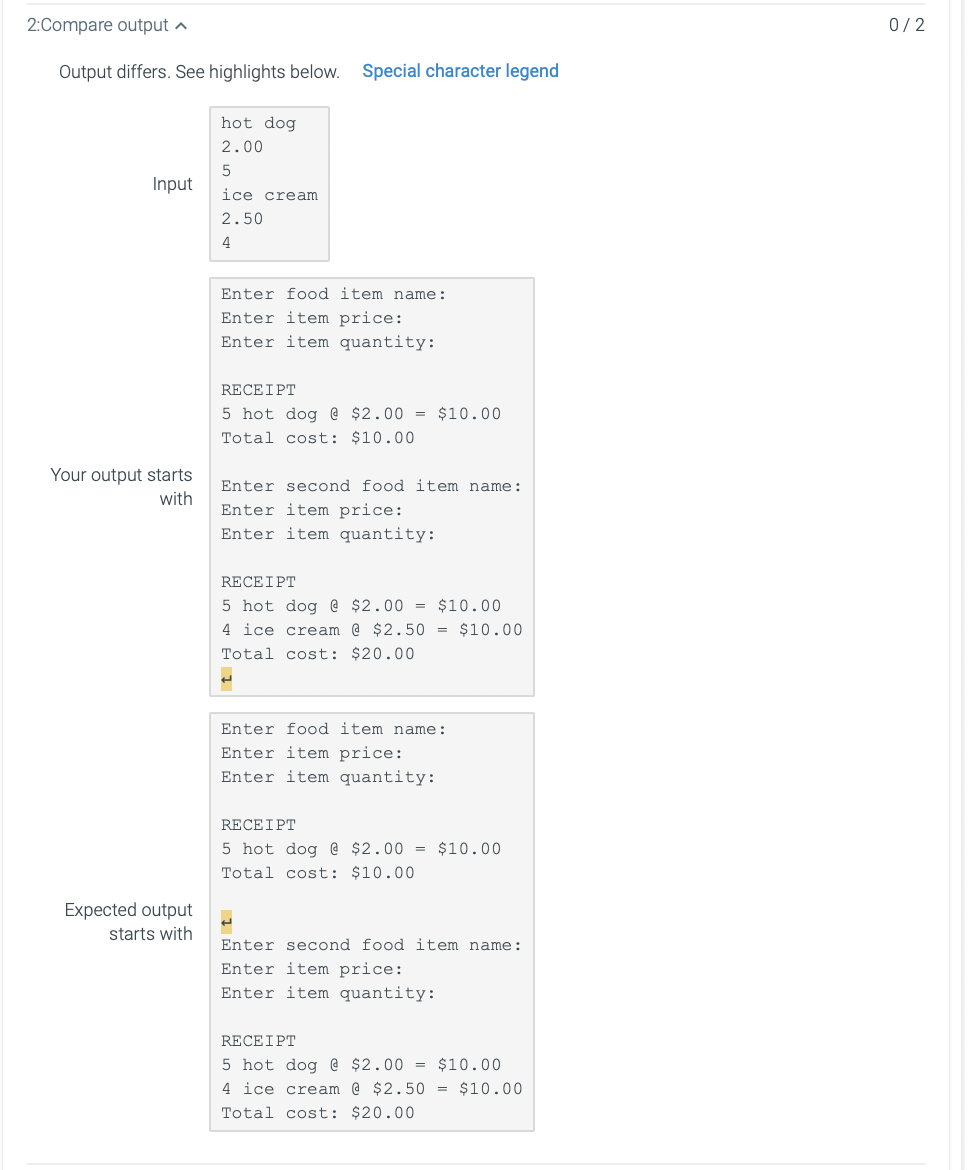
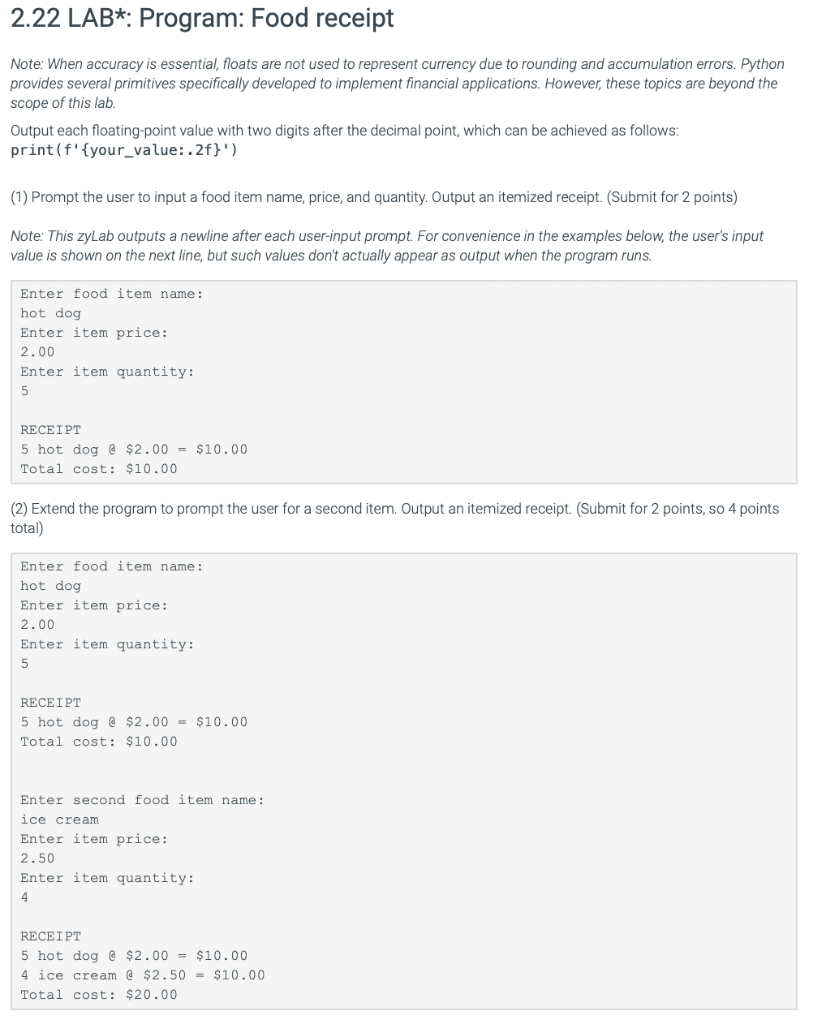
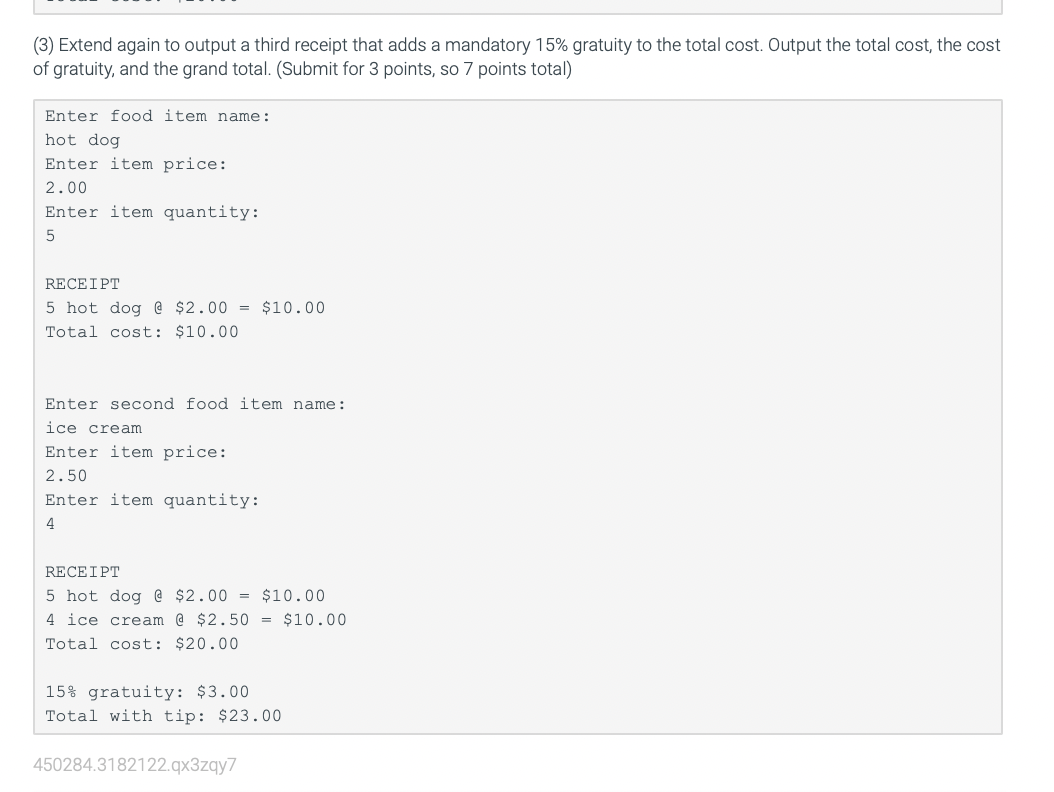
main.py Load default template... Output differs. See highlights below. Special character legend 2.22 LAB*: Program: Food receipt Note: When accuracy is essential, floats are not used to represent currency due to rounding and accumulation errors. Python provides several primitives specifically developed to implement financial applications. However, these topics are beyond the scope of this lab. Output each floating-point value with two digits after the decimal point, which can be achieved as follows: print (f'\{your_value:.2f\}') (1) Prompt the user to input a food item name, price, and quantity. Output an itemized receipt. (Submit for 2 points) Note: This zyLab outputs a newline after each user-input prompt. For convenience in the examples below, the user's input value is shown on the next line, but such values don't actually appear as output when the program runs. Enter food item name: hot dog Enter item price: 2. 00 Enter item quantity: 5 RECEIPT 5 hot dog $2.00=$10.00 Total cost: $10.00 (2) Extend the program to prompt the user for a second item. Output an itemized receipt. (Submit for 2 points, so 4 points total) Enter food item name: hot dog Enter item price: 2. 00 Enter item quantity: 5 RECEIPT 5 hot dog e $2.00=$10.00 Total cost: $10.00 Enter second food item name: ice cream Enter item price: 2. 50 Enter item quantity: 4 RECEIPT 5 hot dog $2.00=$10.00 4 ice cream a $2.50=$10.00 Total cost: $20.00 (3) Extend again to output a third receipt that adds a mandatory 15% gratuity to the total cost. Output the total cost, the cost of gratuity, and the grand total. (Submit for 3 points, so 7 points total) Enter food item name: hot dog Enter item price: 2. 00 Enter item quantity: 5 RECEIPT 5 hot dog @$2.00=$10.00 Total cost: $10.00 Enter second food item name: ice cream Enter item price: 2. 50 Enter item quantity: 4 RECEIPT 5 hot dog $2.00=$10.00 4 ice cream $2.50=$10.00 Total cost: $20.00 15 gratuity: $3.00 Total with tip: $23.00
Step by Step Solution
There are 3 Steps involved in it

Get step-by-step solutions from verified subject matter experts
 Study Help