







Question: decision making problem In Week 5 and G(using the Decision Making Examples manual), you developed a breakeven analysis for Quality Sweaters company sells hand-knitted sweaters
decision making problem
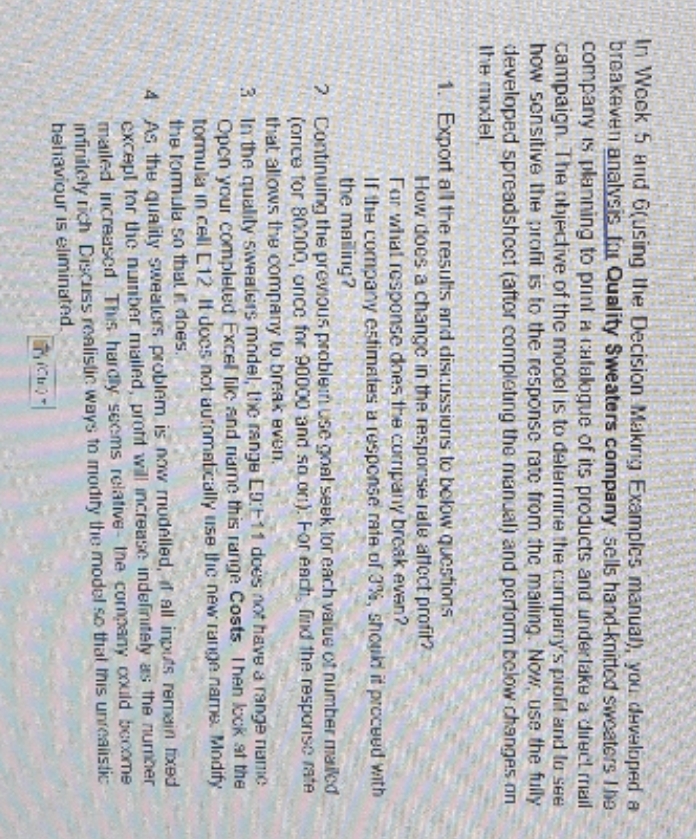
In Week 5 and G(using the Decision Making Examples manual), you developed a breakeven analysis for Quality Sweaters company sells hand-knitted sweaters Ihe company is planning to print a catalogue of its products and under lake a direct mail campaign. The objective of the model is to determine the company's prof and lo see how sensitive the profit is to the response rate from the mailing. Now, use the fully developed spreadsheet (after completing the manual) and perform below changes on the model 1. Export all the results and discussions to below questions How does a change in the response rule affect profit? For what response does the corripany break even? If the company estimates u response rate of 3%, should it proceed with the mailing? 2 Continuing the previous problem use goal seek for each value of number mailed (once for 80900, once for 90000 and soon). For each, find the response rate that allows the company to break even, 3. In the quality sweaters model, the range ED:1-11 does not have a range name Open your completed Excel file and name this range Costs. Then lock at the formula in cell C12 If does not automatically use the new range name. Modify the formula so that it does. 4 As the quality sweaters problem is now modelled, if all inputs remain fixed except for tic number mailed, profit will increase indefinitely as the number mailed increased This hardly seems relative-the company could become infinitely rich Discuss realistic ways to modify the model so that this unrealistic behaviour is eliminated."
Step by Step Solution
There are 3 Steps involved in it

Get step-by-step solutions from verified subject matter experts
 Study Help