





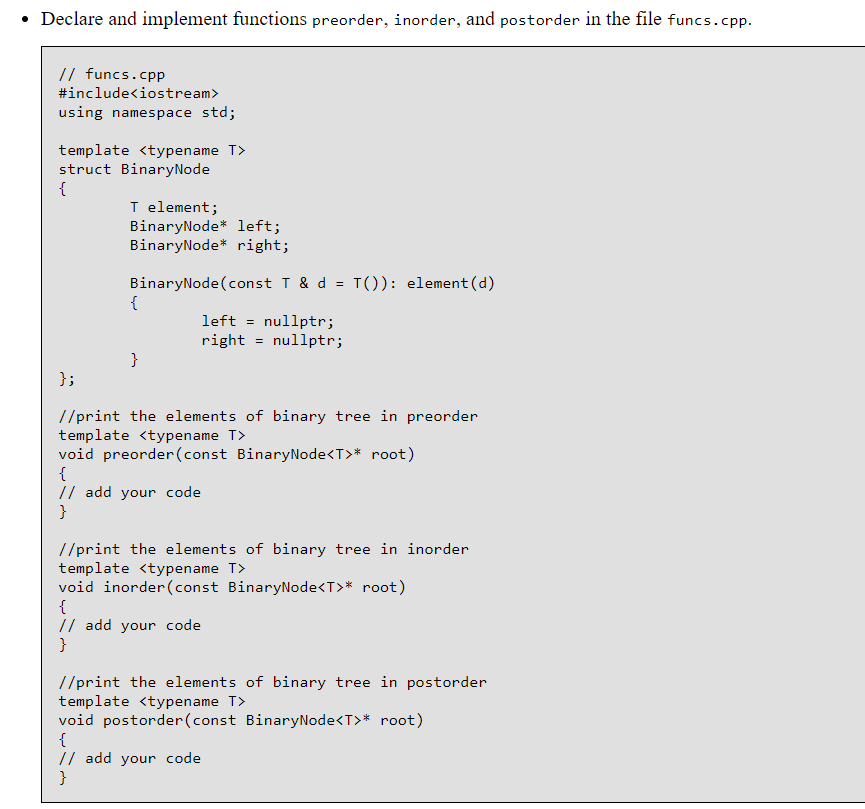
Question: Declare and implement functions preorder, inorder, and postorder in the file funcs.cpp. // funcs.cpp #include using namespace std; template struct BinaryNode T element; BinaryNodeleft; BinaryNode
 Declare and implement functions preorder, inorder, and postorder in the file

funcs.cpp. // funcs.cpp #include using namespace std; template struct BinaryNode T element;

BinaryNodeleft; BinaryNode right; BinaryNode(const T& d T()): element (d) left -nullptr; right
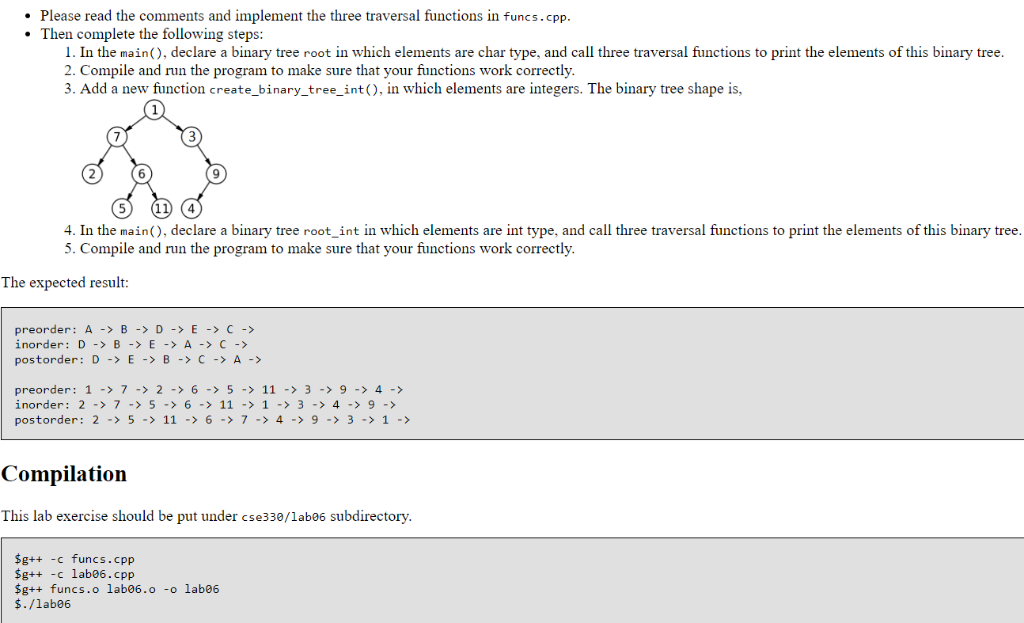
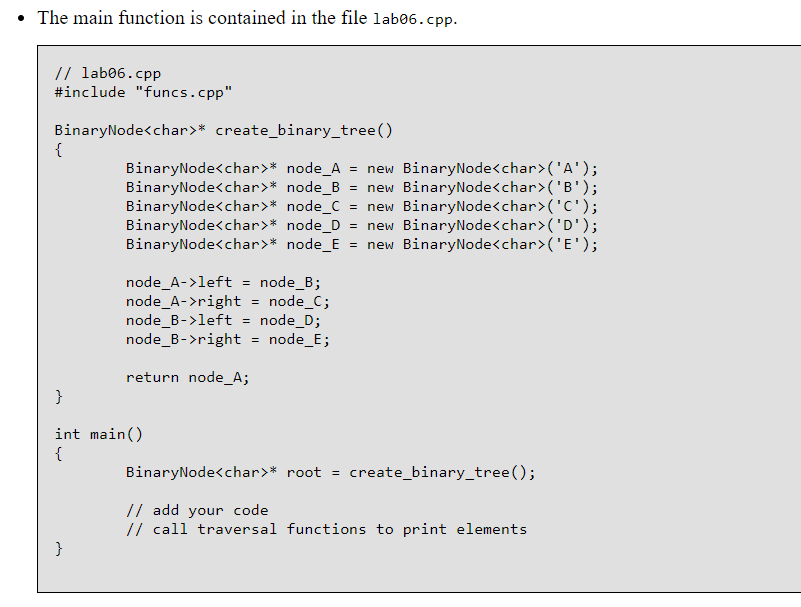
Declare and implement functions preorder, inorder, and postorder in the file funcs.cpp. // funcs.cpp #include using namespace std; template struct BinaryNode T element; BinaryNodeleft; BinaryNode right; BinaryNode(const T& d T()): element (d) left -nullptr; right - nullptr; d; //print the elements of binary tree in preorder template void preorder (const BinaryNode void inorder (const BinaryNode* root) // add your code //print the elements of binary tree in postorder template void postorder (const BinaryNode* node-C new BinaryNode('C'); BinaryNodeleft -node_B; node A->right-node C node-B-left = node-D; node B-right-node E return node A int main() BinaryNode B-> D-> E-> C-> inorder: D-> B-> E -A ->C-> postorder: D -E-BC->A> preorder: 1- 7-2-6- 5-11-39- 4- inorder: 2-> 7-5-6-11-1 -3- 4- 9- postorder: 2-> 511-67-4-9-3->1- Compilation This lab exercise should be put under cse330/1ab06 subdirectory $g++ -c funcs.cpp Sg++ c labe6.cpp $g++ funcs.o lab06.o -o labe6 $./labe6

Step by Step Solution

There are 3 Steps involved in it

1 Expert Approved Answer
Step: 1 Unlock blur-text-image
Question Has Been Solved by an Expert!

Get step-by-step solutions from verified subject matter experts

Step: 2 Unlock
Step: 3 Unlock

Students Have Also Explored These Related Databases Questions!