Question: def generate_world(opts): Accepts: opts -- parsed command line options Returns: world -- a list of lists that forms a 2D pixel buffer Description: This
def generate_world(opts):
"""
Accepts: opts -- parsed command line options
Returns: world -- a list of lists that forms a 2D pixel buffer
Description: This function generates a 2D pixel buffer with dimensions
opts.cols x opts.rows (in pixels). The initial contents
of the generated world is determined by the value provided
by opts.world_type: either 'random' or 'empty' A 'random'
world has 10% 'living' pixels and 90% 'dead' pixels. An
'empty' world has 100% 'dead' pixels.
"""
world = []
## TASK 1 #############################################################
#creating a world with all 'empty' pixels first
#here, I assume dead pixels are represented by 0 and living by 1
for i in range(opts.rows):
world.append([0 for x in range(opts.cols)])
#now checking the world_type variable to see if it is 'random'.
if opts.world_type=='random':
#finding the total pixels count (rows*columns)
total_pixel_count=opts.rows*opts.cols
#finding the 10% of the above value
living_pixels_count=int(total_pixel_count*0.10)
#temporarily importing random module
import random
c=0 #a loop controller variable
#loop until a random 10% pixels are made living
while c #generating two random row, col values
row=random.randint(0,opts.rows-1)
col=random.randint(0,opts.cols-1)
#checking if the cell is empty
if world[row][col]==0:
#making it living
world[row][col]=1
#incrementing the count
c+=1
#######################################################################
return world
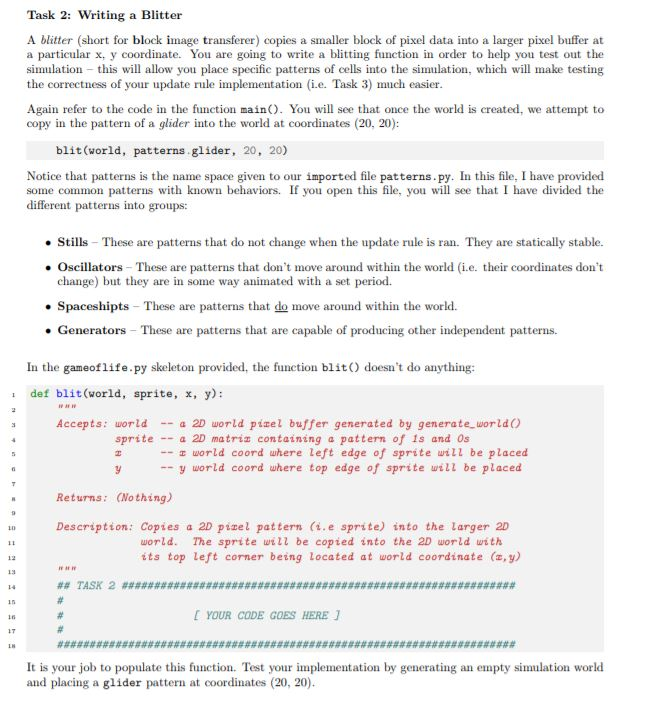
Task 2: Writing a Blitter A blitter (short for block image transferer) copies a smaller block of pixel data into a larger pixel buffer at a particular x, y coornate. You are going to write a blitting function in order to help you test out the simulation this will allow you place specifie patterns of cells into the simulation, which will make testing the correctness of your update rule implementation (i.e. Task 3) much easier Again refer to the code in the function main). You will see that once the world is created, we attempt to copy in the pattern of a glider into the world at coordinates (20, 20): blit (world, patterns.glider, 20, 20) Notice that patterns is the name space given to our imported file patterns.py. In this file, I have provided some common patterns with known behaviors. If you open this file, you will see that I have divided the different patterns into groups: Stills These are patterns that do not change when the update rule is ran. They are statically stable. Oscillators These are patterns that don't move around within the world (i.e. their coordinates don't change) but they are in some way animated with a set period. Spaceshipts These are patterns that do move around within the world. . Generators These are patterns that are capable of producing other independent patterns. In the gameoflife.py skeleton provided, the function blit doesn't do anything: def blit world, sprite, x, y): Accepts: world a 2D world pizel buffer generated by generate worldO sprite-a 2D matriz containing a pattern of is and Os world coord where left edge of sprite will be placed y world coord where top edge of sprite will be placed Returns: (Nothing) Description: Copies a 2D pizel pattern (.e sprite) into the Larger 2D world. The sprite will be copied into the 2D world with its top left corner being Located at world coordinate (z, y) YOUR CODE GOES HERE It is your job to populate this function. Test your implementation by generating an empty simulation world and placing a glider pattern at coordinates (20, 20)









 Study Help