







Question: Description Task 3.1 _f1 We can specify different constructors in a single class. Java identifies different constructors by looking at the signature, i.e. public Robotone
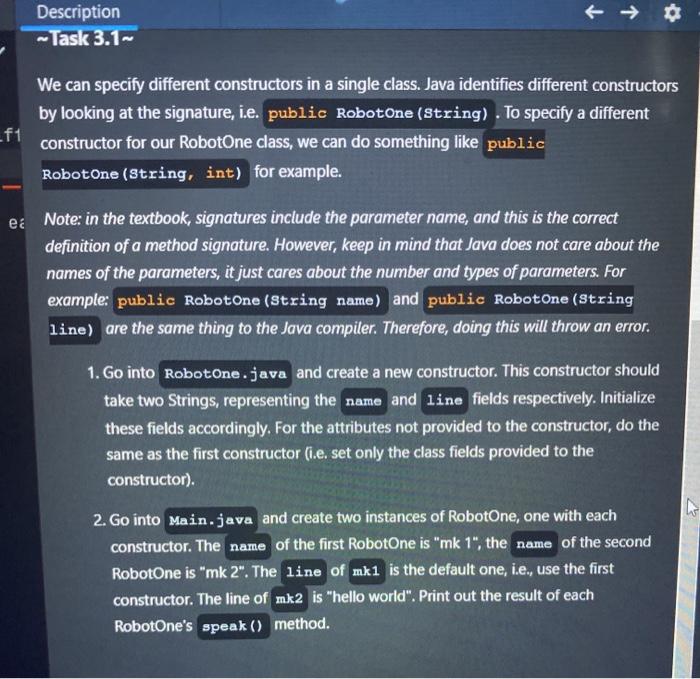
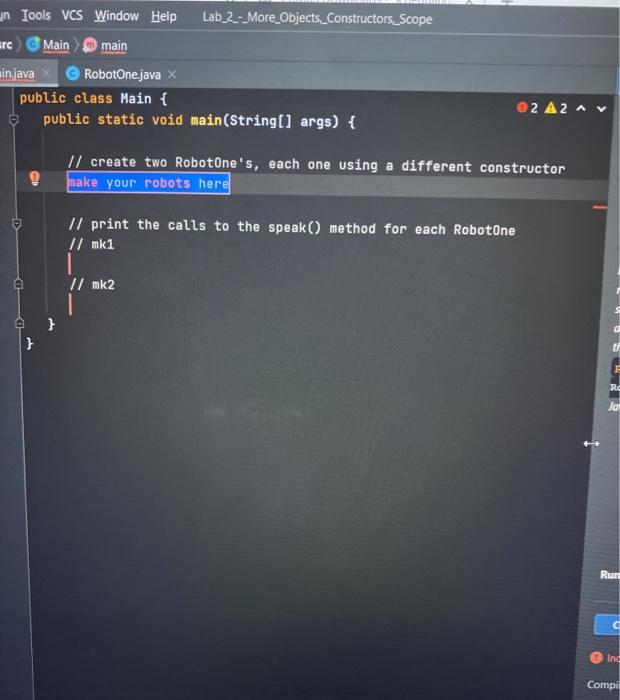
Description Task 3.1 _f1 We can specify different constructors in a single class. Java identifies different constructors by looking at the signature, i.e. public Robotone (string). To specify a different constructor for our RobotOne class, we can do something like public Robotone (String, int) for example. e Note: in the textbook, signatures include the parameter name, and this is the correct definition of a method signature. However, keep in mind that Java does not care about the names of the parameters, it just cares about the number and types of parameters. For example: public Robotone (String name) and public RobotOne (String line) are the same thing to the Java compiler. Therefore, doing this will throw an error. 1. Go into RobotOne.java and create a new constructor. This constructor should take two Strings, representing the name and line fields respectively. Initialize these fields accordingly. For the attributes not provided to the constructor, do the same as the first constructor (i.e. set only the class fields provided to the constructor). 2. Go into Main.java and create two instances of RobotOne, one with each constructor. The name of the first RobotOne is "mk 1", the name of the second RobotOne is "mk 2". The line of mk1 is the default one, i.e., use the first constructor. The line of mk2 is "hello world". Print out the result of each RobotOne's speak() method. in Tools VCS Window Help Lab_2_-_More_Objects_Constructors_Scope src Main main minjava RobotOne.java public class Main { public static void main(String[] args) { 2 A2 Il create two RobotOne's, each one using a different constructor make your robots here 1/ print the calls to the speak() method for each RobotOne // mk1 // mk2 I } Ja Rur Ind Compil
Step by Step Solution
There are 3 Steps involved in it

Get step-by-step solutions from verified subject matter experts
 Study Help