







Question: Description This lab is based on the material studied in module 4-5, including the exercises done in class. This assignment is to be done individually;
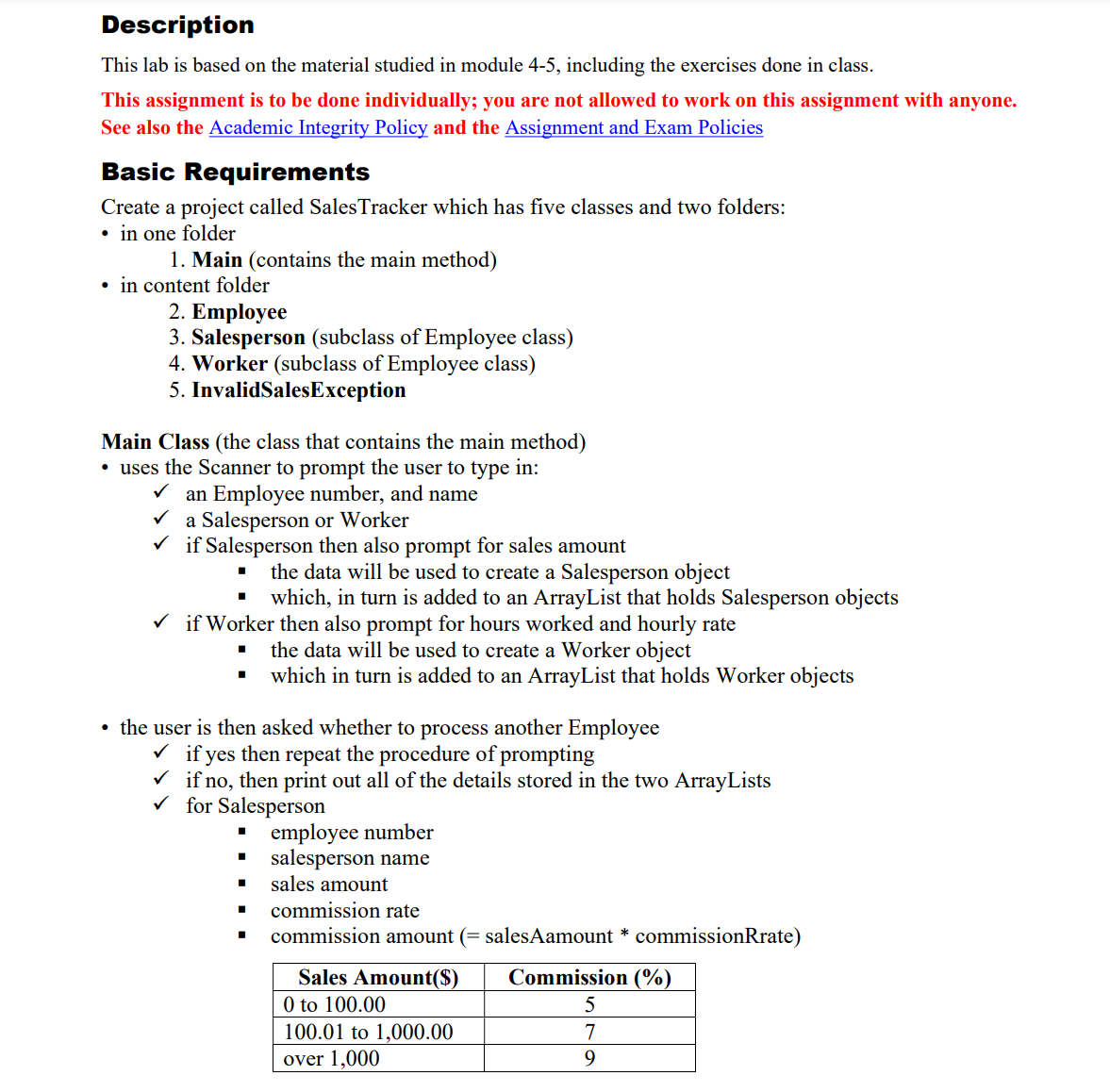
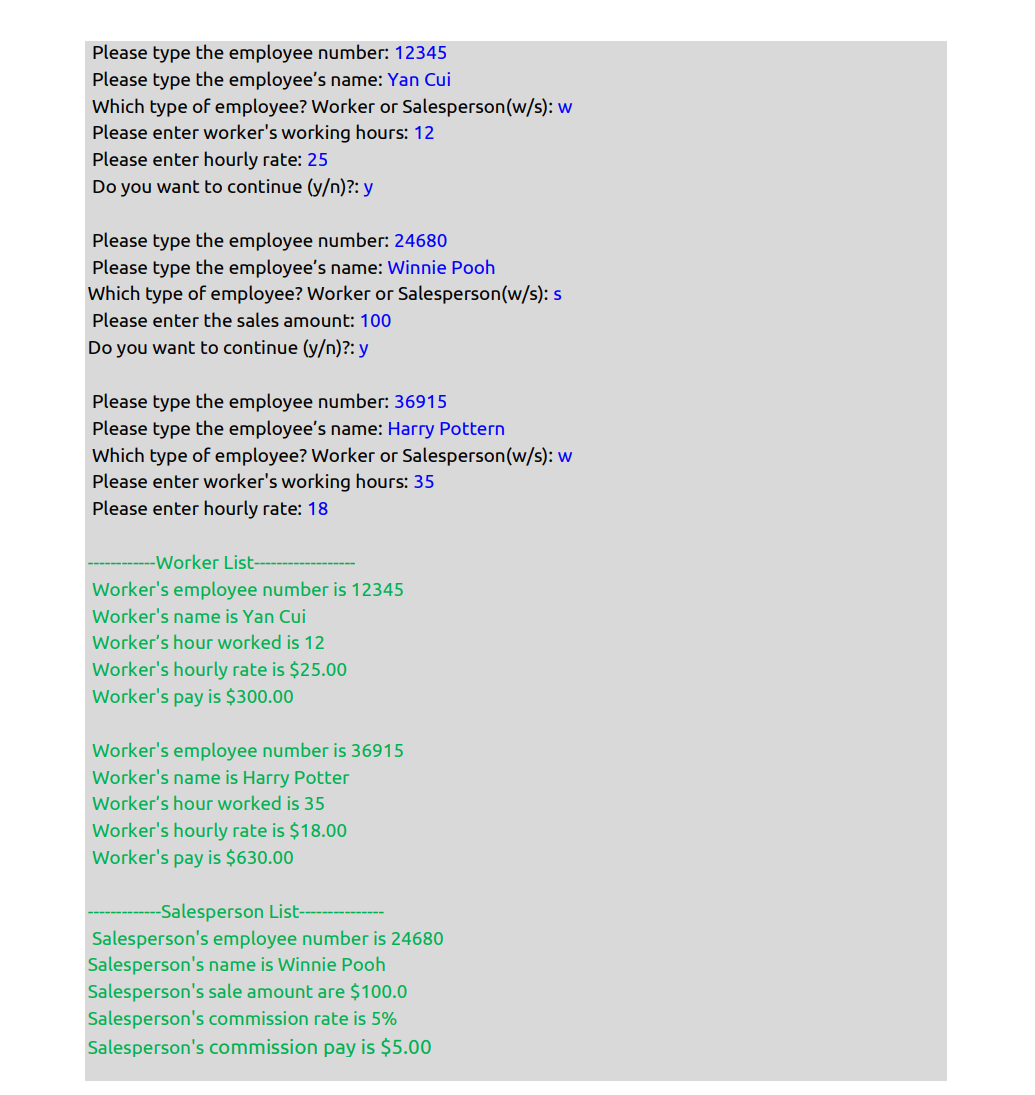
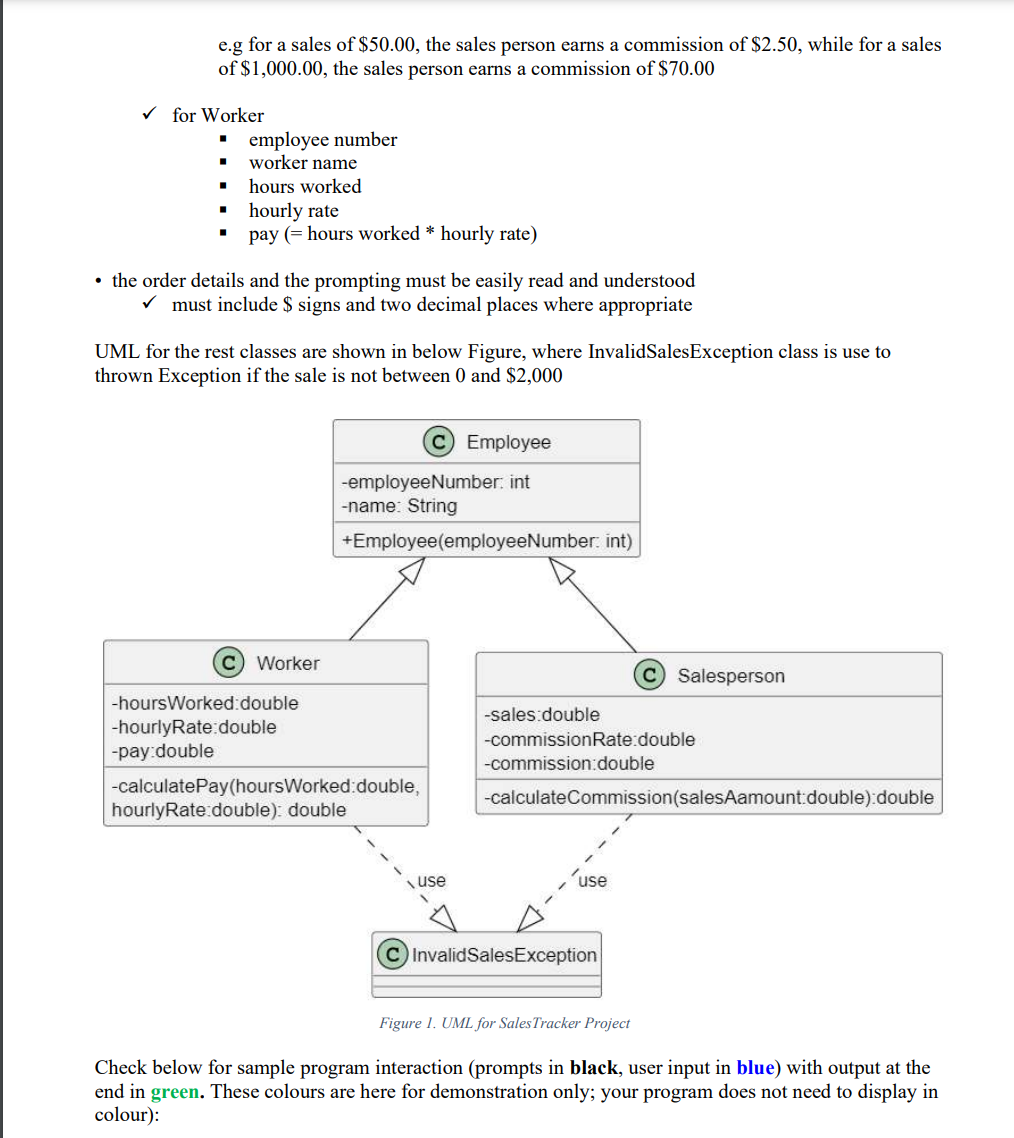
Description This lab is based on the material studied in module 4-5, including the exercises done in class. This assignment is to be done individually; you are not allowed to work on this assignment with anyone. See also the Academic Integrity Policy and the Assignment and Exam Policies Basic Requirements Create a project called SalesTracker which has ve classes and two folders: . in one folder 1. Main (contains the main method) . in content folder 2. Employee 3. Salesperson (subclass ofEmployee class) 4. Worker (subclass of Employee class) 5. lnvalidSalesExeeption Main Class (the class that contains the main method) . uses the Scanner to prompt the user to type in: v/ an Employee number, and name v/ a Salesperson or Worker v\" if Salesperson then also prompt for sales amount I the data will be used to create a Salesperson object I which, in turn is added to an ArrayList that holds Salesperson objects v\" if Worker then also prompt for hours worked and hourly rate I the data will be used to create a Worker object I which in turn is added to an ArrayList that holds Worker objects . the user is then asked whether to process another Employee f if yes then repeat the procedure of prompting v/ if no, then print out all of the details stored in the two ArrayLists v/ for Salesperson I employee number I salesperson name I sales amount I commission rate I commission amount (= salesAamount * commissionRrate) Sales Amount($) Commission (%) O to 100.00 5 100.0] to 1,000.00 7 over 1,000 9 Please type the employee numben 12345 Please type the employee's name: Yan Cui which type of employee? Worker or Salesperson(w/s): w Please enter worker's working hours: 1 2 Please enter hourly rate: 25 Do you want to continue (y)?: y Please type the employee numben 24680 Please type the employee's name: Winnie Pooh which type oF employee? Worker or SalespersonIlw/s): 5 Please enter the sales amount: 100 Do you want to continue (y)?: y Please type the employee numben 36915 Please type the employee's name: Harry Pottern which type of employee? Worker or Salesperson(w/s): w Please enter worker's working hours: 35 Please enter hourly rate: 18 Worker List Worker's employee number is 12345 Worker's name is Yan Cui Worker's hour worked is 12 Worker's hourly rate is $25.00 Worker's payis $300.00 Worker's employee number is 36915 Worker's name is Harry Potter Worker's hour worked is 35 Worker's hourly rate is $18.00 Worker's pay is $630.00 Salesperson List Salesperson's employee number is 24680 Salesperson's name is Winnie Pooh Salesperson's sale amount are $100.0 Salesperson's commission rate is 5% Salesperson's commission pay is $5.00 e.g for a sales of $50.00, the sales person earns a commission of $2.50, while for a sales of $1,000.00, the sales person earns a commission of $70.00 for Worker employee number worker name hours worked hourly rate pay (= hours worked * hourly rate) . the order details and the prompting must be easily read and understood must include $ signs and two decimal places where appropriate UML for the rest classes are shown in below Figure, where InvalidSalesException class is use to thrown Exception if the sale is not between 0 and $2,000 C Employee -employee Number: int -name: String +Employee(employeeNumber. int) C) Worker C Salesperson -hoursWorked:double -hourlyRate double -sales:double -pay double -commissionRate:double -commission:double -calculatePay(hoursWorked: double, hourlyRate double): double -calculateCommission(salesAamount:double):double use C InvalidSalesException Figure 1. UML for Sales Tracker Project Check below for sample program interaction (prompts in black, user input in blue) with output at the end in green. These colours are here for demonstration only; your program does not need to display in colour)
Step by Step Solution
There are 3 Steps involved in it

Get step-by-step solutions from verified subject matter experts
 Study Help