







Question: Design and code a program to allow passengers to book flights. In order for a passenger to book a flight, he/she must enter the following:
Design and code a program to allow passengers to book flights. In order for a passenger to book a flight, he/she must enter the following:
First name
Last name
From (city of departure)
To (destination city)
Departure date (use Java date class)
Return date (use Java date class)
Choose a seat. Assume a small airplane with seat numberings as follows:
1 A B C D
2 A B C D
3 A B C D
4 A B C D
5 A B C D
6 A B C D
7 A B C D
You will need to define three classes as part of your model:
The Reservation class will have instance variables to store the reservations details including: seat, from, to, departure date, and return date.
The Passenger class will have instance variables to store the passengers first name, last name, and reservation.
The BookingGUI class will contain all the gui components and listeners. In addition, it should have an array of Passengers, a method to add passenger to the passengers array, and a method to list all passengers. The next screen shot shows the way your GUI should look like:
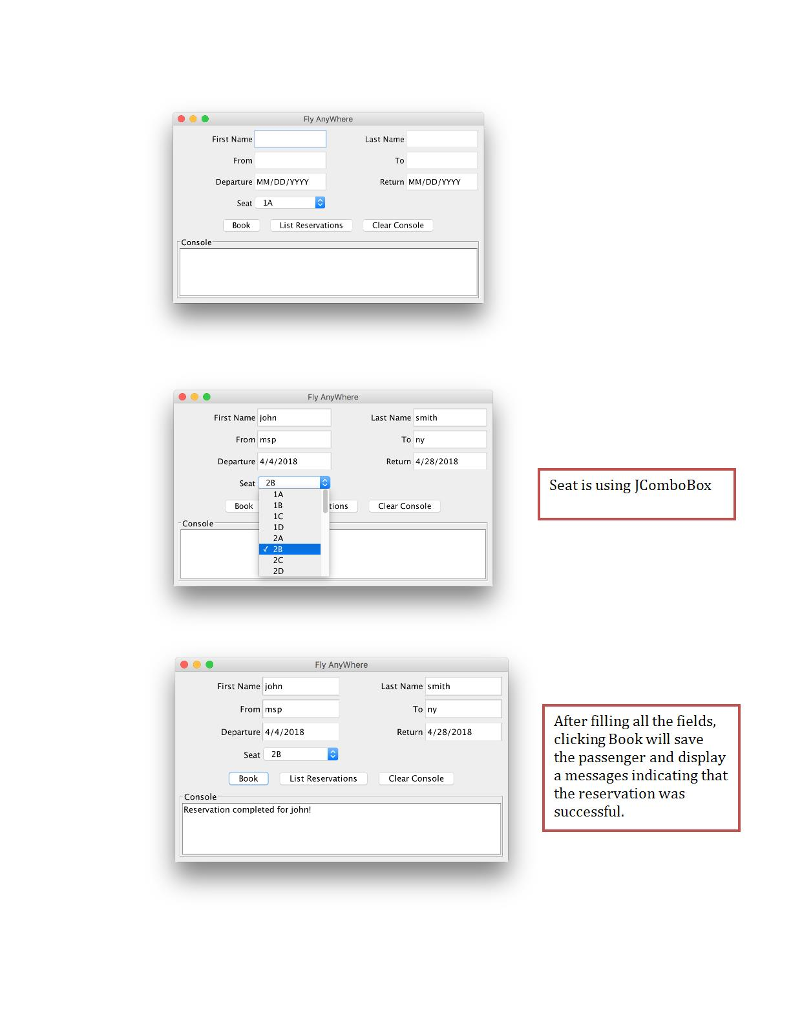
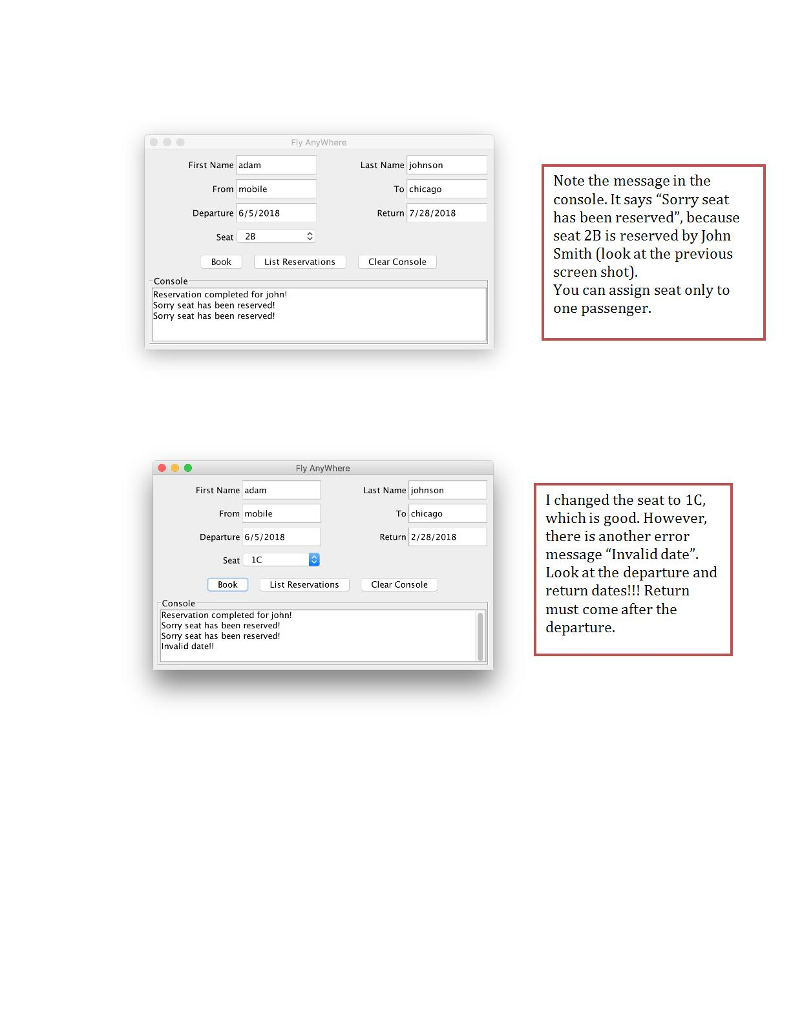
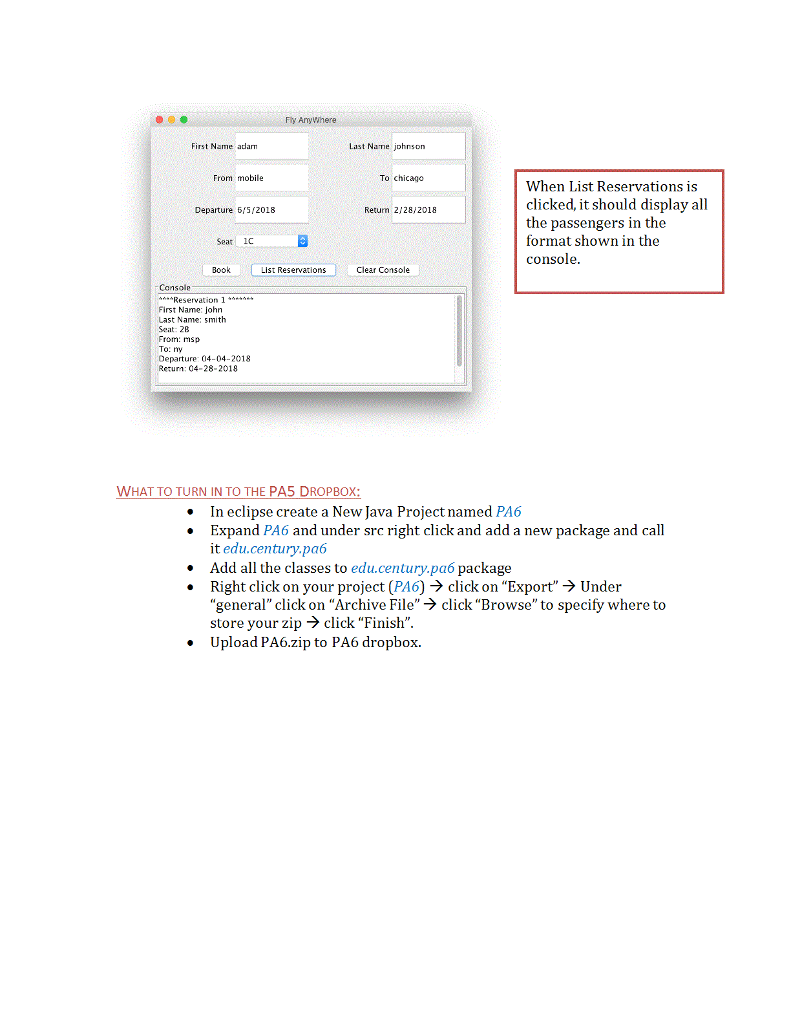
Fly A First Name Last Nane From To Departure MMYODJYYYY Return MMIDDIYYYY Seat 1A Bopk List Reservations Clear Cainsole Console y AnyWWhere First Name john Last Name smith From msp To ny Departure 4/4 2018 Return 428/2018 Seat 28B Seat is using JComboBox 1A 18 i0 ID 2A Book tions Clear Console Console 2C 2D Fly AnyWhere First Name john Last Name smith To ny From msp Departure 4/4/2018 Seat 2B After filling all the fields, clicking Book will save the passenger and display a messages indicating that the reservation was successful Return 4/28/2018 Book List Reservation Clear Console Console Reservation completed for john
Step by Step Solution
There are 3 Steps involved in it

Get step-by-step solutions from verified subject matter experts
 Study Help