







Question: Using Javafx, how to make this Five pointed Star , requirements are shown in pictures? ? Project 2: (package q2) Design and implement an application
Using Javafx, how to make this Five pointed Star , requirements are shown in pictures?
?
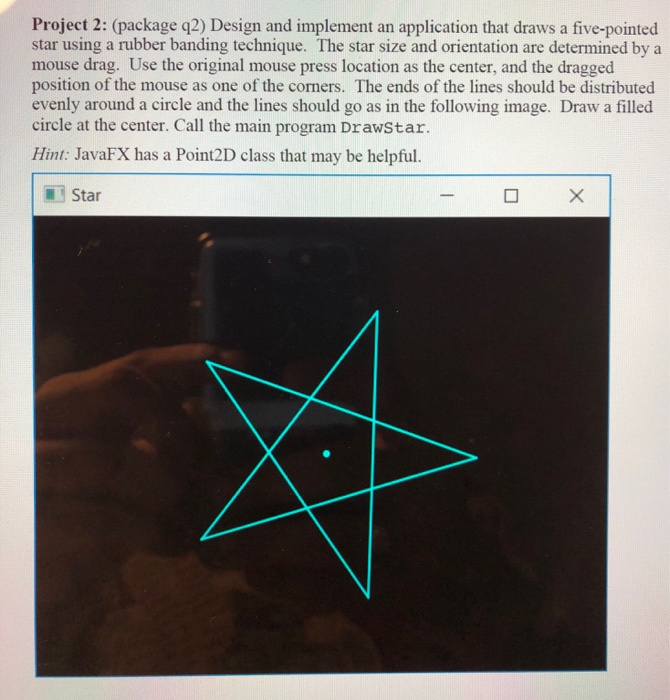
Project 2: (package q2) Design and implement an application that draws a five-pointed star using a rubber banding technique. The star size and orientation are determined by a mouse drag. Use the original mouse press location as the center, and the dragged position of the mouse as one of the corners. The ends of the lines should be distributed evenly around a circle and the lines should go as in the following image. Draw a filled circle at the center. Call the main program DrawStar. Hint: JavaFX has a Point2D class that may be helpful. Star - X
Step by Step Solution
3.49 Rating (152 Votes )
There are 3 Steps involved in it
DrawStarjava import javafxapplicationApplication import static javafxapplicationApplicationlaunch import javafxgeometryPoint2D import javafxsceneScene ... View full answer

Get step-by-step solutions from verified subject matter experts
 Study Help