







Question: Design and implement an application that has 5 text boxes, a button (make its text SORT) and a label. (example: copy the PushCounterPanel.java code
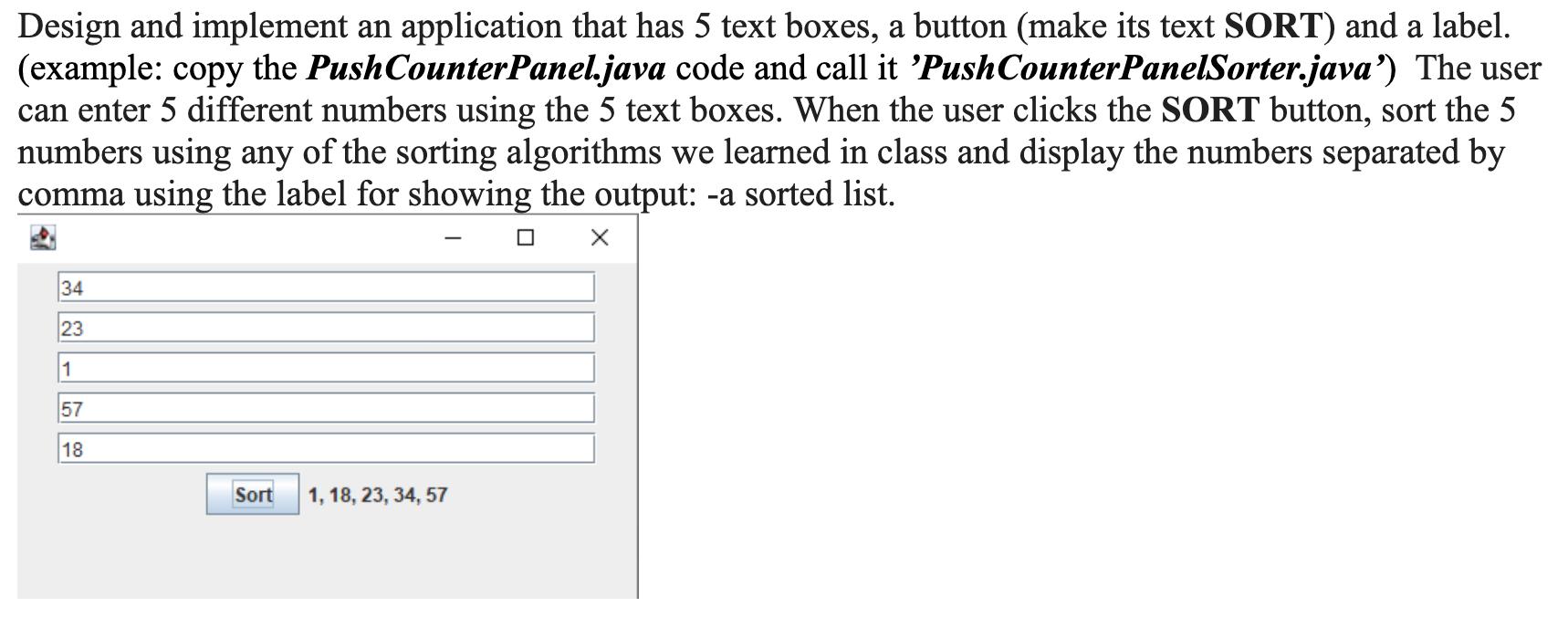
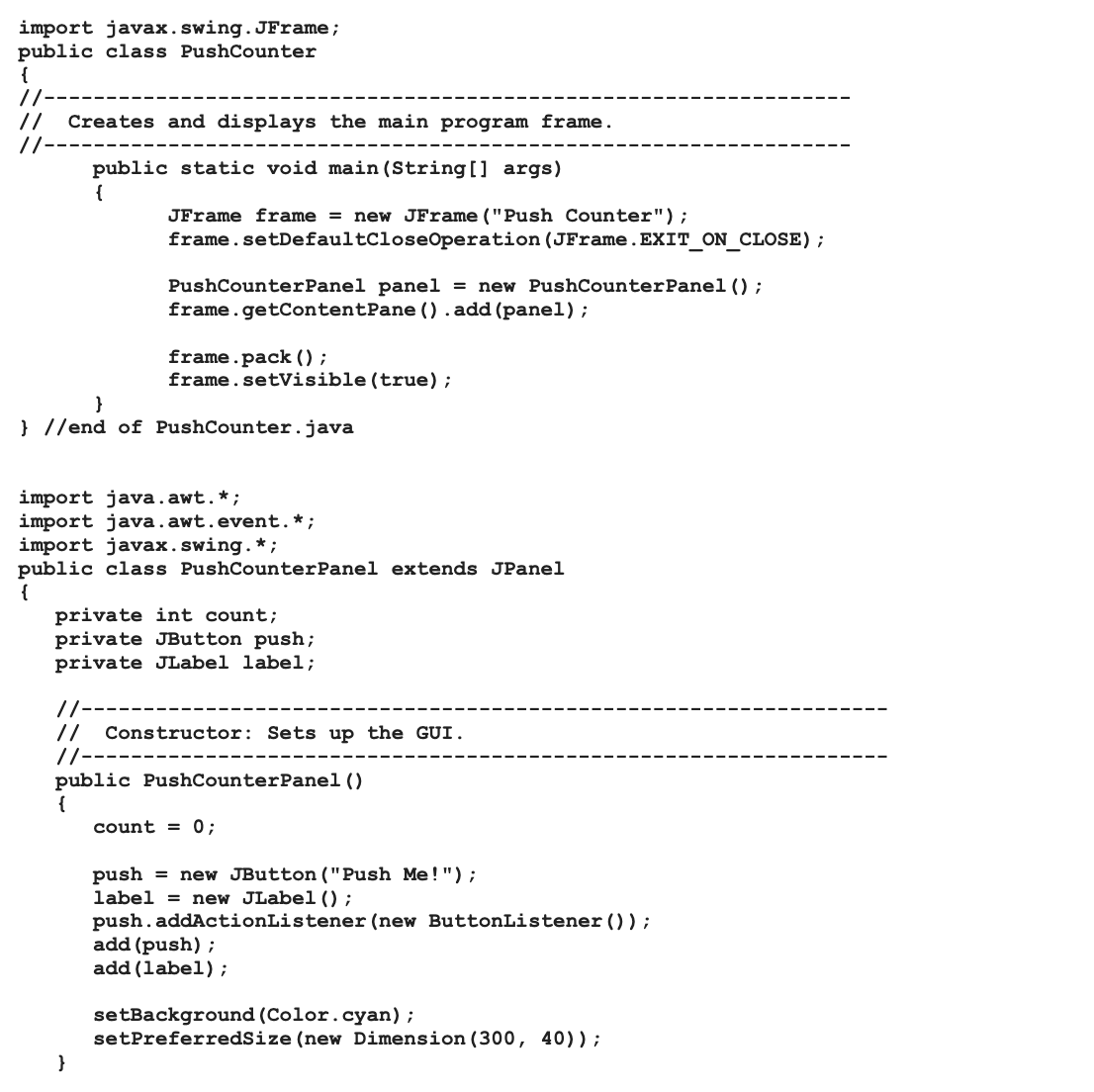
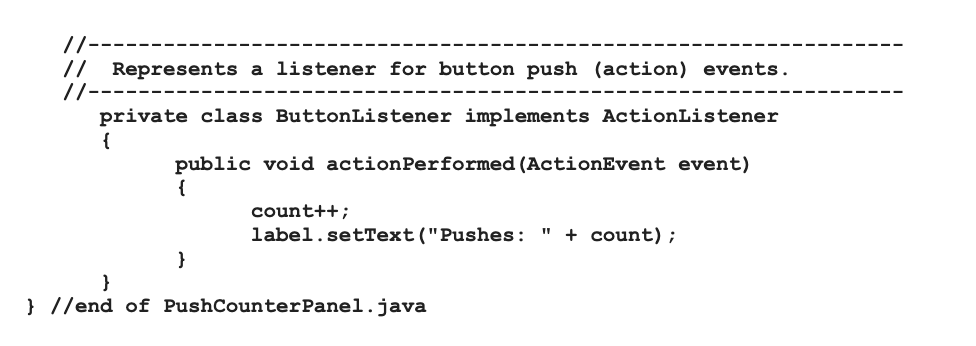
Design and implement an application that has 5 text boxes, a button (make its text SORT) and a label. (example: copy the PushCounterPanel.java code and call it 'Push CounterPanelSorter.java') The user can enter 5 different numbers using the 5 text boxes. When the user clicks the SORT button, sort the 5 numbers using any of the sorting algorithms we learned in class and display the numbers separated by comma using the label for showing the output: -a sorted list. 34 23 1 57 18 Sort 1, 18, 23, 34, 57 import javax.swing.JFrame; public class PushCounter { // // Creates and displays the main program frame. // public static void main(String[] args) { } JFrame frame = new JFrame("Push Counter"); frame.setDefaultCloseOperation (JFrame.EXIT_ON_CLOSE); PushCounterPanel panel = new PushCounterPanel (); frame.getContentPane().add(panel); frame pack (); frame.setVisible (true); } //end of PushCounter.java import java.awt.*; import java.awt.event.*; import javax.swing.*; public class PushCounterPanel extends JPanel { private int count; private JButton push; private JLabel label; // // Constructor: Sets up the GUI. //- public PushCounterPanel () { count = 0; push = new JButton("Push Me!"); label = new JLabel (); push.addActionListener(new ButtonListener()); add (push); add (label); setBackground (Color.cyan); setPreferredSize (new Dimension (300, 40)); } //- // Represents a listener for button push (action) events. //--- private class ButtonListener implements ActionListener { public void actionPerformed (ActionEvent event) { count++; " label.setText("Pushes: + count); } } } //end of PushCounterPanel.java
Step by Step Solution
There are 3 Steps involved in it

Get step-by-step solutions from verified subject matter experts
 Study Help