







Question: df . rename ( columns = { ' Price ' : ' $Price' } , inplace = True ) In the following set of cells
df renamecolumnsPrice: $Price' inplace True
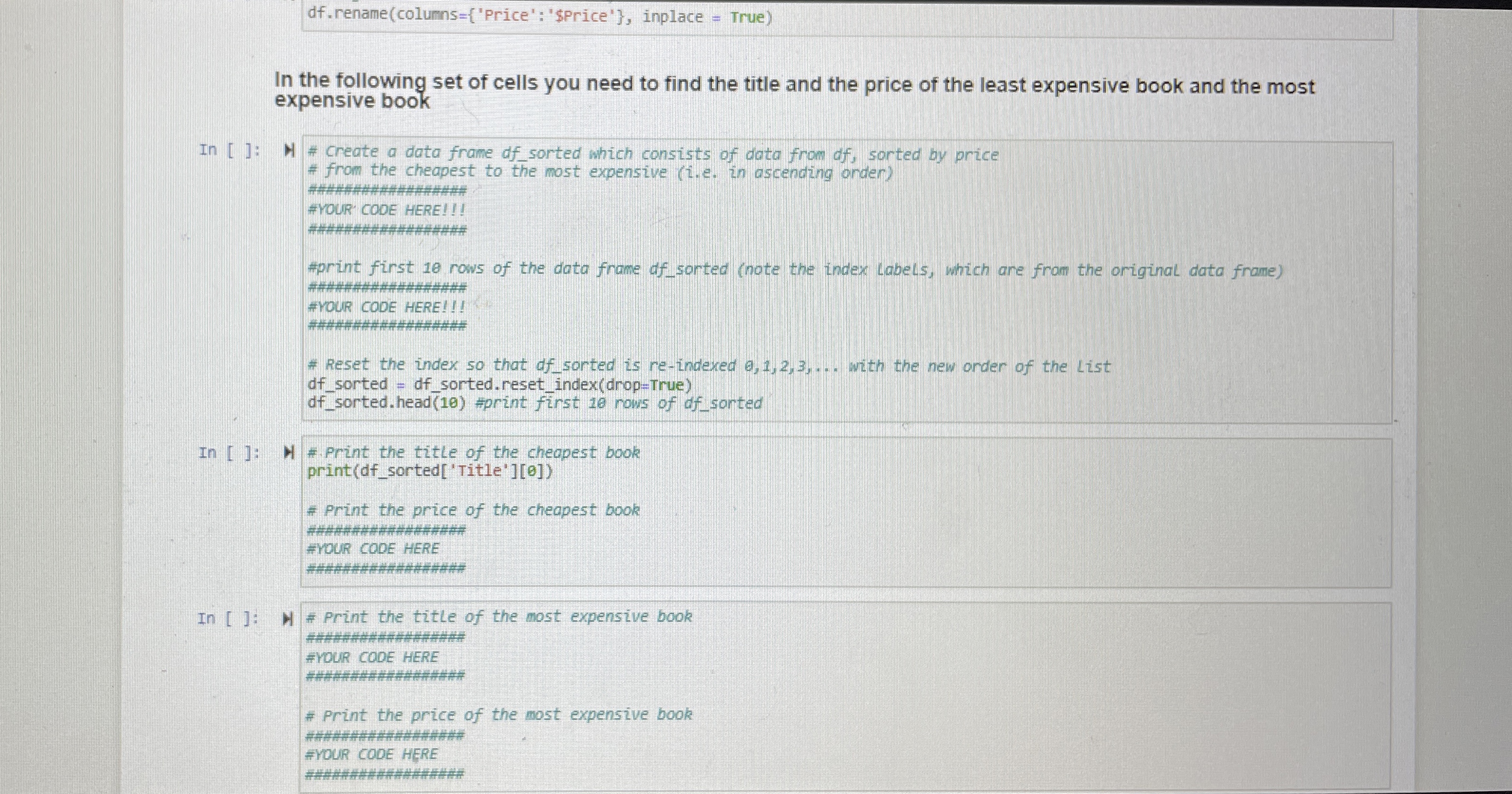
In the following set of cells you need to find the title and the price of the least expensive book and the most expensive book
In : # Create a data frame dfsorted which consists of data from df sorted by price
from the cheapest to the most expensive ie in ascending onder
#VOUR COOE HERE!
##################
#print first rows of the data frame dfsorted note the index Labels, which are from the original data frame
#OUR CODE HERE!!!
# Reset the index so that of sorted is reindexed dots with the new onder of the List
dfsorted dfsorted. resetindexdropTrue
dfsorted. head #print fst rows of dfsorted
In : # Print the title of the cheapest book
# Print the title of the cheo printdfsortedTitle
# Print the price of the cheapest book
###############
YOUR CODE HERE
In : #rint the title of the most expensive book
YOUR COOE HERE
###########
# Print the price of the most expensive book
##################
FYOUR CODE HERE
#################
Step by Step Solution
There are 3 Steps involved in it
1 Expert Approved Answer
Step: 1 Unlock

Question Has Been Solved by an Expert!
Get step-by-step solutions from verified subject matter experts
Step: 2 Unlock
Step: 3 Unlock
 Study Help