







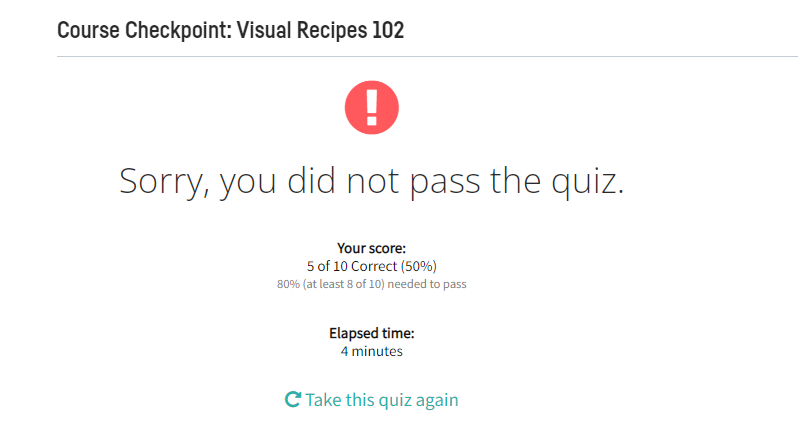
Question: {Question Asked before again im requesting bcz the answer provided from chegg is ChatGPT answers and its not helped me and also im attching the
{Question Asked before again im requesting bcz the answer provided from chegg is ChatGPT answers and its not helped me and also im attching the answers from ChatGPT(i.e ur chegg Expert copy pasted answers) and also result based on the expert answer screenshot}
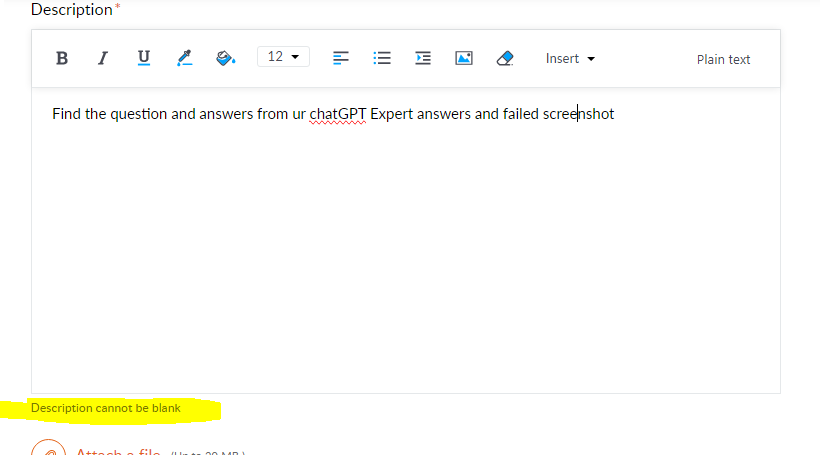
{hope this time i'll get answer and also i am unable to submitt ticket from ur site, even if i entered description its asking fill description. this is really ridiculous service ever i got from chegg and im attching the ticket issue screenshot also here}
1. Which of the following are features of the Pivot recipe? Select two.
It always recomputes the output schema when running.
Both Pre-Filter and Post-Filter can be leveraged as steps in the Pivot recipe
Multiple columns can be defined as group keys simultaneously
Possible aggregations include: count, max, sum and
-------------------------------------------
2. Which of the following Window recipe components is NOT required to find the most recent purchase per unique merchant in a dataset of retail transactions?
Order column
Partitioning column
Window frame
Post-filter step
--------------------------------------------
3. Which of the following need to be defined in order for the Top N recipe to work? Select two.
The column to identify each group of rows by
The number of top and/or bottom values to display
The count of rows in its group
The column to sort by
------------------------------------------
4. Imagine new values are found in the pivoting column after having run the Pivot recipe, which is configured to recompute the schema at each run. What will happen when the recipe is run again?
The dataset will rebuild successfully without the new columns.
It depends if it is a recursive or a non-recursive build.
The dataset rebuild will fail.
The dataset will rebuild successfully including the new columns.
---------------------------------------------
5. Which of the following is the correct Formula for creating a column that outputs True if the value of a column called Purchase Amount is greater than 100, and False if it is less than or equal to 100?
if(Purchase Amount > 100, "True"), else("False")
If(Purchase Amount > 100, "True", "False")
if(numval("Purchase Amount") > 100, "True", "False")
if(strval("Purchase Amount") > 100, "True"), else("False")
----------------------------------------------------------------
6. Imagine a Group recipe that computes the average order price for every unique customer in a dataset of retail transactions. Which of the following would you use to retain only rows of customers with an average order price higher than some value?
Computed Columns
Pre-Filter
Post-Filter
None of these.
-----------------------------------------------------
7. In the Window recipe, a window frame limited by the 5 preceding rows and -1 following rows will include how many rows? Assume this row is not one of the very first rows where the full window frame is not possible.
4
Cannot be determined.
5
6
------------------------------------------------------
8. Which of the following uses the correct syntax to call the value of a project variable named "my_var" in a Pre-filter step (to give one example)?
!{my_var}
${my_var}
$my_var
$[my_var]
-------------------------------------------
9. Many processors in the Prepare recipe allow you to use regular expression patterns. Which of the following does NOT?
Find and replace
Simplify text
Extract with regular expression
Filter rows on value
---------------------------------
10. To calculate the cumulative sum of a column using the Window recipe, what component(s) must be set in the Window definition step? Select two.
Window frame
Partitioning column
Post-filter
Order column
--------------------------------------------------------------------------------------------------------------------------------------------------------
Chegg Answer from ChatGPT Copy paste
Step 1/10
Multiple columns can be defined as group keys simultaneously and Possible aggregations include: count, max, sum are the features of the Pivot recipe.
EXPLANATION
The statement "It always recomputes the output schema when running" is incorrect. The output schema for a pivot table is generally known in advance, and does not necessarily need to be recomputed each time the pivot is run.
The statement "Both Pre-Filter and Post-Filter can be leveraged as steps in the Pivot recipe" is also incorrect. While pre-filtering and post-filtering are common steps in data processing, they are not specifically part of the Pivot recipe.
Step 2/10
The window frame is not required to find the most recent purchase per unique merchant in a dataset of retail transactions.
EXPLANATION
Instead, the other three components are necessary:
The order column is used to specify the column by which the rows will be ordered. In this case, it would be the purchase date column, so that the most recent purchase is identified.
The partitioning column is used to group the rows by merchant, so that the most recent purchase for each merchant is identified separately.
The post-filter step is used to filter the results to only include the most recent purchase per unique merchant.
Step 3/10
The number of top and/or bottom values to display and The column to sort by need to be defined in order for the Top N recipe to work.
EXPLANATION
In the Top N recipe, we are interested in identifying the top or bottom N values within a column of data. In order to do this, we need to define the following:
The column to sort by, which determines the order of the values in the column.
The number of top and/or bottom values to display, which determines how many values will be returned in the final output.
Step 4/10
If new values are found in the pivoting column after having run the Pivot recipe, which is configured to recompute the schema at each run, the dataset will rebuild successfully including the new columns when the recipe is run again.
EXPLANATION
When the Pivot recipe is set to recompute the schema at each run, the recipe will detect the new values in the pivoting column and automatically update the schema of the pivot table to include them.
This means that the new values will be included in the output of the recipe the next time it is run, without the need for any additional configuration or modifications.
Therefore, the dataset will rebuild successfully including the new columns.
Step 5/10
The correct formula for creating a column that outputs "True" if the value of a column called "Purchase Amount" is greater than 100, and "False" if it is less than or equal to 100 is:
if(Purchase Amount > 100, "True", "False")
EXPLANATION
The other answer choices are incorrect because:
The first answer choice has a syntax error with an extra closing parenthesis after "True".
The third answer choice uses the numval() function to convert a string value to a numeric value, which is not necessary in this case because the "Purchase Amount" column is assumed to already contain numeric values.
The fourth answer choice also has a syntax error with an extra closing parenthesis after "True", and uses the strval() function to convert a numeric value to a string value, which is also not necessary in this case because the output should be a Boolean value.
Step 6/10
To retain only rows of customers with an average order price higher than some value in a Group recipe that computes the average order price for every unique customer in a dataset of retail transactions, we would use the Post-Filter step.
EXPLANATION
The Post-Filter step is used to filter the output of a recipe based on specified criteria. In this case, we want to filter the output to retain only rows of customers with an average order price higher than some value. We can accomplish this by adding a Post-Filter step to the Group recipe, where we would set the filter criteria to be "average order price > some value".
The Computed Columns step is used to create new columns based on computed expressions or formulas, which is not relevant for filtering rows based on existing column values. The Pre-Filter step is used to filter rows before they are aggregated or grouped, which is not applicable in this scenario as we are already grouping by customer.
Step 7/10
In the Window recipe, a window frame limited by the 5 preceding rows and -1 following rows will include 6 rows.
EXPLANATION
The window frame is a subset of the partition defined by the window function, which determines which rows to include in the calculation of the window function. The frame is defined relative to the current row, which is the row being processed by the window function.
In this case, the window frame includes the 5 preceding rows and the current row, as well as the row immediately following the current row. This gives a total of 6 rows included in the window frame. The fact that the window frame is limited by -1 following rows means that only the row immediately preceding the current row is included in the frame.
Step 8/10
The correct syntax to call the value of a project variable named "my_var" in a Pre-filter step is:
${my_var}
EXPLANATION
In a Pre-filter step, project variables can be used to define filter criteria that apply to the input dataset. The syntax for calling the value of a project variable in a Pre-filter step is "${variable_name}", where "variable_name" is the name of the project variable without the "$" sign.
The other answer choices are incorrect because:
"!{my_var}" is not a valid syntax for calling the value of a project variable in a Pre-filter step.
"$my_var" is the syntax for calling a column named "my_var" in a recipe, not a project variable.
"$[my_var]" is not a valid syntax for calling the value of a project variable in a Pre-filter step.
Step 9/10
The processor in the Prepare recipe that does NOT allow you to use regular expression patterns is "Filter rows on value".
EXPLANATION
The "Find and replace", "Simplify text", and "Extract with regular expression" processors allow you to use regular expression patterns to manipulate the data in the specified column.
"Find and replace" processor allows you to search for specific patterns in a column and replace them with new patterns.
"Simplify text" processor allows you to remove characters or words from a column using regular expressions.
"Extract with regular expression" processor allows you to extract data from a column based on a regular expression pattern.
On the other hand, the "Filter rows on value" processor allows you to filter rows in a dataset based on specific values in a column, but it does not use regular expression patterns. Instead, it allows you to filter rows based on exact matches or conditions like greater than, less than, etc.
Step 10/10
To calculate the cumulative sum of a column using the Window recipe, the following two components must be set in the Window definition step:
Partitioning column: The column to partition the data by. The cumulative sum will be calculated separately for each distinct value in this column.
Order column: The column to order the data by. The order of the rows within each partition determines the order in which the cumulative sum is calculated.
EXPLANATION
The Window frame and Post-filter components are not required to calculate the cumulative sum.
However, if you want to include only certain rows in the calculation of the cumulative sum, you can use these components to define a frame or filter.
------------------------------------------------------------------------------------------------------------------------------
Final answer
1.
Multiple columns can be defined as group keys simultaneously
Possible aggregations include: count, max, sum
2.
Window frame
3.
The number of top and/or bottom values to display
The column to sort by
4.
The dataset will rebuild successfully including the new columns.
5.
if(Purchase Amount > 100, "True", "False")
6.
Post-Filter
7.
6
8.
${my_var}
9.
Filter rows on value
10.
Partitioning column
Order column
Result from above question
Course Checkpoint: Visual Recipes 102 Sorry, you did not pass the quiz. Description* Find the question and answers from ur chatGPT Expert answers and failed screeknshot
Step by Step Solution
There are 3 Steps involved in it

Get step-by-step solutions from verified subject matter experts
 Study Help