







Question: Directions: Modify your HTML and JavaScript files from Exercise 5 so that they do the following: Exercise 6a. Move Text: Each time the user clicks
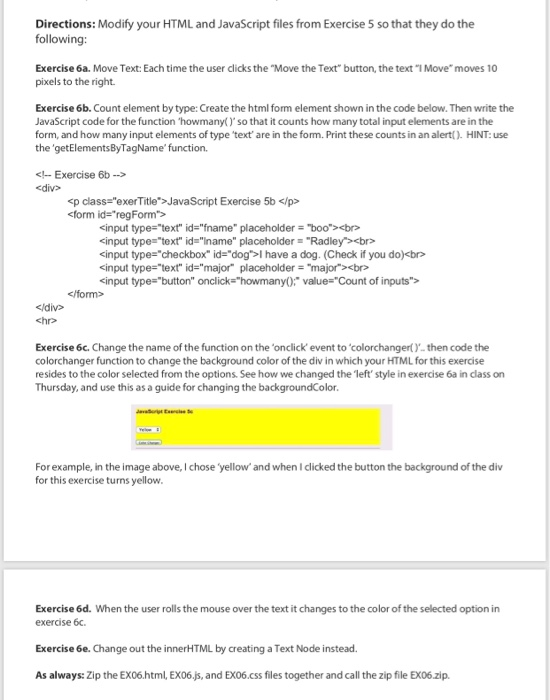
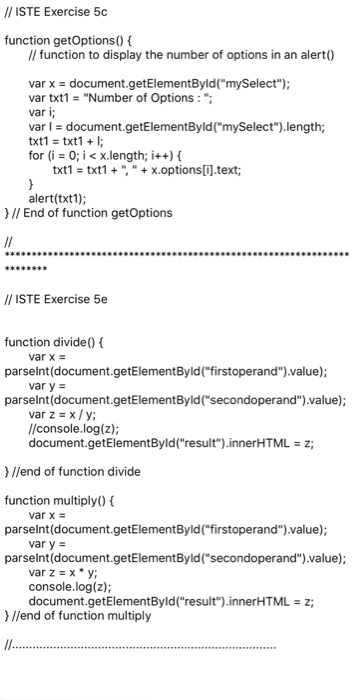
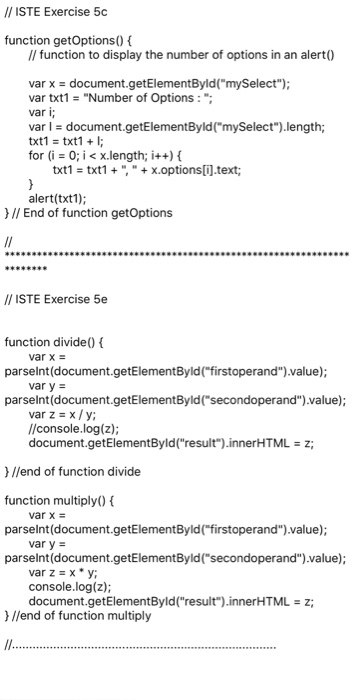
Directions: Modify your HTML and JavaScript files from Exercise 5 so that they do the following: Exercise 6a. Move Text: Each time the user clicks the "Move the Text" button, the text "1 Move" moves 10 pixels to the right Exercise 6b. Count element by type: Create the html form element shown in the code below. Then write the JavaScript code for the function 'howmany()'so that it counts how many total input elements are in the form, and how many input elements of type text are in the form. Print these counts in an alert). HINT: use the getElementsByTagName' function. JavaScript Exercise 5b
cinput type-"text" id-fname" placeholder "boocbo cinput type-"text" id-"Iname" placeholder "Radley>cbr> cinput type-"checkbox" id- "dog>I have a dog. (Check if you do)cbr cinput type-"text" id-major placeholder "majorxbre chre Exercise 6c. Change the name of the function on the 'onclick event to 'colorchanger() then code the colorchanger function to change the background color of the div in which your HTML for this exercise resides to the color selected from the options. See how we changed the left' style in exercise 6a in class on Thursday, and use this as a guide for changing the backgroundColor For example, in the image above, I chose yellow'and when I clicked the button the background of the div for this exercise turns yellow Exercise 6d. When the user rolls the mouse over the text it changes to the color of the selected option in exercise 6c. Exercise 6e. Change out the innerHTML by creating a Text Node instead. As always: Zip the EX06.html, EX06.js, and EX06.css files together and call the zip file EX06.zip
Step by Step Solution
There are 3 Steps involved in it

Get step-by-step solutions from verified subject matter experts
 Study Help