





Question: Display the Inventory Summary sheet. In cell B4, enter a formula that references cell B4 in the Portland Inventory sheet so that the Portland Total
Display the Inventory Summary sheet. In cell B4,
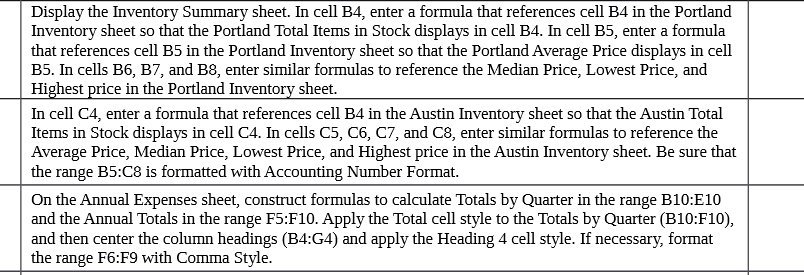
Display the Inventory Summary sheet. In cell B4, enter a formula that references cell B4 in the Portland Inventory sheet so that the Portland Total Items in Stock displays in cell B4. In cell B5, enter a formula that references cell B5 in the Portland Inventory sheet so that the Portland Average Price displays in cell B5. In cells B6, B7, and B8, enter similar formulas to reference the Median Price, Lowest Price, and Highest price in the Portland Inventory sheet. In cell C4, enter a formula that references cell B4 in the Austin Inventory sheet so that the Austin Total Items in Stock displays in cell C4. In cells C5, C6, C7, and C8, enter similar formulas to reference the Average Price, Median Price, Lowest Price, and Highest price in the Austin Inventory sheet. Be sure that the range B5:C8 is formatted with Accounting Number Format. On the Annual Expenses sheet, construct formulas to calculate Totals by Quarter in the range B10:E10 and the Annual Totals in the range F5:F10. Apply the Total cell style to the Totals by Quarter (B10:F10), and then center the column headings (B4:G4) and apply the Heading 4 cell style. If necessary, format the range F6:F9 with Comma Style

Step by Step Solution

There are 3 Steps involved in it

1 Expert Approved Answer
Step: 1 Unlock blur-text-image

Question Has Been Solved by an Expert!

Get step-by-step solutions from verified subject matter experts

Step: 2 Unlock
Step: 3 Unlock

Students Have Also Explored These Related Mathematics Questions!