







Question: Distance between cursor Task 2 - Understand and Implement the Algorithm of Target Selection with the Bubble Cursor The algorithm proposed in [ 1 ]
Distance between cursor Task Understand and Implement the Algorithm of Target Selection with the
Bubble Cursor
The algorithm proposed in is used to continuously update the radius of the bubble cursor, such
that there is always exactly one target within its activation area. To describe the algorithm in an
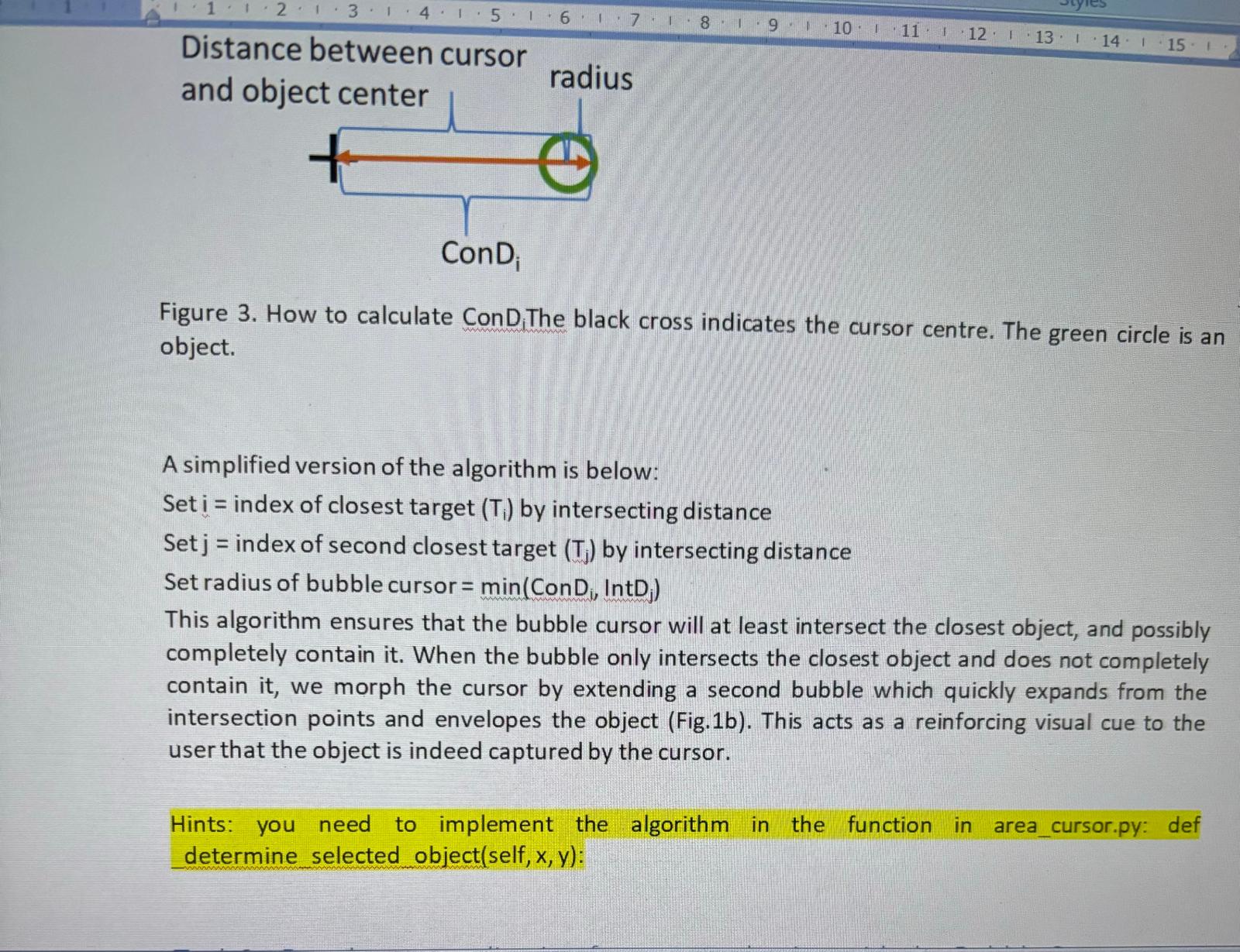
environment with objects dots, we adopt the following definitions as :
Intersecting Distance i IntD : The length of the shortest line connecting the centre of the bubble
cursor and any point on the border of can be calculated as the distance between the cursor
and ob
Figure How to calculate ConD. The black cross indicates the cursor centre. The green circle is an
object.
A simplified version of the algorithm is below:
Set index of closest target by intersecting distance
Set index of second closest target by intersecting distance
Set radius of bubble cursor min
This algorithm ensures that the bubble cursor will at least intersect the closest object, and possibly
completely contain it When the bubble only intersects the closest object and does not completely
contain it we morph the cursor by extending a second bubble which quickly expands from the
intersection points and envelopes the object Figb This acts as a reinforcing visual cue to the
user that the object is indeed captured by the cursor.
Hints: you need to implement the algorithm in the function in areacursor.py: def
determine selected objectself:
Step by Step Solution
There are 3 Steps involved in it
1 Expert Approved Answer
Step: 1 Unlock

Question Has Been Solved by an Expert!
Get step-by-step solutions from verified subject matter experts
Step: 2 Unlock
Step: 3 Unlock
 Study Help