







Question: Django Project Dev environment - Py Charm Python and Django are at the latest versions ----------------------------------------------------------------------------------------------------------------------------------------------------------------------------------------------------------------------------------------------- I am working with a freelancer to develop this
Django Project
Dev environment - Py Charm
Python and Django are at the latest versions
-----------------------------------------------------------------------------------------------------------------------------------------------------------------------------------------------------------------------------------------------
I am working with a freelancer to develop this project
Freelancer has created a signup page, and as seen below
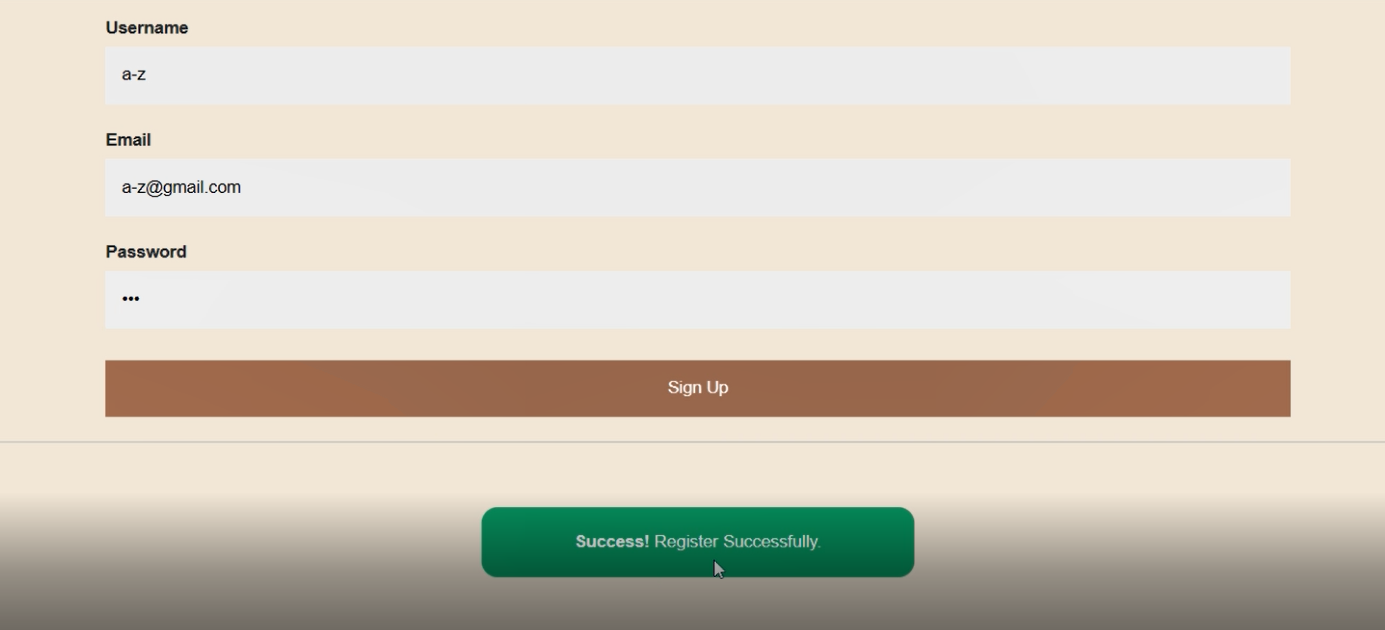
The page works perfectly on his computer, but as I am running the project on my computer, I am on the sign up page, and after clicking signup I do not get the same result. Instead of the Success green button, I get nothing (like the signup button did not work.
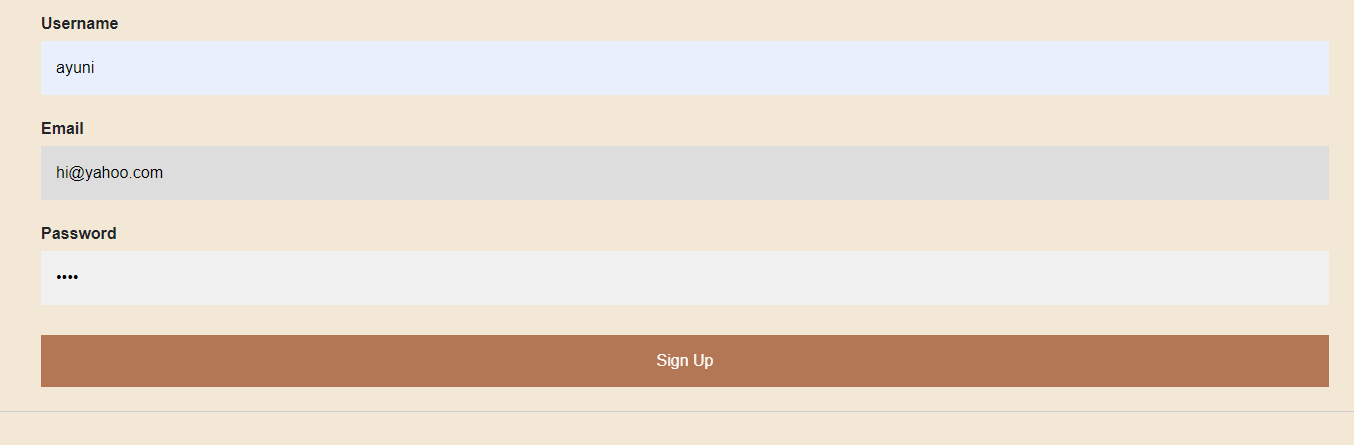
Looking at Django Terminal, the errors are as follows:
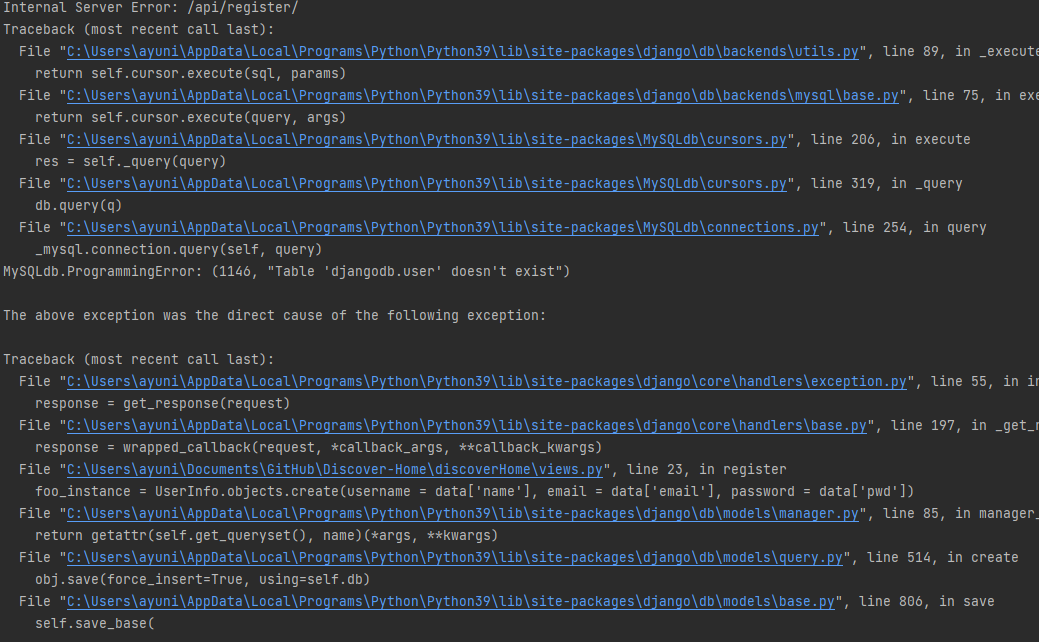
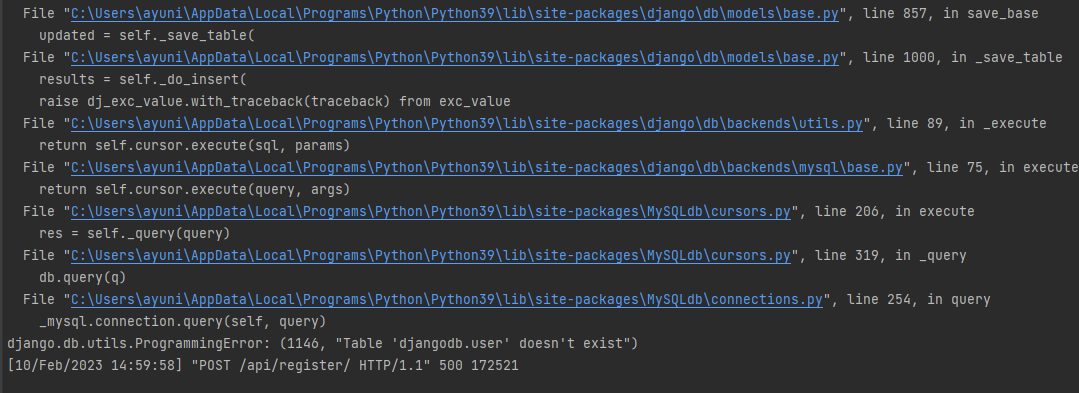
Any idea what is wrong and how to fix this? I have already run migrate and makemigrations, and those did something upon executing, but did not help the situation.
Thanks :D
Username a-z Email a-z@gmail.com Password Sign Up Success! Register Successfully. Username ayuni Email hi@yahoo.com Password Sign Up
Step by Step Solution
There are 3 Steps involved in it

Get step-by-step solutions from verified subject matter experts
 Study Help