







Question: DO ORACLE SQL DEVELOPER CLASS SCRIPT Create table tblStudent ( studentID number(5,2) not null primary key, studentName varchar2(50) not null, email varchar2(50) not null );
DO ORACLE SQL DEVELOPER
CLASS SCRIPT
Create table tblStudent ( studentID number(5,2) not null primary key, studentName varchar2(50) not null, email varchar2(50) not null );
create table tblModules ( mod_id number(5,2) not null primary key, mod_name varchar2(50) not null );
create table tblResults ( result_id int not null primary key, results number(5,2) not null, studentID int not null, mod_id int not null,
CONSTRAINT fk_student FOREIGN KEY (studentID) REFERENCES tblStudent(studentID), CONSTRAINT fk_modules FOREIGN KEY (mod_id) REFERENCES tblModules(mod_id) );
inserts
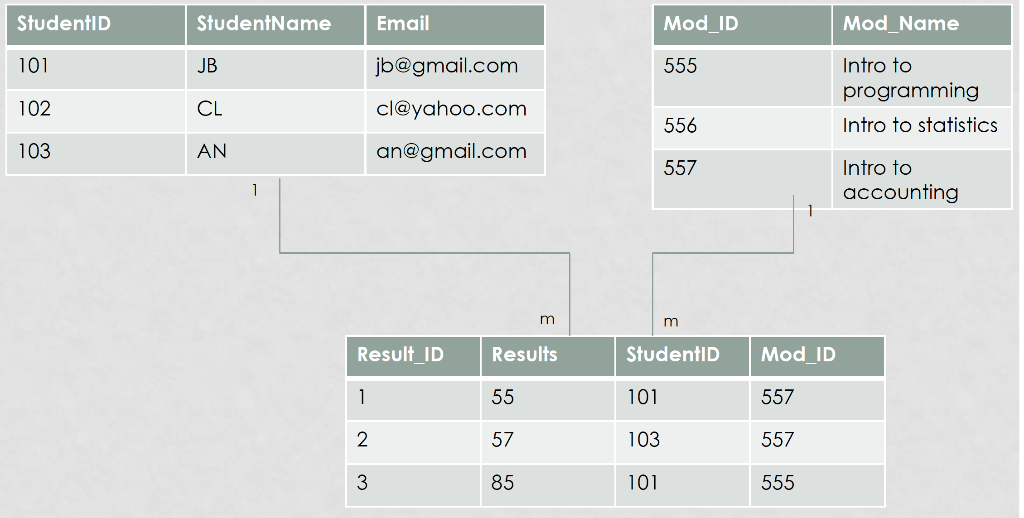
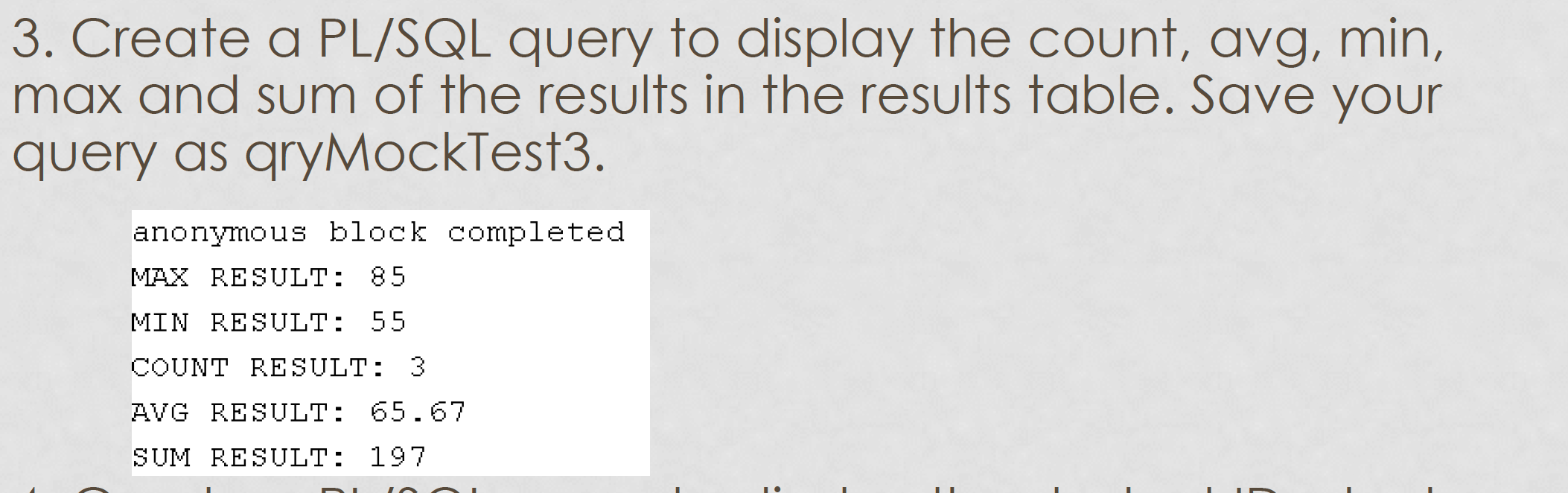
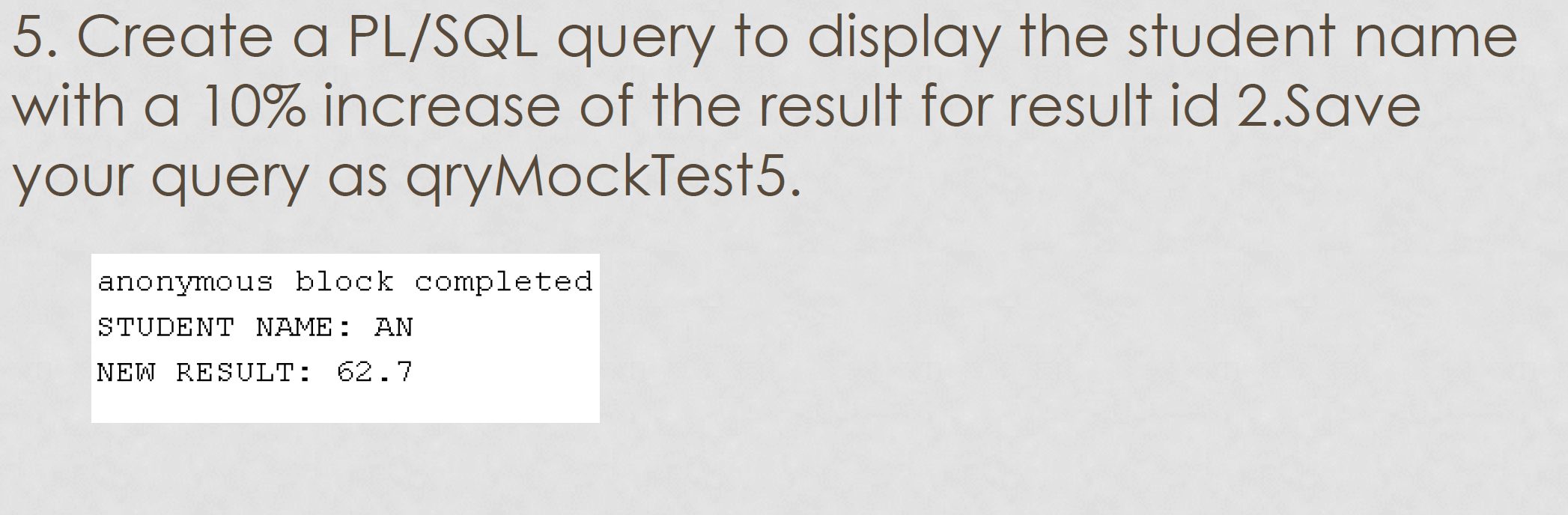
StudentID StudentName Email Mod_ID Mod_Name 101 JB jb@gmail.com 555 Intro to programming Intro to statistics 102 CL cl@yahoo.com 556 103 AN an@gmail.com 557 Intro to accounting m Result_ID Results Studenti Mod_ID 55 101 557 103 557 85 101 555 3. Create a PL/SQL query to display the count, avg, min, max and sum of the results in the results table. Save your query as qryMockTest3. anonymous block completed MAX RESULT: 85 MIN RESULT: 55 COUNT RESULT: 3 AVG RESULT: 65.67 SUM RESULT: 197 5. Create a PL/SQL query to display the student name with a 10% increase of the result for result id 2.Save your query as qryMockTest5. anonymous block completed STUDENT NAME: AN NEW RESULT: 62.7 StudentID StudentName Email Mod_ID Mod_Name 101 JB jb@gmail.com 555 Intro to programming Intro to statistics 102 CL cl@yahoo.com 556 103 AN an@gmail.com 557 Intro to accounting m Result_ID Results Studenti Mod_ID 55 101 557 103 557 85 101 555 3. Create a PL/SQL query to display the count, avg, min, max and sum of the results in the results table. Save your query as qryMockTest3. anonymous block completed MAX RESULT: 85 MIN RESULT: 55 COUNT RESULT: 3 AVG RESULT: 65.67 SUM RESULT: 197 5. Create a PL/SQL query to display the student name with a 10% increase of the result for result id 2.Save your query as qryMockTest5. anonymous block completed STUDENT NAME: AN NEW RESULT: 62.7
Step by Step Solution
There are 3 Steps involved in it

Get step-by-step solutions from verified subject matter experts
 Study Help