







Question: do the bash scripting in c++ language Ubuntu 2. and assign administrator privileges to it. Switch used for this task is uc. 3. List down
do the bash scripting in c++ language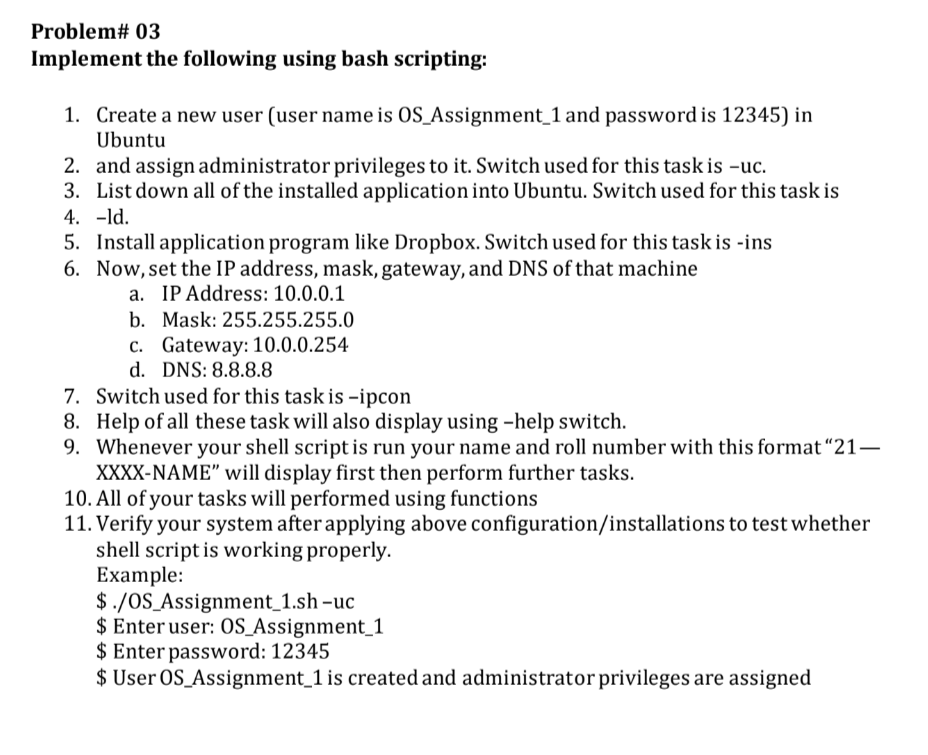
Ubuntu 2. and assign administrator privileges to it. Switch used for this task is uc. 3. List down all of the installed application into Ubuntu. Switch used for this task is 4. ld. 5. Install application program like Dropbox. Switch used for this task is -ins 6. Now, set the IP address, mask, gateway, and DNS of that machine a. IP Address: 10.0.0.1 b. Mask: 255.255.255.0 c. Gateway: 10.0 .0 .254 d. DNS: 8.8.8.8 7. Switch used for this task is -ipcon 8. Help of all these task will also display using -help switch. 9. Whenever your shell script is run your name and roll number with this format " 21 XXXX-NAME" will display first then perform further tasks. 10. All of your tasks will performed using functions 11. Verify your system after applying above configuration/installations to test whether shell script is working properly. Example: \$./OS_Assignment_1.sh-uc \$ Enter user: OS_Assignment_1 $ Enter password: 12345 \$ User OS_Assignment_1 is created and administrator privileges are assigned
Step by Step Solution
There are 3 Steps involved in it

Get step-by-step solutions from verified subject matter experts
 Study Help