



Question: Do this once at the interactive prompt to install Pillow. Do not include this code in your program. import pip > > pip.main ( [
Do this once at the interactive prompt to install Pillow. Do not include this code in your program.
import pip
pip.maininstall "pillow"
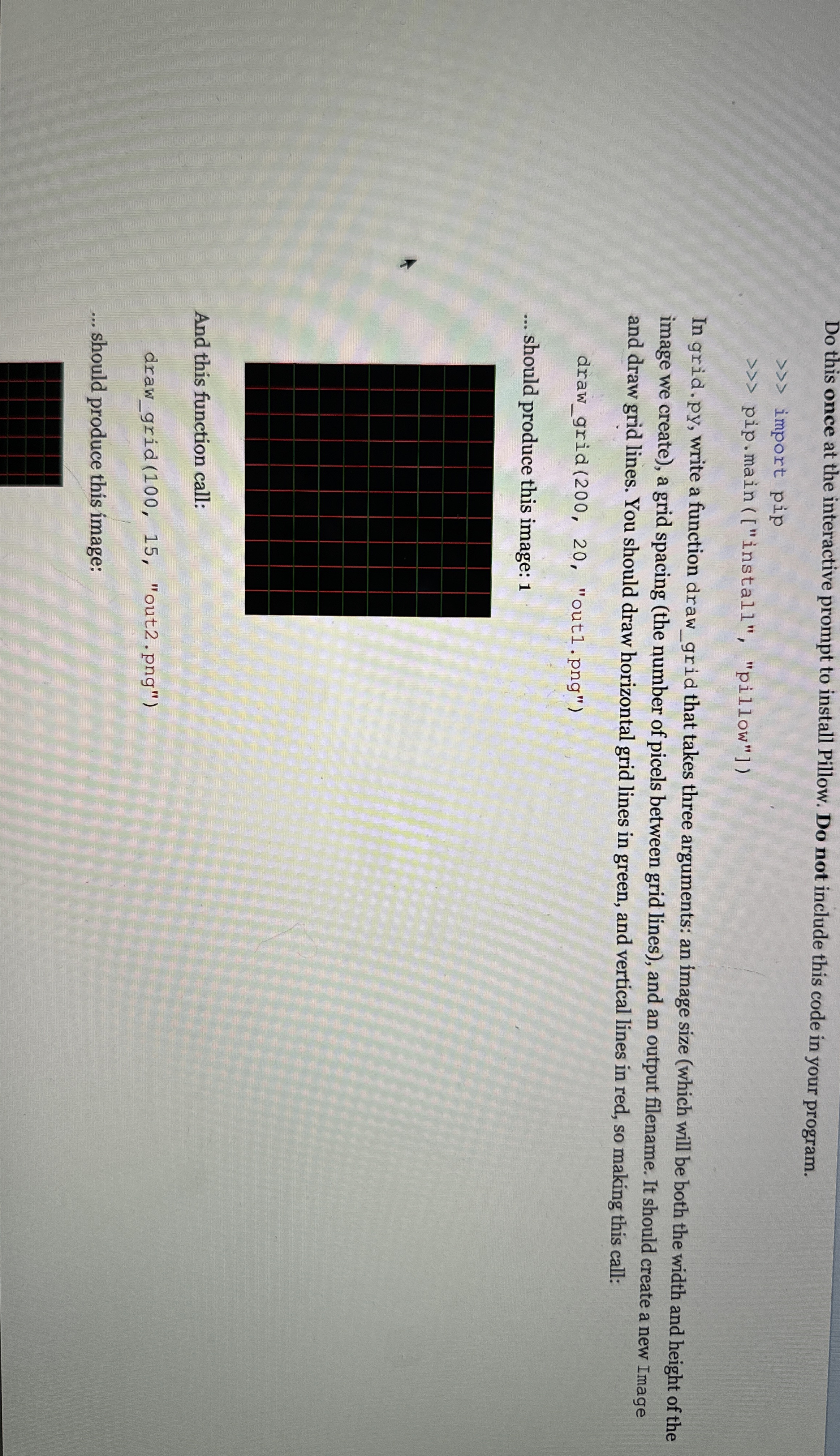
In grid. py write a function drawgrid that takes three arguments: an image size which will be both the width and height of the image we create a grid spacing the number of picels between grid lines and an output filename. It should create a new Image and draw grid lines. You should draw horizontal grid lines in green, and vertical lines in red, so making this call:
drawgrid "outpng
should produce this image:
And this function call:
drawgrid "outpng
should produce this image:
Step by Step Solution
There are 3 Steps involved in it
1 Expert Approved Answer
Step: 1 Unlock

Question Has Been Solved by an Expert!
Get step-by-step solutions from verified subject matter experts
Step: 2 Unlock
Step: 3 Unlock