







Question: Will you help me with the below question using PYTHON 3? I have downloaded the Pillow on my computer already. Write a program that converts
 Will you help me with the below question using PYTHON 3? I have downloaded the "Pillow" on my computer already.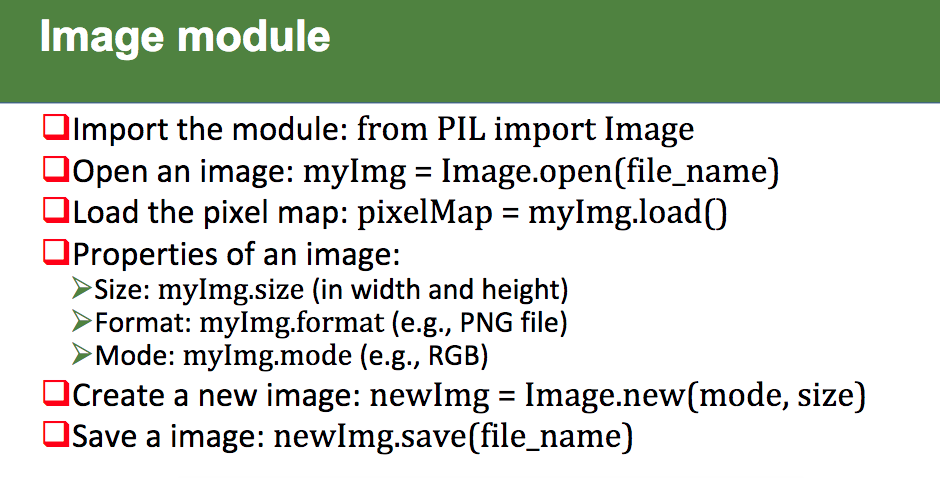
Write a program that converts a color image to grayscale. The program should load the image and display it in color, and when the user clicks the mouse, convert the image to grayscale and display it. The program should then prompt the user for an output file name, and save the image in the file. The most common way of changing a color pixel to gray is to set its red, green and blue values to the same brightness. You can find a common formula for doing this on the internet. Do not use a library to convert your image.
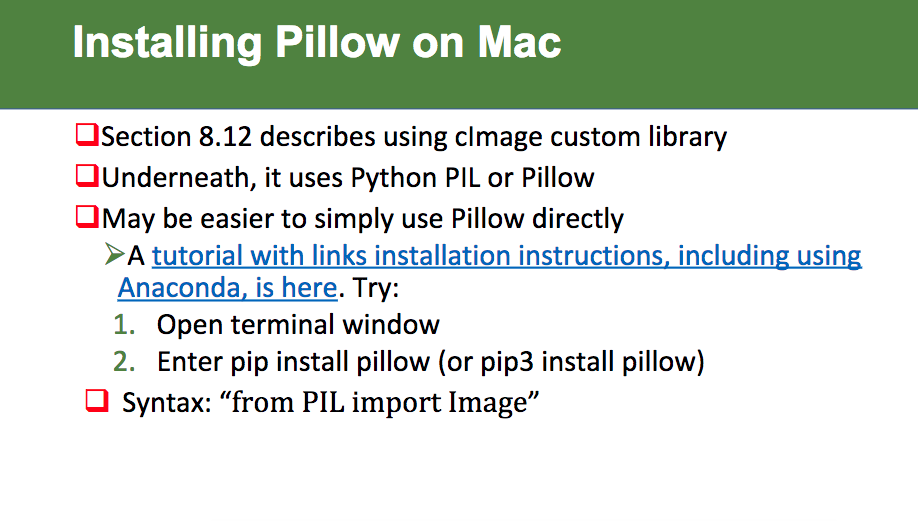
Installing Pillow on Mac Section 8.12 describes using clmage custom library Underneath, it uses Python PIL or Pillow OMay be easier to simply use Pillow directly A tutorial with links installation instructions, including using Anaconda, is here. Try: 1. Open terminal window 2. Enter pip install pillow (or pip3 install pillow) Syntax: "from PIL import Image" Installing Pillow on Mac Section 8.12 describes using clmage custom library Underneath, it uses Python PIL or Pillow OMay be easier to simply use Pillow directly A tutorial with links installation instructions, including using Anaconda, is here. Try: 1. Open terminal window 2. Enter pip install pillow (or pip3 install pillow) Syntax: "from PIL import Image
Step by Step Solution
There are 3 Steps involved in it

Get step-by-step solutions from verified subject matter experts
 Study Help