







Question: Document Related Documents Related Textbooks Excel Assignment 1 20 Points 1. 10. Excel 1 11. 12. Download and save the Excel 1 Template.x|sx file to
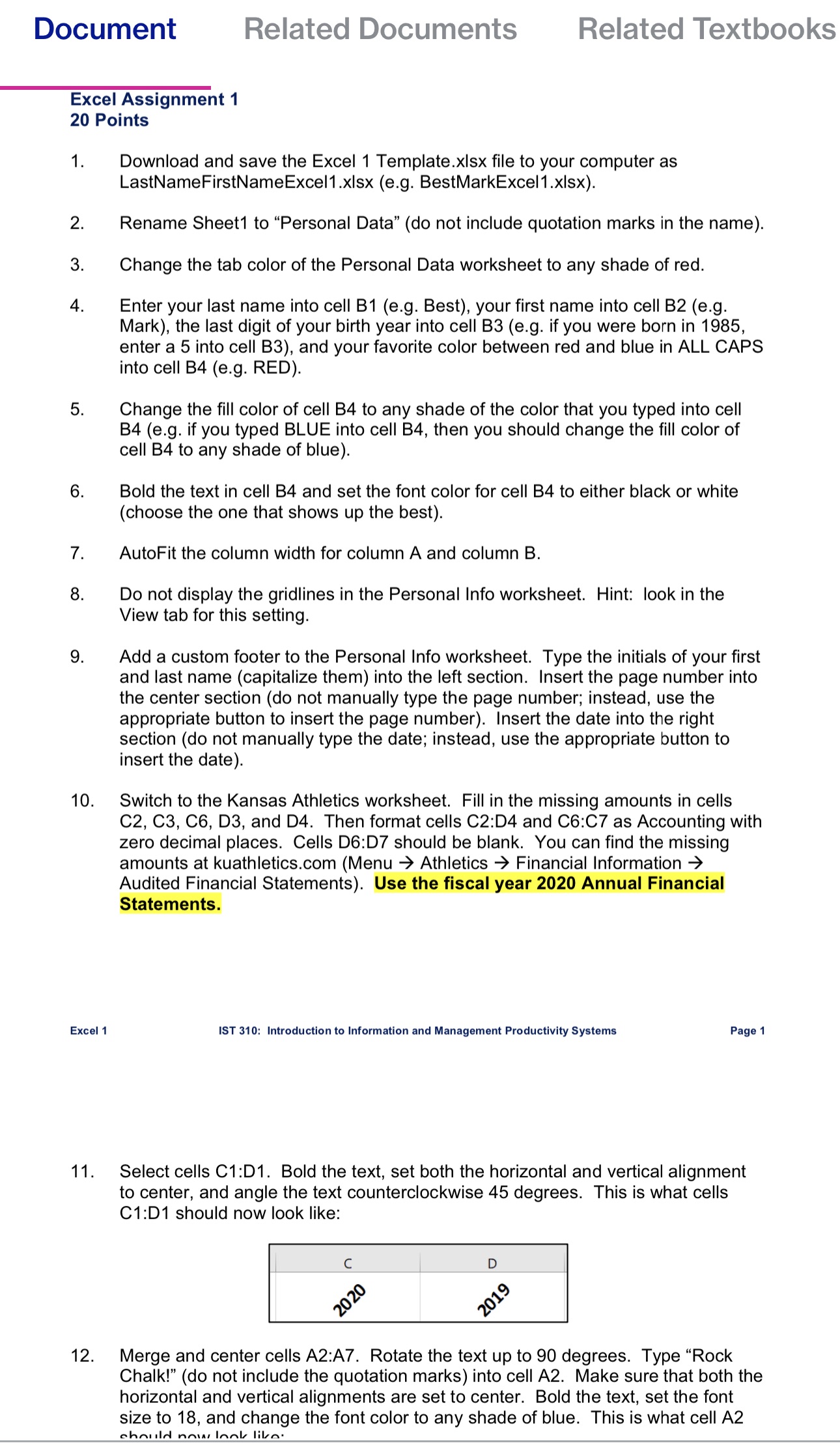
Document Related Documents Related Textbooks Excel Assignment 1 20 Points 1. 10. Excel 1 11. 12. Download and save the Excel 1 Template.x|sx file to your computer as LastNameFirstNameExceH .xlsx (e.g. BestMarkExce|1.xlsx). Rename Sheet1 to "Personal Data" (do not include quotation marks in the name). Change the tab color of the Personal Data worksheet to any shade of red. Enter your last name into cell B1 (e.g. Best), your first name into cell B2 (e.g. Mark). the last digit of your birth year into cell B3 (eg. if you were born in 1985, enter a 5 into cell BS). and your favorite color between red and blue in ALL CAPS into cell B4 (e.g. RED). Change the fill color of cell B4 to any shade of the color that you typed into cell B4 (eg. if you typed BLUE into cell B4, then you should change the fill color of cell B4 to any shade of blue). Bold the text in cell B4 and set the font color for cell B4 to either black or white (choose the one that shows up the best). AutoFit the column width for column A and column B. Do not display the gridlines in the Personal Info worksheet. Hint: look in the View tab for this setting. Add a custom footer to the Personal Info worksheet. Type the initials of your first and last name (capitalize them) into the left section. Insert the page number into the center section (do not manually type the page number: instead, use the appropriate button to insert the page number). Insert the date into the right section (do not manually type the date; instead. use the appropriate button to insert the date). Switch to the Kansas Athletics worksheet. Fill in the missing amounts in cells C2. CS, CS, D3, and D4. Then format cells CZ:D4 and 06:07 as Accounting with zero decimal places. Cells D6:D7 should be blank. You can find the missing amounts at kuathletics.com (Menu -) Athletics 9 Financial Information -) Audited Financial Statements). Use the fiscal year 2020 Annual Financial Statements. IST 310: Introduction to Information and Management Productivity Systems Page 1 Select cells C1 :D1. Bold the text, set both the horizontal and vertical alignment to center, and angle the text counterclockwise 45 degrees. This is what cells C12D1 should now look like: Merge and center cells A2:A7. Rotate the text up to 90 degrees. Type \"Rock Chalk!" (do not include the quotation marks) into cell A2. Make sure that both the horizontal and vertical alignments are set to center. Bold the text. set the font size to 18, and change the font color to any shade of blue. This is what cell A2 nlnnillrl nmu Innlz III
Step by Step Solution
There are 3 Steps involved in it

Get step-by-step solutions from verified subject matter experts
 Study Help