







Question: Done in MATLAB Problem 1 In this problem, you will write two functions. The first function takes in a string and returns that string without
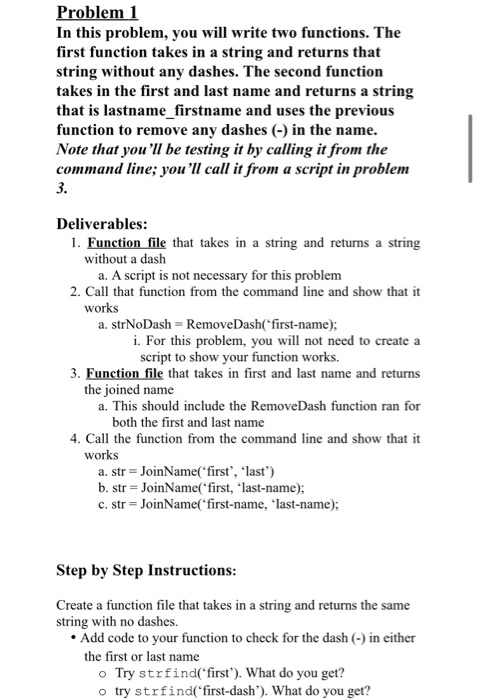
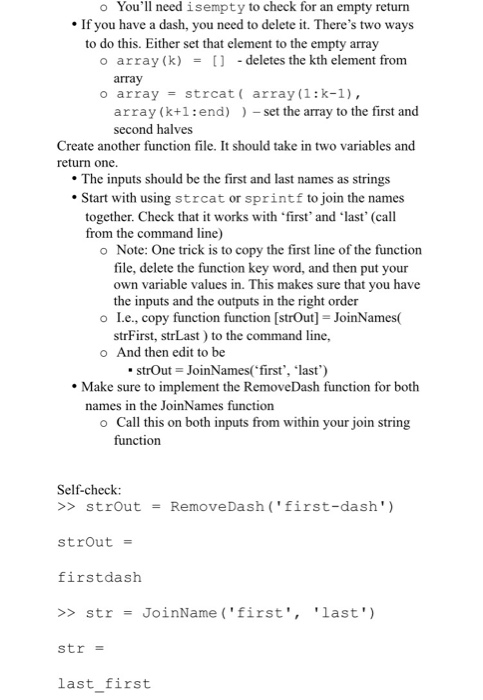
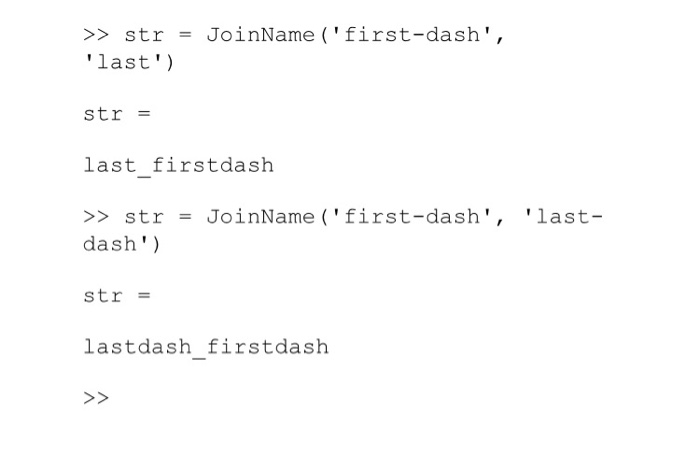
Problem 1 In this problem, you will write two functions. The first function takes in a string and returns that string without any dashes. The second function takes in the first and last name and returns a string that is lastname_firstname and uses the previous function to remove any dashes (-) in the name. Note that you'll be testing it by calling it from the command line; you'll call it from a script in problem Deliverables: 1. Function file that takes in a string and returns a string without a dash a. A script is not necessary for this problem 2. Call that function from the command line and show that it works a. strNoDash Remove Dash("first-name); i. For this problem, you will not need to create a script to show your function works. 3. Function file that takes in first and last name and returns the joined name a. This should include the Remove Dash function ran for both the first and last name 4. Call the function from the command line and show that it works a. str = JoinName('first', 'last') b. str = JoinName('first, 'last-name); C. str = JoinName("first-name, 'last-name); Step by Step Instructions: Create a function file that takes in a string and returns the same string with no dashes. Add code to your function to check for the dash (-) in either the first or last name Try strfind("first'). What do you get? o try strfind("first-dash'). What do you get? You'll need isempty to check for an empty return If you have a dash, you need to delete it. There's two ways to do this. Either set that element to the empty array o array (k) = [] -deletes the kth element from array o array = strcat( array(1:k-1), array (k+1:end)) - set the array to the first and second halves Create another function file. It should take in two variables and return one. The inputs should be the first and last names as strings Start with using strcat or sprintf to join the names together. Check that it works with 'first' and 'last' (call from the command line) o Note: One trick is to copy the first line of the function file, delete the function key word, and then put your own variable values in. This makes sure that you have the inputs and the outputs in the right order o L.e., copy function function (strOut) = JoinNames strFirst, strLast ) to the command line, o And then edit to be strOut = JoinNames("first', 'last') Make sure to implement the Remove Dash function for both names in the JoinNames function o Call this on both inputs from within your join string function Self-check: >> strout = Remove Dash ("first-dash') strout = firstdash >> str = JoinName('first', 'last' str = last_first >> str = JoinName ('first-dash', 'last') str = last firstdash >> str = JoinName ('first-dash', 'last- dash') str = lastdash_firstdash >>
Step by Step Solution
There are 3 Steps involved in it

Get step-by-step solutions from verified subject matter experts
 Study Help