







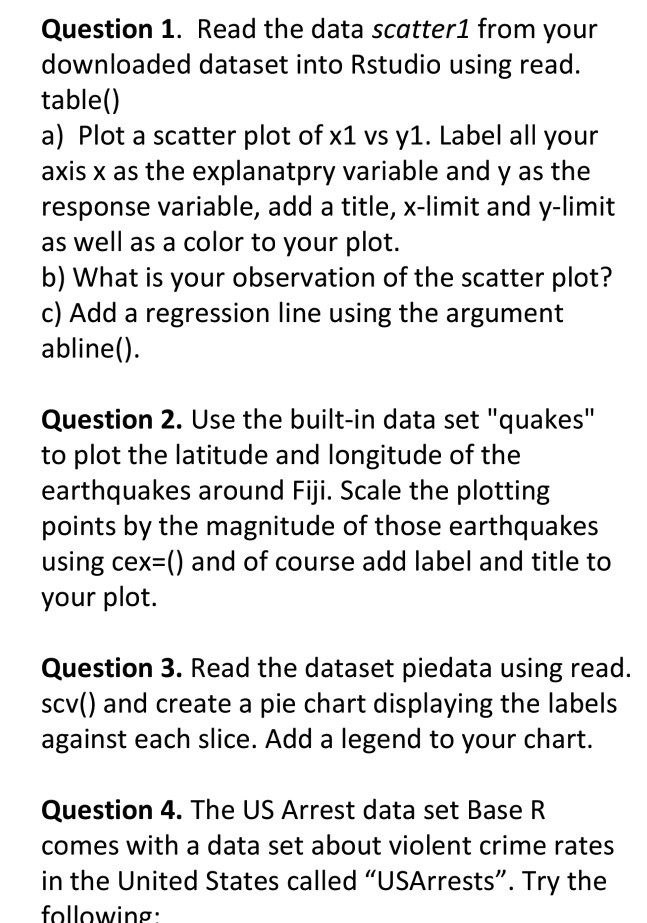
Question: Done in R studio Question 1. Read the data scatter1 from your downloaded dataset into Rstudio using read table() a) Plot a scatter plot of
Done in R studio
Question 1. Read the data scatter1 from your downloaded dataset into Rstudio using read table() a) Plot a scatter plot of x1 vs y1. Label all your axis x as the explanatpry variable and y as the response variable, add a title, x-limit and y-limit as well as a color to your plot. b) What is your observation of the scatter plot? c) Add a regression line using the argument abline() Question 2. Use the built-in data set "quakes" to plot the latitude and longitude of the earthquakes around Fiji. Scale the plotting points by the magnitude of those earthquakes using cex-() and of course add label and title to your plot. Question 3. Read the dataset piedata using read. scv() and create a pie chart displaying the labels against each slice. Add a legend to your chart Question 4. The US Arrest data set Base R comes with a data set about violent crime rates in the United States called "USArrests". Try the following Question 1. Read the data scatter1 from your downloaded dataset into Rstudio using read table() a) Plot a scatter plot of x1 vs y1. Label all your axis x as the explanatpry variable and y as the response variable, add a title, x-limit and y-limit as well as a color to your plot. b) What is your observation of the scatter plot? c) Add a regression line using the argument abline() Question 2. Use the built-in data set "quakes" to plot the latitude and longitude of the earthquakes around Fiji. Scale the plotting points by the magnitude of those earthquakes using cex-() and of course add label and title to your plot. Question 3. Read the dataset piedata using read. scv() and create a pie chart displaying the labels against each slice. Add a legend to your chart Question 4. The US Arrest data set Base R comes with a data set about violent crime rates in the United States called "USArrests". Try the following
Step by Step Solution
There are 3 Steps involved in it

Get step-by-step solutions from verified subject matter experts
 Study Help