







Question: Don't answer activity 2, please proceed to the activity 3 and answer Activity 2: Append the (literal constants) values assigned on each variables below properly.
 "Don't answer activity 2, please proceed to the activity 3 and answer"
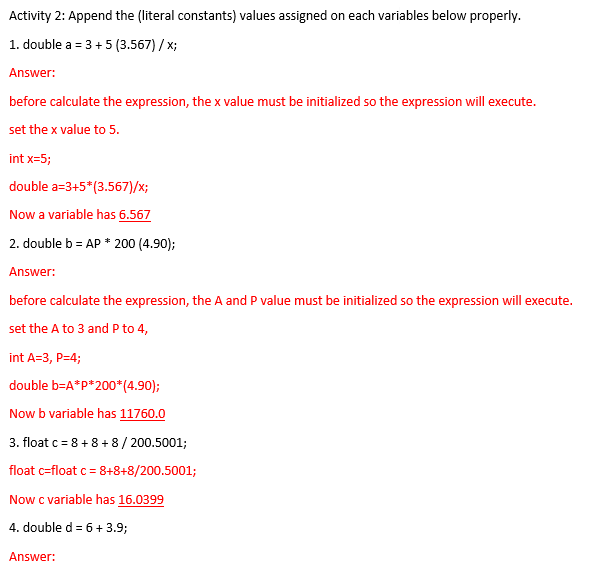
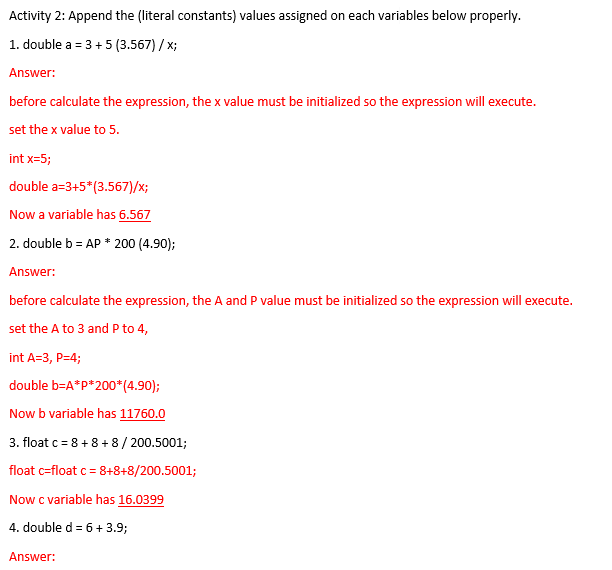
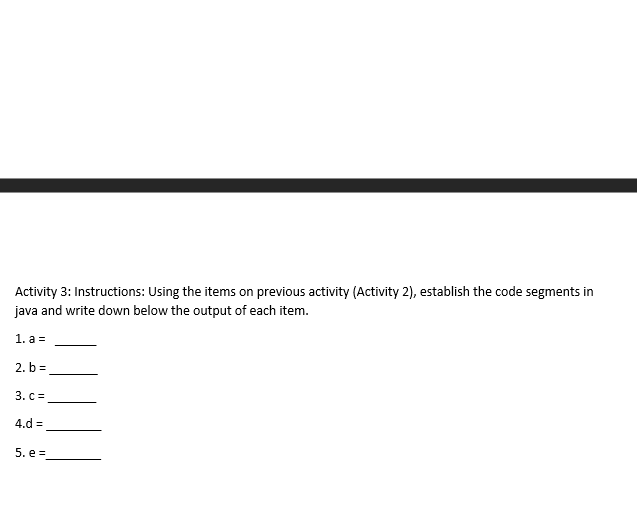
Activity 2: Append the (literal constants) values assigned on each variables below properly. 1. double a = 3 + 5 (3.567) / x; Answer: before calculate the expression, the x value must be initialized so the expression will execute. set the x value to 5. int x=5; double a=3+5*[3.567)/x; Now a variable has 6.567 2. double b = AP * 200 (4.90); Answer: before calculate the expression, the A and P value must be initialized so the expression will execute. set the A to 3 and P to 4, int A=3, P=4; double b=A*P*200*(4.90); Now b variable has 11760.0 3. float c = 8 + 8 + 8 / 200.5001; float c=float c = 8+8+8/200.5001; Now c variable has 16.0399 4. double d = 6 + 3.9; Answer: Activity 2: Append the (literal constants) values assigned on each variables below properly. 1. double a = 3 + 5 (3.567) / x; Answer: before calculate the expression, the x value must be initialized so the expression will execute. set the x value to 5. int x=5; double a=3+5*[3.567)/x; Now a variable has 6.567 2. double b = AP * 200 (4.90); Answer: before calculate the expression, the A and P value must be initialized so the expression will execute. set the A to 3 and P to 4, int A=3, P=4; double b=A*P*200*(4.90); Now b variable has 11760.0 3. float c = 8 + 8 + 8 / 200.5001; float c=float c = 8+8+8/200.5001; Now c variable has 16.0399 4. double d = 6 + 3.9; Answer: Activity 3: Instructions: Using the items on previous activity (Activity 2), establish the code segments in java and write down below the output of each item. 1. a = 2. b = 3. C= 4.d = 5. e=
Step by Step Solution
There are 3 Steps involved in it

Get step-by-step solutions from verified subject matter experts
 Study Help