







Question: draw a basic home network diagram with details like e. MAC &/ IP addresses of current connected devices, names, groups, different devices, connectors, areas ask
draw a basic home network diagram with details like e. MAC &/ IP addresses of current connected devices, names, groups, different devices, connectors, areas 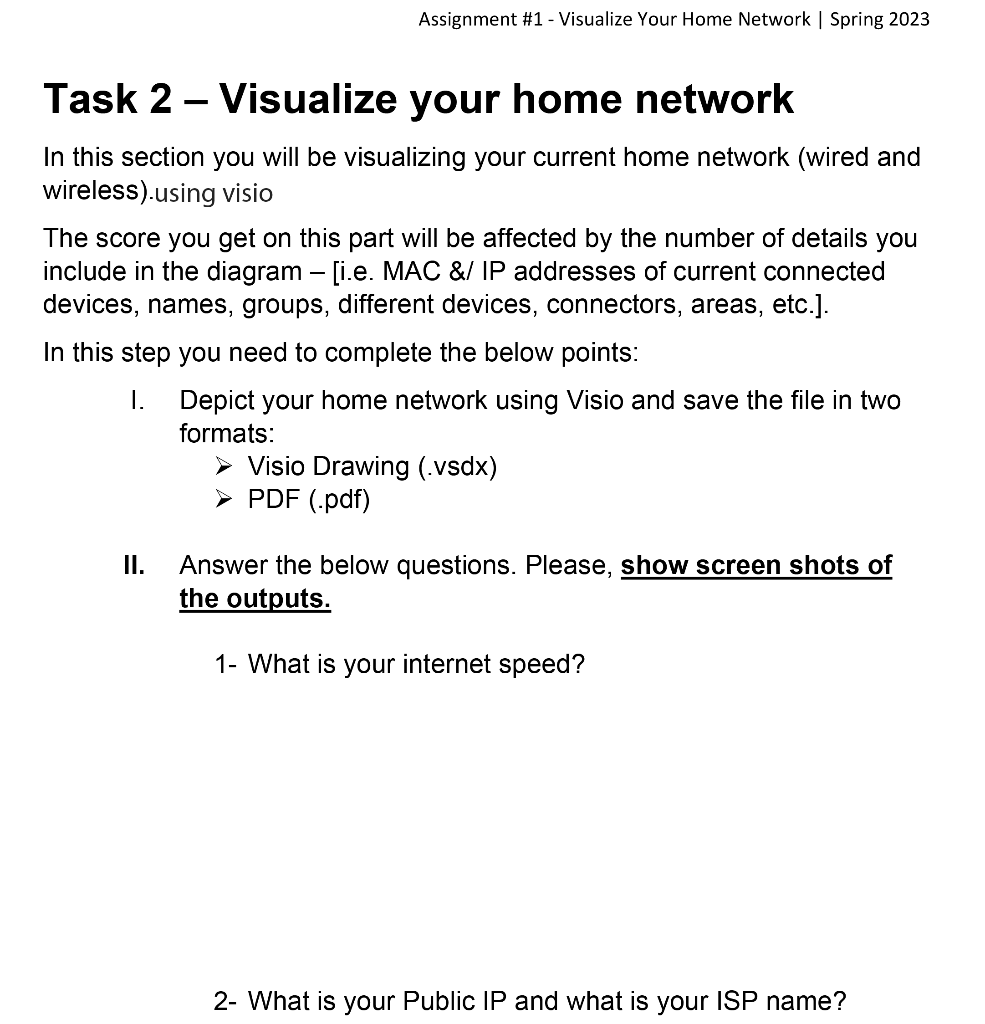
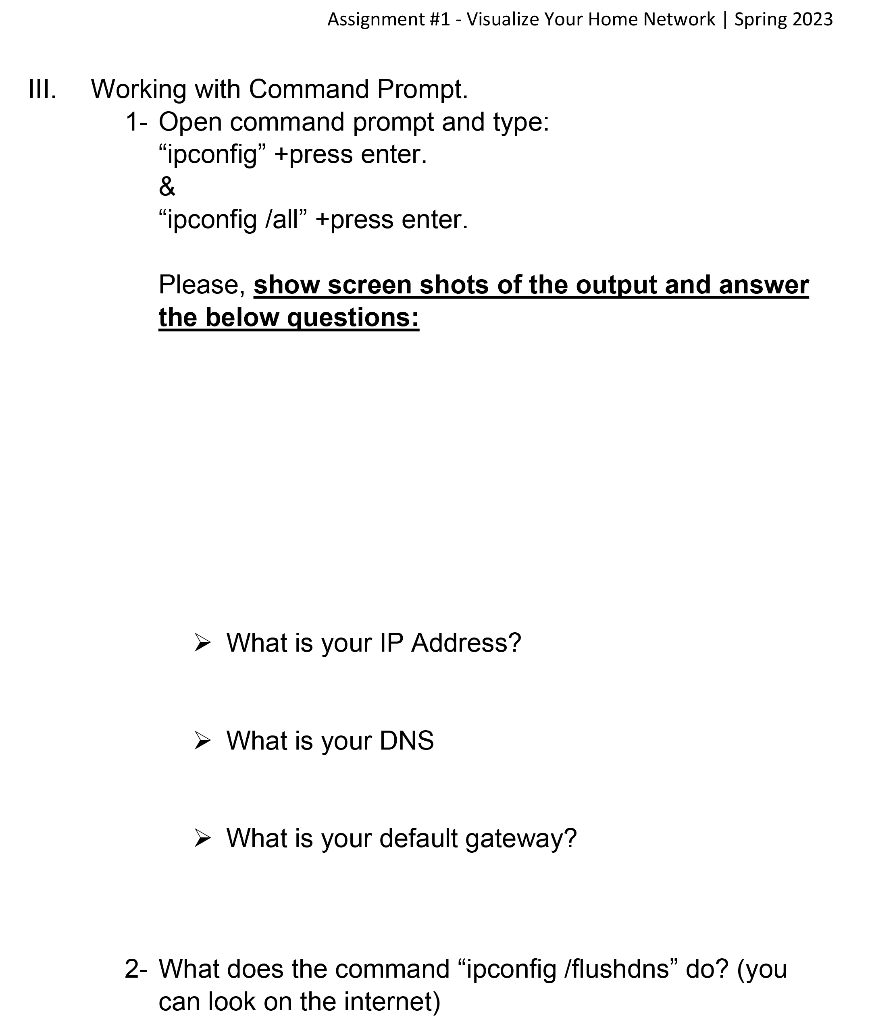
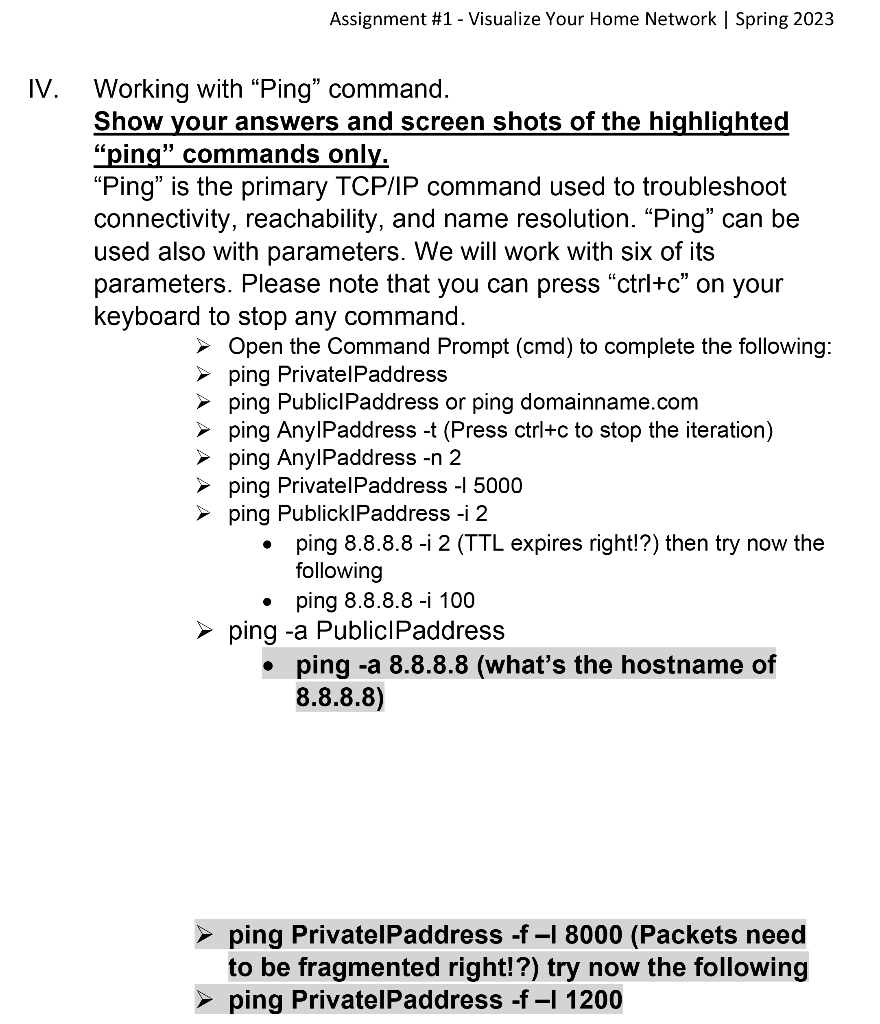
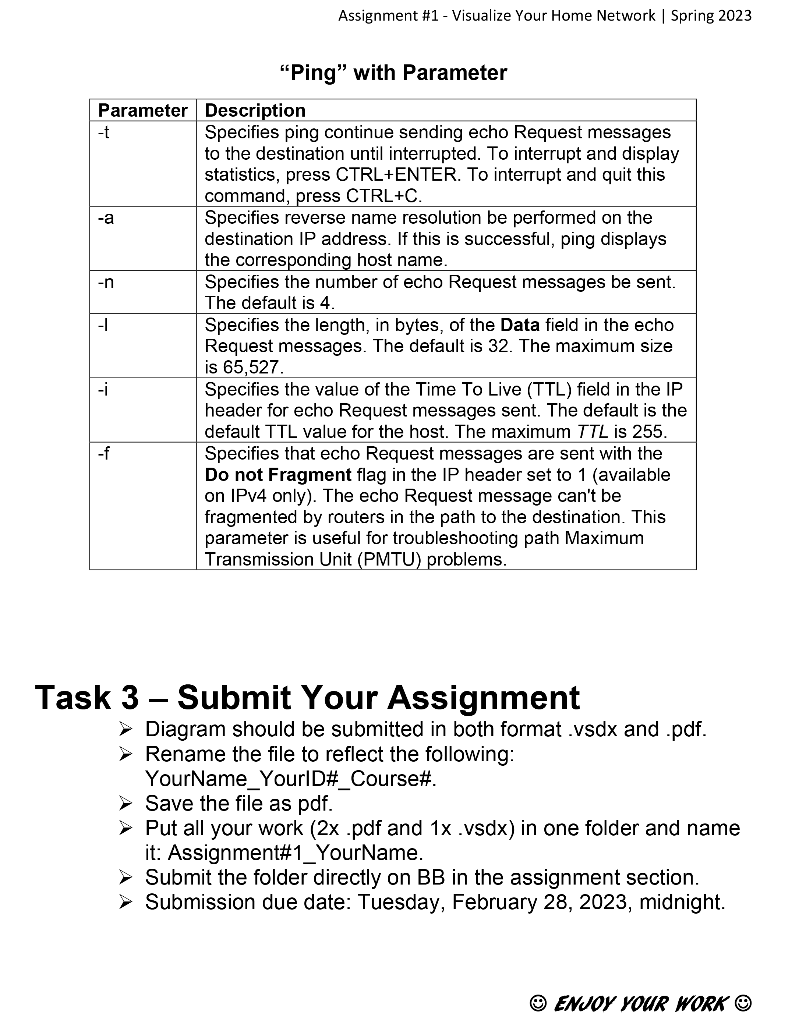
ask 2 - Visualize your home network this section you will be visualizing your current home network (wired and ireless).using visio he score you get on this part will be affected by the number of details you clude in the diagram - [i.e. MAC \&/IP addresses of current connected evices, names, groups, different devices, connectors, areas, etc.]. this step you need to complete the below points: I. Depict your home network using Visio and save the file in two formats: Visio Drawing (.vsdx) PDF (.pdf) II. Answer the below questions. Please, show screen shots of the outputs. 1- What is your internet speed? 2- What is your Public IP and what is your ISP name? Assignment \#1 - Visualize Your Home Network | Spring 2023 III. Working with Command Prompt. 1- Open command prompt and type: "ipconfig" +press enter. \& "ipconfig /all" +press enter. Please, show screen shots of the output and answer the below questions: What is your IP Address? What is your DNS What is your default gateway? 2- What does the command "ipconfig /flushdns" do? (you can look on the internet) Working with "Ping" command. Show your answers and screen shots of the highlighted "ping" commands only. "Ping" is the primary TCP/IP command used to troubleshoot connectivity, reachability, and name resolution. "Ping" can be used also with parameters. We will work with six of its parameters. Please note that you can press "ctrl+c" on your keyboard to stop any command. > Open the Command Prompt (cmd) to complete the following: > ping PrivatelPaddress > ping PubliclPaddress or ping domainname.com > ping AnylPaddress t (Press ctrl+c to stop the iteration) > ping AnylPaddress n2 > ping PrivatelPaddress 15000 > ping PublicklPaddress i2 - ping 8.8.8.8-i 2 (TTL expires right!?) then try now the following - ping 8.8.8.8-i 100 ping -a PubliclPaddress - ping -a 8.8.8.8 (what's the hostname of 8.8.8.8) > ping PrivatelPaddress -f 18000 (Packets need to be fragmented right!?) try now the following > ping PrivatelPaddress fI1200 Assignment \#1 - Visualize Your Home Network | Spring 2023 "Ping" with Parameter Task 3 - Submit Your Assignment > Diagram should be submitted in both format .vsdx and .pdf. > Rename the file to reflect the following: YourName_YourlD\#_Course\#. > Save the file as pdf. > Put all your work (2x.pdf and 1x.vsdx) in one folder and name it: Assignment\#1_YourName. > Submit the folder directly on BB in the assignment section. > Submission due date: Tuesday, February 28, 2023, midnight
Step by Step Solution
There are 3 Steps involved in it

Get step-by-step solutions from verified subject matter experts
 Study Help