







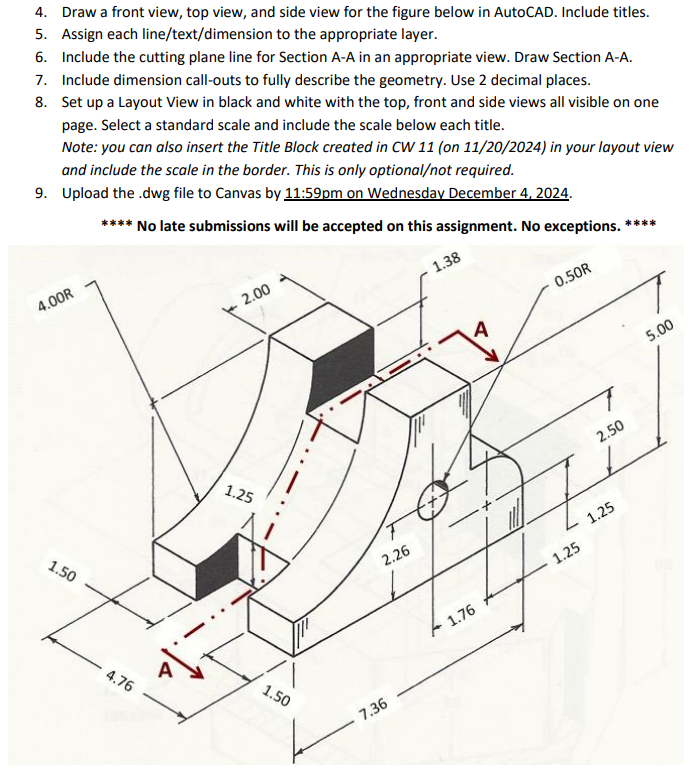
Question: Draw a front view, top view, and side view for the figure below in AutoCAD. Include titles. Assign each line / text / dimension to
Draw a front view, top view, and side view for the figure below in AutoCAD. Include titles.
Assign each linetextdimension to the appropriate layer.
Include the cutting plane line for Section AA in an appropriate view. Draw Section AA
Include dimension callouts to fully describe the geometry. Use decimal places.
Set up a Layout View in black and white with the top, front and side views all visible on one
page. Select a standard scale and include the scale below each title.
Step by Step Solution
There are 3 Steps involved in it
1 Expert Approved Answer
Step: 1 Unlock

Question Has Been Solved by an Expert!
Get step-by-step solutions from verified subject matter experts
Step: 2 Unlock
Step: 3 Unlock
 Study Help