







Question: DRAW THE NETWORK DIAGRAM IN LANDSCAPE FORM using MICROSOFT PROJECT and HIGHLIGHT THE CRITICAL PATHS Perform the exercise in Microsoft Project. Do not forget to
DRAW THE NETWORK DIAGRAM IN LANDSCAPE FORM using MICROSOFT PROJECT and HIGHLIGHT THE CRITICAL PATHS
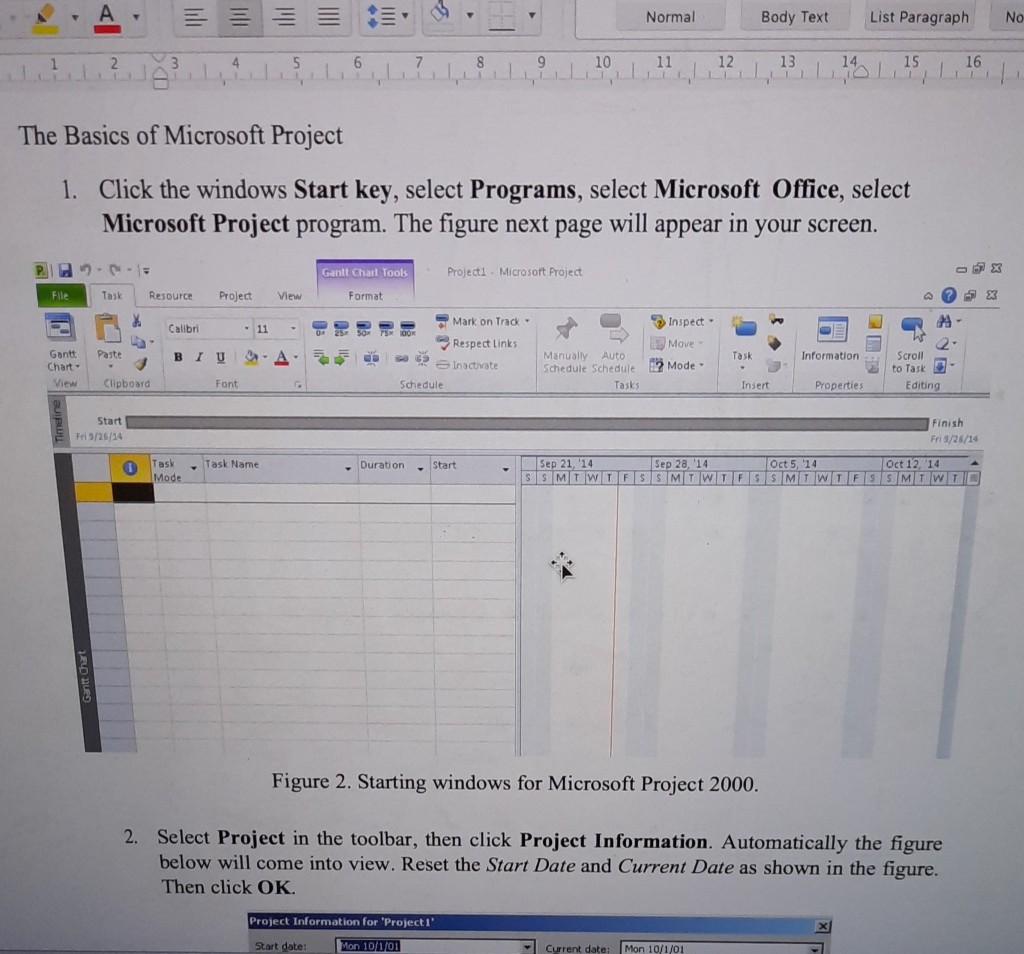
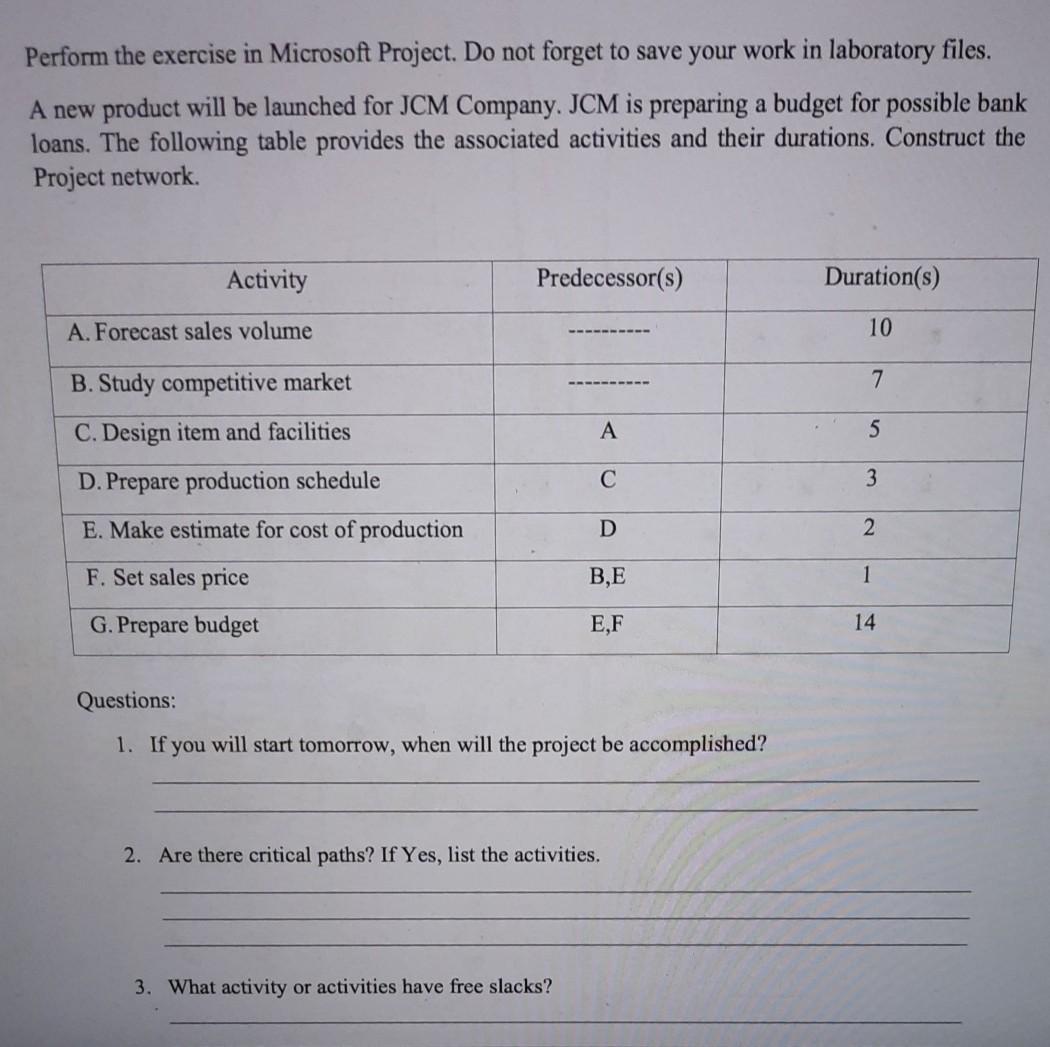
Perform the exercise in Microsoft Project. Do not forget to save your work in laboratory files. A new product will be launched for JCM Company. JCM is preparing a budget for possible bank loans. The following table provides the associated activities and their durations. Construct the Project network Activity Predecessor(s) Duration(s) A. Forecast sales volume 10 7 B. Study competitive market C. Design item and facilities A D. Prepare production schedule 3 E. Make estimate for cost of production D 2 F. Set sales price BE 1 G. Prepare budget E,F 14 Questions: 1. If you will start tomorrow, when will the project be accomplished? 2. Are there critical paths? If Yes, list the activities. 3. What activity or activities have free slacks? Normal Body Text List Paragraph No 6 7 8 9 10 11 12 13 14 15 16 10,1 The Basics of Microsoft Project 1. Click the windows Start key, select Programs, select Microsoft Office, select Microsoft Project program. The figure next page will appear in your screen. -- Gantt Charl Tools Project - Microsoft Project Elle Task Resource Project View Format ? S x Mark on Track - Calibri 11 Inspect - Respect Links Move Paste Gantt Chart: BI U A. 55 Task Information Inactivate Manually Auto Schedule Schedule Tasks 2 Mode - Scroll to Task Editing Clipboard Font Schedule Insert Properties Start Fri/25/14 Finish Fri3/26/14 Sep 21, '14 Sep 28, 14 Oct 5, 14 Oct 12. '14 SIS MTWTFSSMTWTFSSMTWTFSSMWTC Task Name Task Mode Duration Start Figure 2. Starting windows for Microsoft Project 2000. 2. Select Project in the toolbar, then click Project Information. Automatically the figure below will come into view. Reset the Start Date and Current Date as shown in the figure. Then click OK. Project Information for 'Project 1 Start date: Mon 101/01 Current date Mon 10/1/01
Step by Step Solution
There are 3 Steps involved in it
1 Expert Approved Answer
Step: 1 Unlock

Question Has Been Solved by an Expert!
Get step-by-step solutions from verified subject matter experts
Step: 2 Unlock
Step: 3 Unlock
 Study Help