







Question: Drawing function descriptions drawLine(int x1, int y1, int x2, int y2) public void fillOval(int x, int y, int width, int height) drawOval(int x, int y,
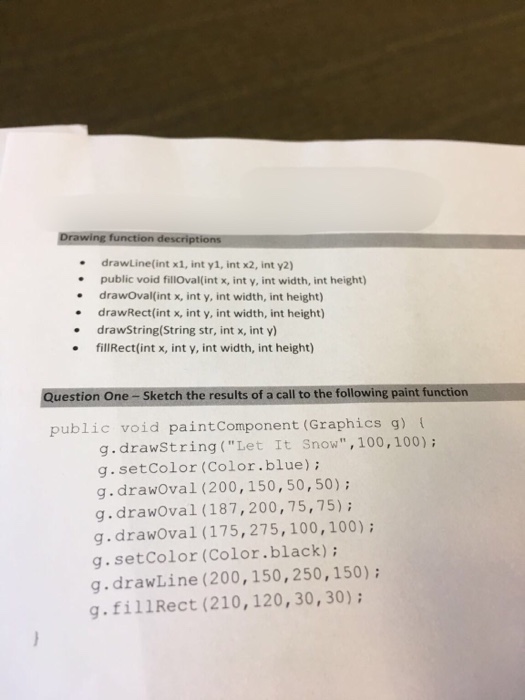
Drawing function descriptions drawLine(int x1, int y1, int x2, int y2) public void fillOval(int x, int y, int width, int height) drawOval(int x, int y, int width, int height) drawRect (int x, int y, int width, int height) drawString (String str, int x, int y) fillRect(int x, int y, int width, int height) Sketch the results of a call to the following paint function public void paintcomponent (Graphics g) {g drawstring ("Let It Snow", 100, 100); g. setColor (Color blue); g. drawOval (200, 150, 50, 50); g.drawOval (187, 200, 75, 75); g. drawOval (175, 275, 100, 100); g. setColor (Color.black); g. drawLine (200, 150, 250, 150); g. fillRect (210, 120, 30, 30)
Step by Step Solution
There are 3 Steps involved in it

Get step-by-step solutions from verified subject matter experts
 Study Help