







Question: EA4-A2 Edit an Inventory Listing and Create a Pivotlab Electronic World duit as In this exercise, you will compile summary data based on an inventory
![Chapter 04 folder and save it as: EA4-A2-Inventory-[YourName] 2. Use a function](https://s3.amazonaws.com/si.experts.images/answers/2024/07/66984e4a68602_54566984e49a7228.jpg)
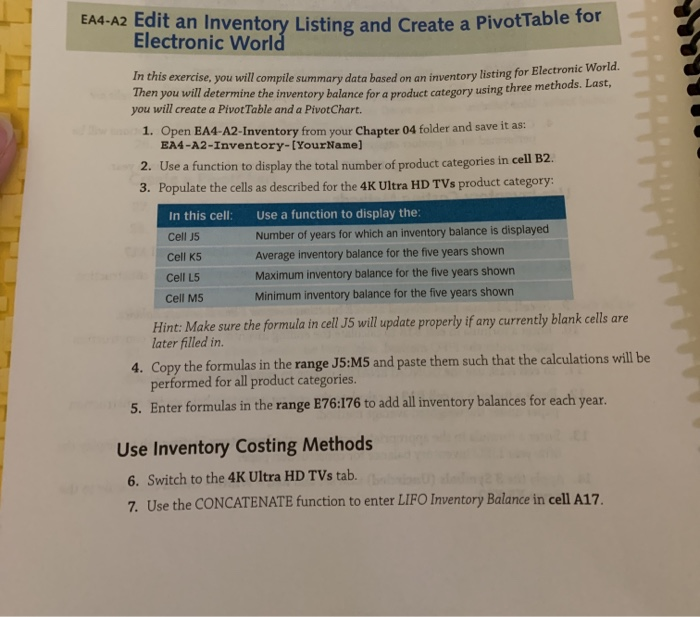
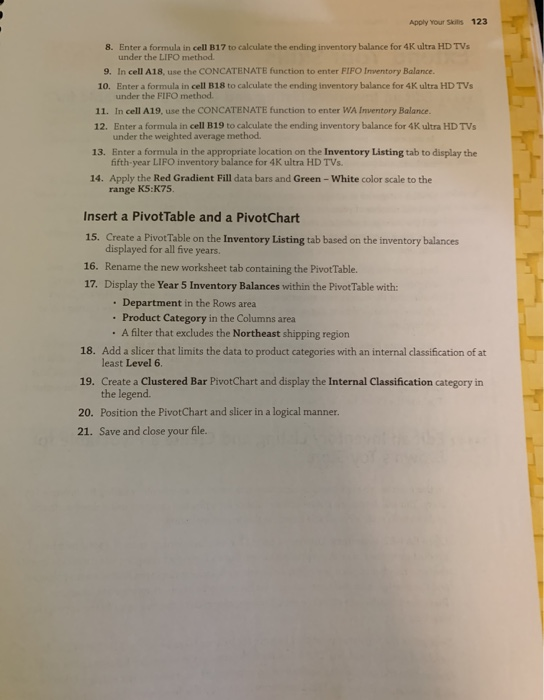
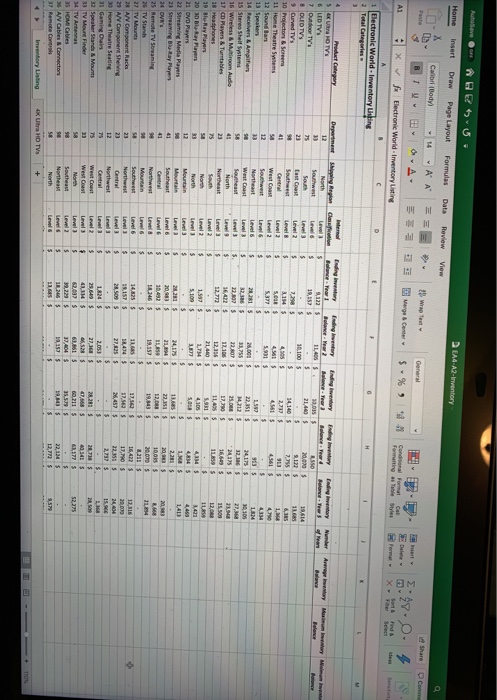
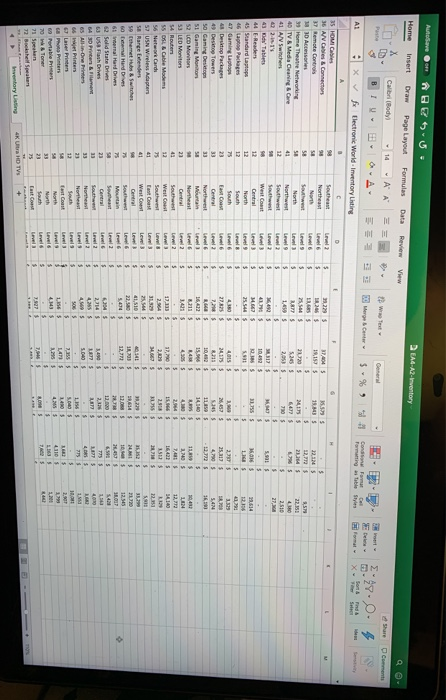
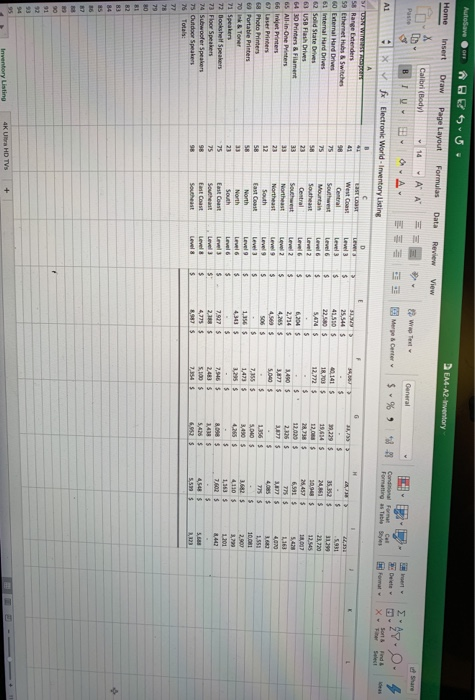
EA4-A2 Edit an Inventory Listing and Create a Pivotlab Electronic World duit as In this exercise, you will compile summary data based on an inventory listing for Blectro Then you will determine the inventory balance for a product category using th using three methods. Last, you will create a Pivot Table and a PivotChart. 1. Open EA4-A2-Inventory from your Chapter 04 folder and save it as: EA4-A2-Inventory-[YourName] 2. Use a function to display the total number of product categories in cell B2. 3. Populate the cells as described for the 4K Ultra HD TVs product category: In this cell: Use a function to display the Cell 5 Number of years for which an inventory balance is displayed Cell K5 Average inventory balance for the five years shown Cell L5 Maximum inventory balance for the five years shown Cell M5 Minimum inventory balance for the five years shown Hint: Make sure the formula in cell J5 will update properly if any currently blank cells are later filled in. 4. Copy the formulas in the range JS:M5 and paste them such that the calculations will be performed for all product categories. 5. Enter formulas in the range E76:176 to add all inventory balances for each year. Use Inventory Costing Methods 6. Switch to the 4K Ultra HD TVs tab. 7. Use the CONCATENATE function to enter LIFO Inventory Balance in cell A17. Apply Your Skins 123 8. Enter a formula in cell B17 to calculate the ending inventory balance for 4K ultra HD TVs under the LIFO method 9. In cell A18, use the CONCATENATE function to enter FIFO Inventory Balance. 10. Enter a formula in cell B18 to calculate the ending inventory balance for 4K ultra HD TVs under the FIFO method. 11. In cell A19, use the CONCATENATE function to enter WA Inventory Balance 12. Enter a formula in cell B19 to calculate the ending inventory balance for 4K Ultra HD TVs under the weighted average method 13. Enter a formula in the appropriate location on the Inventory Listing tab to display the fifth-year LIFO inventory balance for 4K ultra HD TVs. 14. Apply the Red Gradient Fill data bars and Green - White color scale to the range KS:K75 Insert a PivotTable and a PivotChart 15. Create a Pivot Table on the Inventory Listing tab based on the inventory balances displayed for all five years. 16. Rename the new worksheet tab containing the Pivot Table 17. Display the Year 5 Inventory Balances within the Pivot Table with: Department in the Rows area Product Category in the Columns area . A filter that excludes the Northeast shipping region 18. Add a slicer that limits the data to product categories with an internal classification of at least Level 6. 19. Create a Clustered Bar PivotChart and display the Internal Classification category in the legend. 20. Position the PivotChart and slicer in a logical manner. 21. Save and close your file. EA-A2-Inventory AutoSave Beyo Home Insert Draw Page Layout Formulas Calibrl Body) -14 A A BTU 2- 0. Data Review View - e rge Ceme $ % 9 2:28.0 X 4 Condos Format Formatting as Table Styles f x Electronie World - Inventory Listing S For X 1 lectronic World - Inventory Using Department in Region Engineering Companion B e ar dig under Angry Memory Man 19,4575 54 Ultra HD TV 6 LED TVs 7 Outdoor TV'S 8 OLED TV Curved TV's 10 Projectors & Screen 11 Home Theatre 12 Sound Bar 13 Speakers 14 Receiver & Amplifiers 15 Stereo Shelf System 16 Wireless & M room Audio 17 CD Payers & Turntables 22.3515 25. 17,290S 11.495 19 Blu-Ray Players 20 Days 21 DVD Players 22 Streaming Media Players 21 Streaming Ray Playen 19.2525 25 Remote TV Streaming 26 TV Stands 27 TV Mounts 28 A Component Racks 23 NV Component Shelving 30 Home Theatre Seating 27, 5285 32 Speaker Stands & Mount 23 TV Mount Finder 34 TV Antenas 35 HOMI Cables 5 A/V Cables & Connecto Auto Home BEU. Draw Page Layout Insert EA4A2-Inventory Formulas Data Review View A1 X Electronic World Inventory Listing 35 HOMI Cables 36 A Cars & Connector 37 Remote Control 3 Home Theatre Networking 40 TV & Media Ceaning & Care Kes Tablets 45 Standard Laptop 4 Desktop Packages 55 DSL & Cable Modem 56 Network Cardi 57 USN Wreless Adapter 58 Rangewendes 59 Ethernet Pubs & Switch 61 oral Hard Drives 22 Solid State De AutoSave Home Insert $ u . Draw Page Layout EM-A2-inventory Formulas Data Review View Calibri (Body) BI 14 O = AA A == E W Share est Merge Center General A1 $ % 0 X 9 fx Electronic World - Inventory Listing Formatting as Table Styles -5.931 3129 23,720 M.861 S 12.020 $ 58 Range Extenders 59 Ethernet Hus & Switches 60 External Hard Drives 61 internal Hard Drives 62 Sond State Drives 63 USB Flash Drives 64 NO Printers & Filament 65 All-in-One Printers 66 Inkjet Printers 67 Laser Printers 68 Photo Printers 63 Portable Printers 70 Ink & Toner 71 Speaker 72 Bookshelf Speakers 73 Floor Speakers 74 Subwoofer Speakers 75 Outdoor Speakers 5,04DS 3,450 $ 557 Inventory Listing 4K Ultra HD TVS + AutoSaver Home Insert @ESU Draw Page Layout EA4-A2-Inventory Formulas Data Review View 11 Calibri (Body) BI U A A 29 Wrap Text B O A E Merge & Center Custom $ - % B17 X fx * - i Sanding Accessories 2 Inventory Costing Method Comparison 4 Methods to be used: Unitsin Ending Inventory Last-in, First-Out First-in, First-Out 7 Weighted Average Cost per 10 Beginning Inventory 11 Purchase 12 Purchase 13 Purchase 14 Purchase 4 Unit Total 475 S 8,550 477 S 10.017 478 $ 9,082 480 $ 16,320 482 $ 5,784 $49.753 EA4-A2 Edit an Inventory Listing and Create a Pivotlab Electronic World duit as In this exercise, you will compile summary data based on an inventory listing for Blectro Then you will determine the inventory balance for a product category using th using three methods. Last, you will create a Pivot Table and a PivotChart. 1. Open EA4-A2-Inventory from your Chapter 04 folder and save it as: EA4-A2-Inventory-[YourName] 2. Use a function to display the total number of product categories in cell B2. 3. Populate the cells as described for the 4K Ultra HD TVs product category: In this cell: Use a function to display the Cell 5 Number of years for which an inventory balance is displayed Cell K5 Average inventory balance for the five years shown Cell L5 Maximum inventory balance for the five years shown Cell M5 Minimum inventory balance for the five years shown Hint: Make sure the formula in cell J5 will update properly if any currently blank cells are later filled in. 4. Copy the formulas in the range JS:M5 and paste them such that the calculations will be performed for all product categories. 5. Enter formulas in the range E76:176 to add all inventory balances for each year. Use Inventory Costing Methods 6. Switch to the 4K Ultra HD TVs tab. 7. Use the CONCATENATE function to enter LIFO Inventory Balance in cell A17. Apply Your Skins 123 8. Enter a formula in cell B17 to calculate the ending inventory balance for 4K ultra HD TVs under the LIFO method 9. In cell A18, use the CONCATENATE function to enter FIFO Inventory Balance. 10. Enter a formula in cell B18 to calculate the ending inventory balance for 4K ultra HD TVs under the FIFO method. 11. In cell A19, use the CONCATENATE function to enter WA Inventory Balance 12. Enter a formula in cell B19 to calculate the ending inventory balance for 4K Ultra HD TVs under the weighted average method 13. Enter a formula in the appropriate location on the Inventory Listing tab to display the fifth-year LIFO inventory balance for 4K ultra HD TVs. 14. Apply the Red Gradient Fill data bars and Green - White color scale to the range KS:K75 Insert a PivotTable and a PivotChart 15. Create a Pivot Table on the Inventory Listing tab based on the inventory balances displayed for all five years. 16. Rename the new worksheet tab containing the Pivot Table 17. Display the Year 5 Inventory Balances within the Pivot Table with: Department in the Rows area Product Category in the Columns area . A filter that excludes the Northeast shipping region 18. Add a slicer that limits the data to product categories with an internal classification of at least Level 6. 19. Create a Clustered Bar PivotChart and display the Internal Classification category in the legend. 20. Position the PivotChart and slicer in a logical manner. 21. Save and close your file. EA-A2-Inventory AutoSave Beyo Home Insert Draw Page Layout Formulas Calibrl Body) -14 A A BTU 2- 0. Data Review View - e rge Ceme $ % 9 2:28.0 X 4 Condos Format Formatting as Table Styles f x Electronie World - Inventory Listing S For X 1 lectronic World - Inventory Using Department in Region Engineering Companion B e ar dig under Angry Memory Man 19,4575 54 Ultra HD TV 6 LED TVs 7 Outdoor TV'S 8 OLED TV Curved TV's 10 Projectors & Screen 11 Home Theatre 12 Sound Bar 13 Speakers 14 Receiver & Amplifiers 15 Stereo Shelf System 16 Wireless & M room Audio 17 CD Payers & Turntables 22.3515 25. 17,290S 11.495 19 Blu-Ray Players 20 Days 21 DVD Players 22 Streaming Media Players 21 Streaming Ray Playen 19.2525 25 Remote TV Streaming 26 TV Stands 27 TV Mounts 28 A Component Racks 23 NV Component Shelving 30 Home Theatre Seating 27, 5285 32 Speaker Stands & Mount 23 TV Mount Finder 34 TV Antenas 35 HOMI Cables 5 A/V Cables & Connecto Auto Home BEU. Draw Page Layout Insert EA4A2-Inventory Formulas Data Review View A1 X Electronic World Inventory Listing 35 HOMI Cables 36 A Cars & Connector 37 Remote Control 3 Home Theatre Networking 40 TV & Media Ceaning & Care Kes Tablets 45 Standard Laptop 4 Desktop Packages 55 DSL & Cable Modem 56 Network Cardi 57 USN Wreless Adapter 58 Rangewendes 59 Ethernet Pubs & Switch 61 oral Hard Drives 22 Solid State De AutoSave Home Insert $ u . Draw Page Layout EM-A2-inventory Formulas Data Review View Calibri (Body) BI 14 O = AA A == E W Share est Merge Center General A1 $ % 0 X 9 fx Electronic World - Inventory Listing Formatting as Table Styles -5.931 3129 23,720 M.861 S 12.020 $ 58 Range Extenders 59 Ethernet Hus & Switches 60 External Hard Drives 61 internal Hard Drives 62 Sond State Drives 63 USB Flash Drives 64 NO Printers & Filament 65 All-in-One Printers 66 Inkjet Printers 67 Laser Printers 68 Photo Printers 63 Portable Printers 70 Ink & Toner 71 Speaker 72 Bookshelf Speakers 73 Floor Speakers 74 Subwoofer Speakers 75 Outdoor Speakers 5,04DS 3,450 $ 557 Inventory Listing 4K Ultra HD TVS + AutoSaver Home Insert @ESU Draw Page Layout EA4-A2-Inventory Formulas Data Review View 11 Calibri (Body) BI U A A 29 Wrap Text B O A E Merge & Center Custom $ - % B17 X fx * - i Sanding Accessories 2 Inventory Costing Method Comparison 4 Methods to be used: Unitsin Ending Inventory Last-in, First-Out First-in, First-Out 7 Weighted Average Cost per 10 Beginning Inventory 11 Purchase 12 Purchase 13 Purchase 14 Purchase 4 Unit Total 475 S 8,550 477 S 10.017 478 $ 9,082 480 $ 16,320 482 $ 5,784 $49.753
Step by Step Solution
There are 3 Steps involved in it

Get step-by-step solutions from verified subject matter experts
 Study Help