







Question: Each student should submit three files onto Moodle: A Microsoft Access file containing all deliverables that are specified near the end of the case study.
-
Each student should submit three files onto Moodle:
-
A Microsoft Access file containing all deliverables that are specified near the end of the case study. [There is, however, no need to create any memo or navigation pane.]
-
A written report in MS Word file that provides a background description of the case study, how you approach the problem, a description of the solution, and a critical evaluation of the solution.
-
A PowerPoint file that you use in the presentation of the case study.
-
A video file showing the presenter as he or she goes through the PowerPoint presentation. If the video file is too
large, upload it onto Google Drive or OneDrive, share it with your teacher and submit the share link in a Word file onto Moodle.
-
Assume that the audience does not have access to the book "Problem-Solving Cases in Microsoft Access and Excel" and pretend that you are actually trying to solve a real life problem. In the written report, describe the problem and you are facing, explain how you approach the problem with MS Access and present the solution. You will only need to report the key steps involved in the development of your solution. If unsure, please consult the marking scheme on page 2 of this document or your teacher. The report should end with a conclusion that critically evaluates the limitations of the solution. There is no page limit. A sample report has been prepared for you to help you with your report writing.
Suggested structure of the report:
-
Introduction / problem definition
-
Table design and relationships
-
Forms and subforms
-
Queries
-
Reports
-
Conclusion, ethical issues that may arise (if any), limitations and suggested improvement (if any)
There is no need to create any memo or navigation pane. Your submitted Access file will be evaluated together with the written report.
-
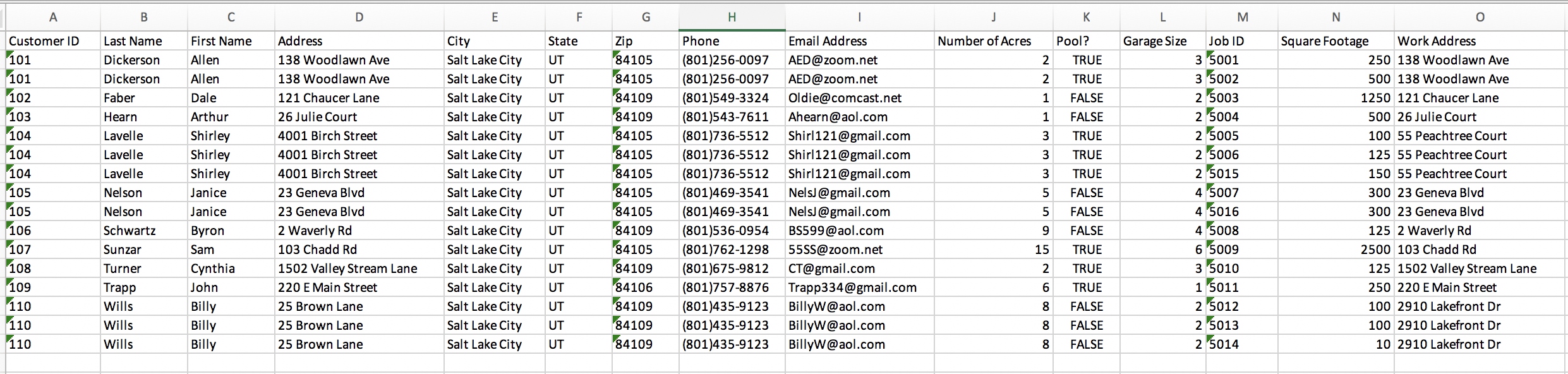
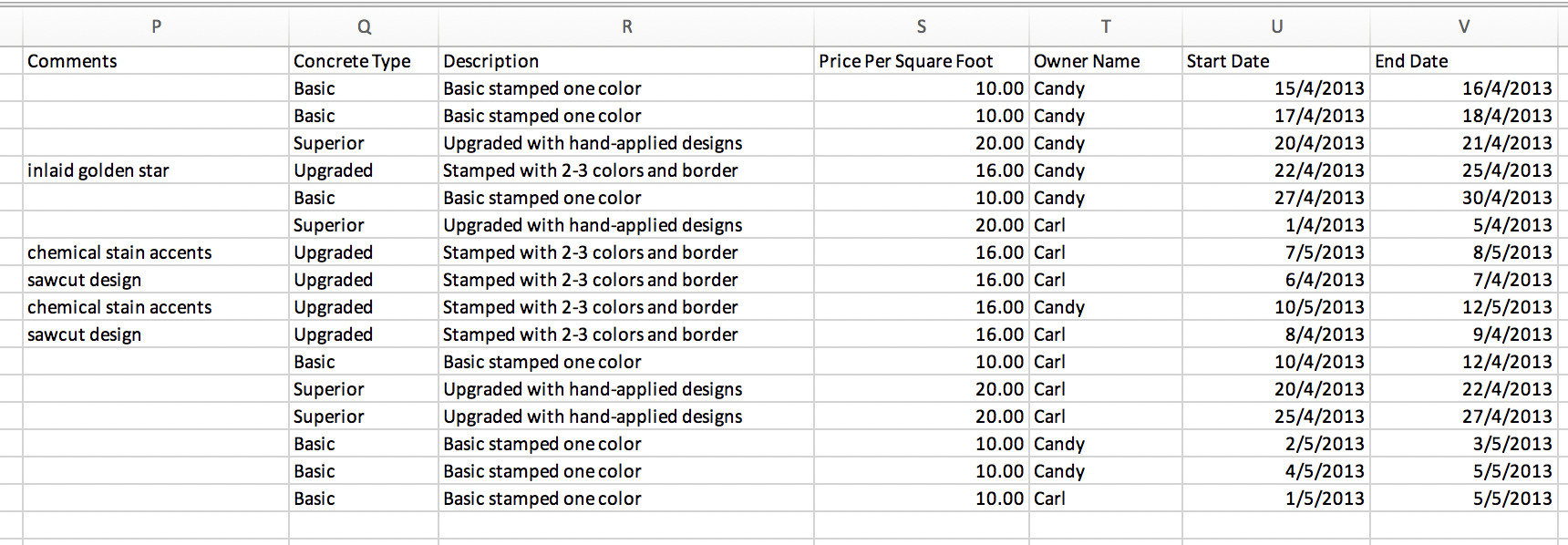
-
Step by Step Solution
There are 3 Steps involved in it

Get step-by-step solutions from verified subject matter experts
 Study Help