







Question: EENG 3308 Programming Languages for Design Assignment 1: Using MATLAB as a Calculator Task 1: Play with the MATLAB environment and check the variables and
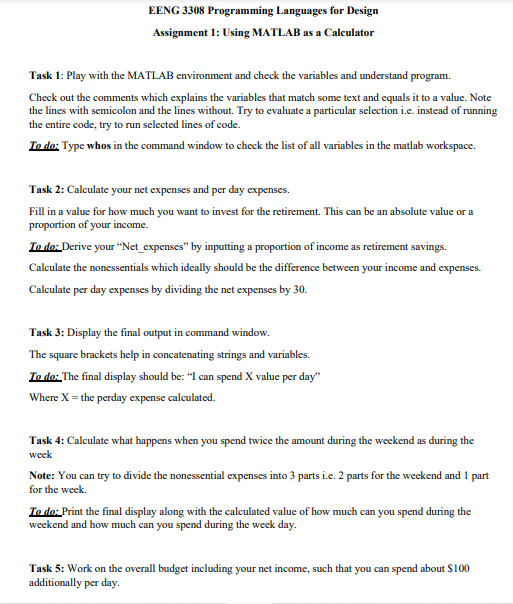
EENG 3308 Programming Languages for Design Assignment 1: Using MATLAB as a Calculator Task 1: Play with the MATLAB environment and check the variables and understand program. Check out the comments which explains the variables that match some text and equals it to a value. Note the lines with semicolon and the lines without. Try to evaluate a particular selection i.e. instead of running the entire code, try to run selected lines of code. To do: Type whos in the command window to check the list of all variables in the matlab workspace. Task 2: Calculate your net expenses and per day expenses. Fill in a value for how much you want to invest for the retirement. This can be an absolute value or a proportion of your income. To do: Derive your "Net_expenses" by inputting a proportion of income as retirement savings. Calculate the nonessentials which ideally should be the difference between your income and expenses. Calculate per day expenses by dividing the net expenses by 30. Task 3: Display the final output in command window. The square brackets help in concatenating strings and variables. To do: The final display should be: "I can spend X value per day" Where X = the perday expense calculated. Task 4: Calculate what happens when you spend twice the amount during the weekend as during the week Note: You can try to divide the nonessential expenses into 3 parts i.e. 2 parts for the weekend and 1 part for the week. To do: Print the final display along with the calculated value of how much can you spend during the weekend and how much can you spend during the week day. Task 5: Work on the overall budget including your net income, such that you can spend about $100 additionally per day. EENG 3308 Programming Languages for Design Assignment 1: Using MATLAB as a Calculator Task 1: Play with the MATLAB environment and check the variables and understand program. Check out the comments which explains the variables that match some text and equals it to a value. Note the lines with semicolon and the lines without. Try to evaluate a particular selection i.e. instead of running the entire code, try to run selected lines of code. To do: Type whos in the command window to check the list of all variables in the matlab workspace. Task 2: Calculate your net expenses and per day expenses. Fill in a value for how much you want to invest for the retirement. This can be an absolute value or a proportion of your income. To do: Derive your "Net_expenses" by inputting a proportion of income as retirement savings. Calculate the nonessentials which ideally should be the difference between your income and expenses. Calculate per day expenses by dividing the net expenses by 30. Task 3: Display the final output in command window. The square brackets help in concatenating strings and variables. To do: The final display should be: "I can spend X value per day" Where X = the perday expense calculated. Task 4: Calculate what happens when you spend twice the amount during the weekend as during the week Note: You can try to divide the nonessential expenses into 3 parts i.e. 2 parts for the weekend and 1 part for the week. To do: Print the final display along with the calculated value of how much can you spend during the weekend and how much can you spend during the week day. Task 5: Work on the overall budget including your net income, such that you can spend about $100 additionally per day
Step by Step Solution
There are 3 Steps involved in it
To complete the assignment using MATLAB as a calculator you can follow these steps Task 1 Explore MA... View full answer

Get step-by-step solutions from verified subject matter experts
 Study Help