







Question: El ile zm yaplacaktr K-Means Clustering Algorithm Assignment Dataset and Task: - Utilize the 9 data points provided in the kMeans.xlsx file to perform the
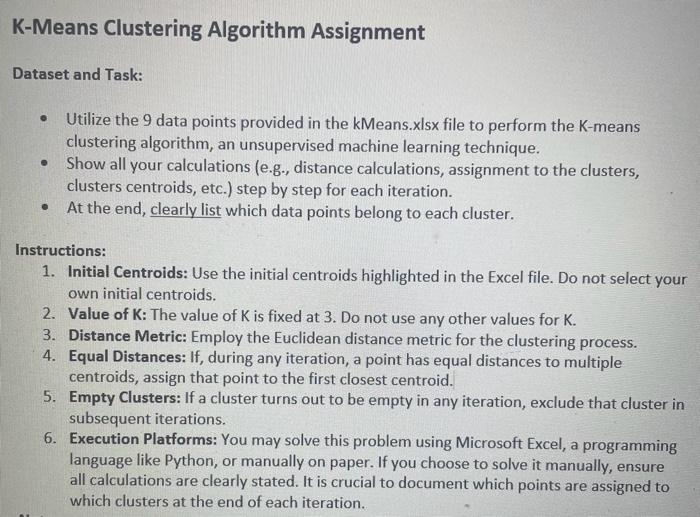
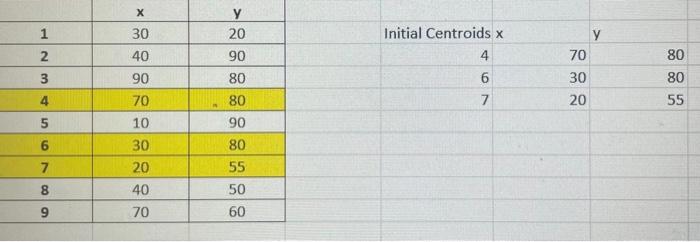
K-Means Clustering Algorithm Assignment Dataset and Task: - Utilize the 9 data points provided in the kMeans.xlsx file to perform the K-means clustering algorithm, an unsupervised machine learning technique. - Show all your calculations (e.g., distance calculations, assignment to the clusters, clusters centroids, etc.) step by step for each iteration. - At the end, clearly list which data points belong to each cluster. Instructions: 1. Initial Centroids: Use the initial centroids highlighted in the Excel file. Do not select your own initial centroids. 2. Value of K : The value of K is fixed at 3. Do not use any other values for K. 3. Distance Metric: Employ the Euclidean distance metric for the clustering process. 4. Equal Distances: If, during any iteration, a point has equal distances to multiple centroids, assign that point to the first closest centroid. 5. Empty Clusters: If a cluster turns out to be empty in any iteration, exclude that cluster in subsequent iterations. 6. Execution Platforms: You may solve this problem using Microsoft Excel, a programming language like Python, or manually on paper. If you choose to solve it manually, ensure all calculations are clearly stated. It is crucial to document which points are assigned to which clusters at the end of each iteration. \begin{tabular}{|c|c|c|} \hline & x & y \\ \hline 1 & 30 & 20 \\ \hline 2 & 40 & 90 \\ \hline 3 & 90 & 80 \\ \hline 4 & 70 & 80 \\ \hline 5 & 10 & 90 \\ \hline 6 & 30 & 80 \\ \hline 7 & 20 & 55 \\ \hline 8 & 40 & 50 \\ \hline 9 & 70 & 60 \\ \hline \end{tabular} Initial Centroids x 4 6 7 \begin{tabular}{|l|l|} \hline & y \\ \hline 70 & 80 \\ \hline 30 & 80 \\ \hline 20 & 55 \\ \hline \end{tabular}
Step by Step Solution
There are 3 Steps involved in it

Get step-by-step solutions from verified subject matter experts
 Study Help