







Question: } else if ( randomNum = = 2 ) { if ( this - > fCollision ( aRectangle ) ) { aRectangle.fPlot ( ) ;
else if randomNum if thisfCollisionaRectangle aRectangle.fPlot; thismoveDiagonalNegRight; thismoveUp; randomly selects the direction of the object when it's at the coordinate
if thisxInit && yInit if randomNum if thisfCollisionaRectangle aRectangle.fPlot; thismoveLeft; thismoveUp;
thismoveDiagonalPosLeft; thismoveRight; randomly selects the direction of the object when it's at the coordinate
if thisxInit && yInit if randomNum thismoveDiagonalPosRight; else if randomNum if thisfCollisionaRectangle aRectangle.fPlot; thismoveDiagonalNegLeft; thismoveRight; randomly selects the direction of the object when it's at the coordinate
if thisxInit && yInit if randomNum if thisfCollisionaRectangle aRectangle.fPlot; thismoveRight; thismoveDiagonalPosLeft; else if randomNum if thisfCollisionaRectangle aRectangle.fPlot; randomly selects the direction of the object when it's at the coordinate
function for gliding the object bool collision false;return collision true;
int Rect::randomNumberint randomNum rand;
int Rect::randomDirectionreturn rand;
Rect::~RectdestructorIn main, it must be edited so that Rect class objects go into a dynamic memory array with
the new and delete commands. Encode two objects with the dynamic array. The first
object calls the default constructor, but the second object uses the setters functions to
define each of its attributes. Also, the code was modified so that how many objects are
alive at the moment appear on the screen..
int main
const int totalObj ;
Hace que la pantalla mida
SetWindowPosmyConsole SWPNOMOVESWPNOZORDER;
Rect rectangles new Rect totalObj;
rectanglessetBase;
rectanglessetAltura;
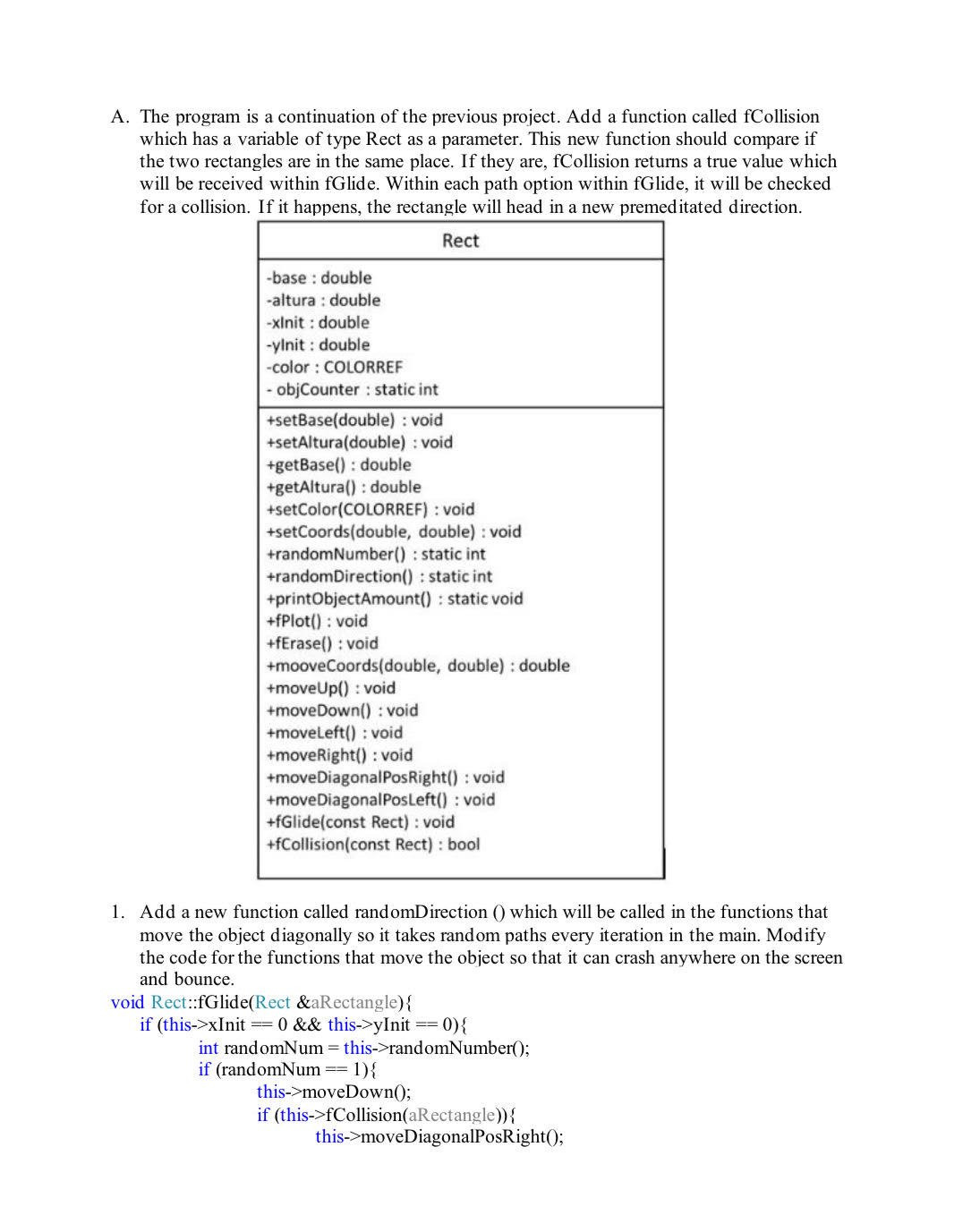
rectangles setCoordsA The program is a continuation of the previous project. Add a function called fCollision
which has a variable of type Rect as a parameter. This new function should compare if
the two rectangles are in the same place. If they are, fCollision returns a true value which
will be received within fGlide. Within each path option within fGlide, it will be checked
for a collision. If it happens, the rectangle will head in a new premeditated direction.base : double
altura : double
xlnit : double
yInit : double
color : COLORREF
objCounter : static int
setBasedouble: void
setAlturadouble: void
getBase : double
getAltura: double
setColorCOLORREF: void
setCoordsdouble double: void
randomNumber : static int
randomDirection : static int
printObjectAmount : static void
fPlot : void
fErase : void
mooveCoordsdouble double: double
moveUp : void
moveDown: : void
moveLeft : void
moveRight : void
moveDiagonalPosRight : void
moveDiagonalPosLeft : void
fGlideconst Rect : void
fCollisionconst Rect: boolAdd a new function called randomDirection which will be called in the functions that
move the object diagonally so it takes random paths every iteration in the main. Modify
the code for the functions that move the object so that it can crash anywhere on the screen
and bounce.if thisxInit && thisyInit if randomNum if thisfCollisionaRectangle
Step by Step Solution
There are 3 Steps involved in it
1 Expert Approved Answer
Step: 1 Unlock

Question Has Been Solved by an Expert!
Get step-by-step solutions from verified subject matter experts
Step: 2 Unlock
Step: 3 Unlock
 Study Help